


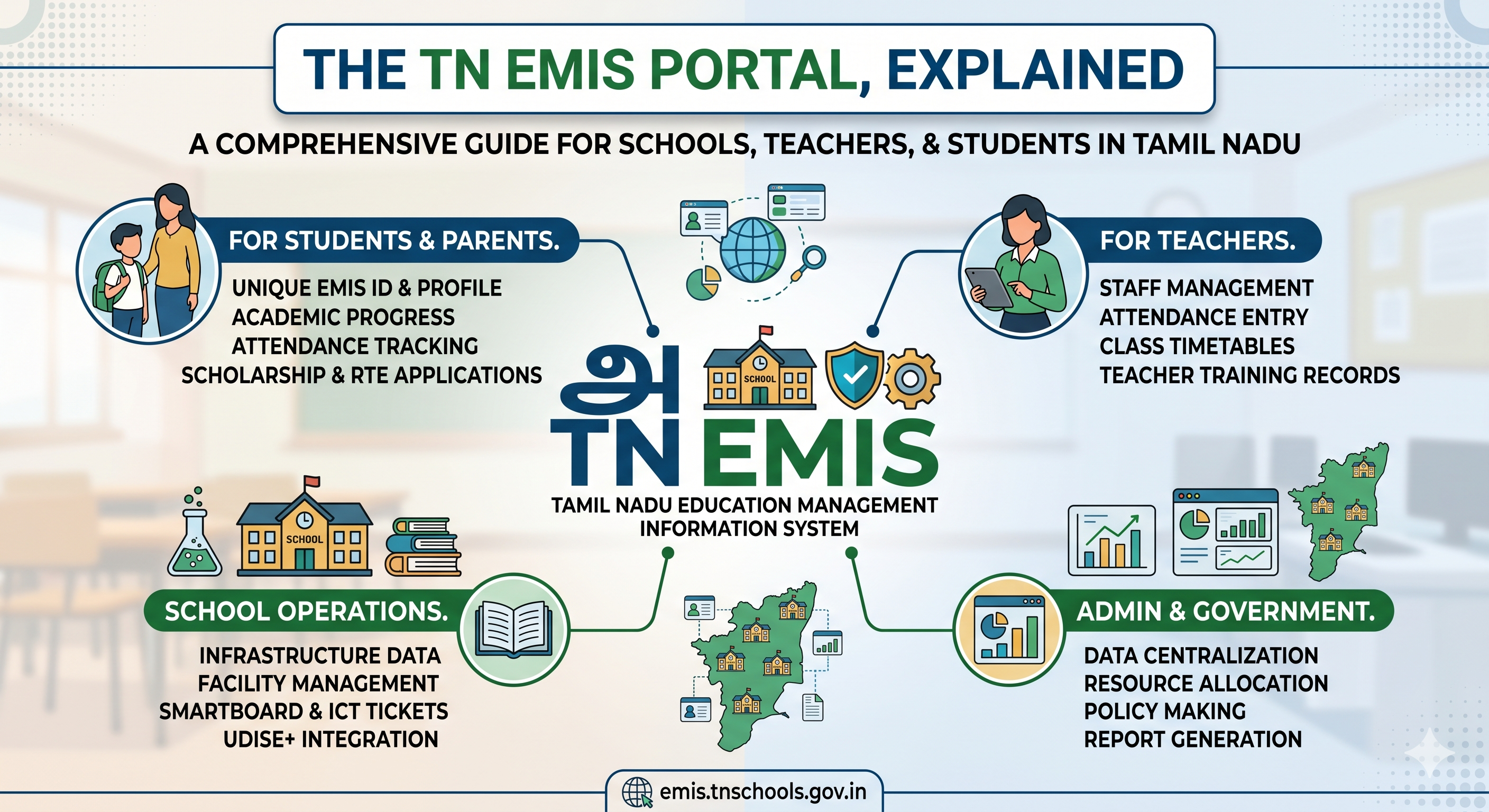
How to log in to the Tamil Nadu EMIS portal, reset a forgotten password, get the app, and understand who has access — in plain English.
The TN EMIS portal is the Tamil Nadu School Education Department's online system for managing student, staff and school data across the state. You log in at emis.tnschools.gov.in using the credentials your school issues — it's for authorised users (headmasters, teachers, administrators and department officials), not a public student login.
If you've been told to "log in to EMIS" and you're stuck at the credentials or a forgotten password, this guide walks through the login flow, the app, and password recovery — then explains what actually happens inside the portal.
How to log in to the TN EMIS portal
The login flow is role-based — you pick the category that matches your access before entering credentials. The general steps:
- Open emis.tnschools.gov.in in your browser.
- On the login page, choose your login category / role (for example, school login or an authority/department login).
- Enter the username and password issued to your school or to you by your headmaster.
- Enter the on-screen verification code if one is shown, then submit.
- You'll land on your dashboard, where you can view and update the records your role allows.
If you're a teacher and don't have credentials yet, your headmaster or EMIS coordinator usually creates your initial login — access is tied to the school's code, so it's set up at the school level, not self-registered by individuals.
Always confirm the current URL from an official source. Government portal addresses and login steps change over time. Confirm the live EMIS portal link and procedure from an official Tamil Nadu School Education Department circular before logging in — not from a third-party page (including this one).
How to reset a forgotten TN EMIS password
If you can't remember your password:
- Go to the EMIS login page at emis.tnschools.gov.in.
- Select the "Forgot Password" option in the login box.
- Provide your registered mobile number or email.
- Follow the OTP or reset link sent to recover access and set a new password.
If the reset doesn't reach you — common when the registered mobile number is outdated — the fastest route is to ask your school's EMIS coordinator or headmaster, since they manage the school's accounts and can help update or re-issue access.
Is there a TN EMIS app?
Yes — the Tamil Nadu School Education Department offers an EMIS mobile app (Android and iOS) alongside the web portal, intended for school staff and heads to access EMIS services on the go. As with the website, you sign in with school-issued credentials. Because app names, links and store listings change, download it only from the official portal link or the official app store listing confirmed by the department — not from a forwarded APK or a third-party mirror.
Who can log in?
Access is for authorised users — school administrators, headmasters, teachers and department officials — using credentials tied to the school's code. It isn't a public student login. Students who need their own details (like their EMIS number) get them through their school rather than by logging in themselves. (If that's what you're here for, see our separate guide on what an EMIS number is and how to find it.)
What schools manage on the portal
Once logged in, the portal centralises the data the state uses to monitor and run school education. Broadly, schools handle:
Student data — Enrolment and individual student records across classes.
Staff details — Teacher and non-teaching staff records, often including training and attendance.
School profile — School identity, infrastructure and facilities information.
Attendance & outcomes — Records the department uses to monitor schools.
EMIS vs. your school's own software
It's worth being clear about the difference. EMIS is the government's reporting system — the state's view of every school. It isn't software a school buys or runs its daily operations on. Schools still need their own day-to-day system for fees, attendance, exams and parent communication; that system should hold clean, structured data so that when it's time to update EMIS, the information is already accurate and ready — not reconstructed under a deadline.
Transform Your School Operations with Smart School Management Software
Automate admissions, attendance, fees, exams, communication, and administration with an all-in-one cloud-based School ERP platform designed for modern schools.
Book a DemoFrequently Asked Questions
How do I log in to the TN EMIS portal?
Go to emis.tnschools.gov.in, choose your login category or role, then enter the username and password issued to your school. Enter the verification code if shown and submit to reach your dashboard. Teachers usually receive credentials created by their headmaster, since access is tied to the school's code rather than self-registered.
What is the TN EMIS portal login address?
The official portal is at emis.tnschools.gov.in. Because government portal links can change, confirm the current address from an official Tamil Nadu School Education Department communication before logging in.
How do I reset a forgotten TN EMIS password?
On the login page, select "Forgot Password," enter your registered mobile number or email, and follow the OTP or reset link to set a new password. If the reset doesn't reach you, ask your school's EMIS coordinator or headmaster, who manages the school's accounts.
Is there a TN EMIS mobile app?
Yes, the School Education Department provides an EMIS app for Android and iOS for school staff, used with the same school-issued credentials as the web portal. Download it only from the official portal link or official app store listing.
Who can log in to the TN EMIS portal?
Access is for authorised users such as school administrators, headmasters, teachers and department officials, using credentials issued to the school. It is not a public student login.