Timetable & substitution FAQs
What academic coordinators ask before switching.
How does an automatic school timetable generator actually work?
+
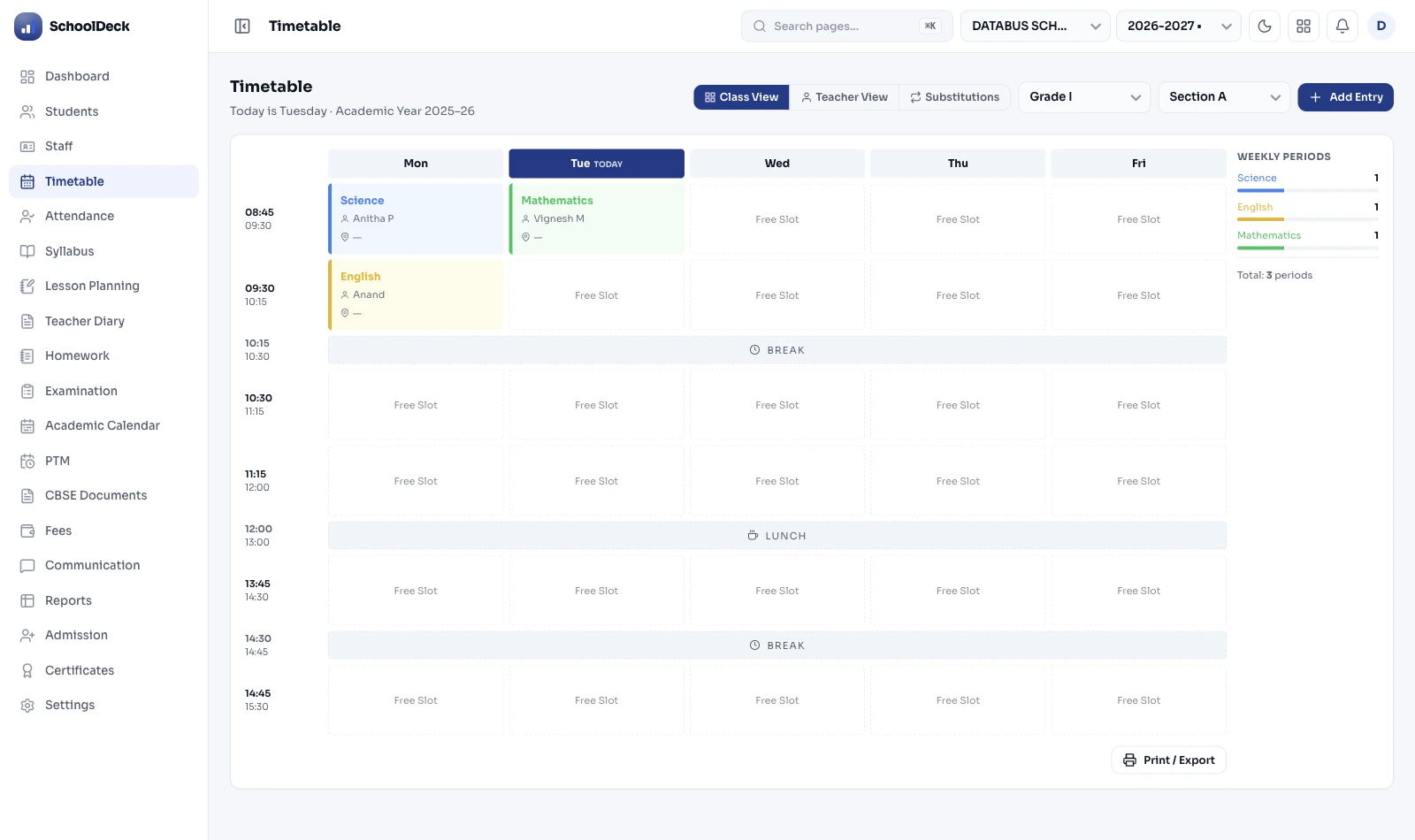
School timetable generation is a constraint-satisfaction problem. The platform takes inputs — class sections, subjects with required weekly periods, teachers and their subject expertise, teacher availability windows (full-time, part-time, visiting), room and lab constraints, period priorities (Math morning, sports afternoon), double-period requirements for labs and arts, and combined-class sessions. The constraint-solver finds a valid assignment that satisfies these rules. Real school timetabling has staggeringly large search spaces — a typical 30-class, 50-teacher school has more than 1050 possible assignments, far beyond manual exploration. Platform completes generation in minutes rather than weeks. Output: master grid, class-wise timetables, teacher schedules, room utilisation reports.
How does same-day teacher substitution work?
+
At 8:05 AM the coordinator gets a leave application from a Class 9 Math teacher. She opens the substitution module, taps 'Find substitute' per affected period. The engine surfaces available teachers ranked by — subject expertise (other Math teachers first, then those who can teach Math, then any free teacher for supervised study), current proxy load this week (least-used teachers prioritised), and workload trend over the month (rotation fairness). She approves; substitutes get push notification by 8:15 AM telling them which period and which class. Students aren't in unsupervised free periods. From 30-minute morning panic to 5-minute task.
Does the platform handle CBSE working-day requirements?
+
Yes. CBSE specifies minimum 220 working days/year for primary and upper-primary (Classes 1-8) and 200 working days/year for secondary and senior secondary (Classes 9-12). The platform tracks declared holidays, planned PTM days, sports day, annual function, unplanned closures against the working-day count throughout the year. Trending below minimum? Coordinator alerted with time to add make-up Saturdays. Saturday treated as structured co-curricular day — vocational sessions, club activities, library reading — not a leftover periods dumping ground.
How does it support NEP 2020 vocational education for Class 6 onwards?
+
NEP 2020 makes vocational education mandatory from Class 6 onwards. Platform reserves vocational period blocks per class, links them to vocational options the school offers (carpentry, IT, retail, beauty/wellness, gardening — schools choose based on local context and partner institute availability), tracks vocational teaching hours per student per term. CBSE Skill Education for Classes VI-VIII requires face-to-face mode per the December 2025 circular — the platform schedules these as in-person periods with practical-room allocation, not online sessions.
Can the platform schedule the CBSE 50-hour CPD requirement?
+
Yes. CBSE made 50 hours of CPD mandatory for all teachers in affiliated schools effective April 2025 — split as 25 hours via CBSE or government training institutes + 25 hours via in-house or school-complex-based training. Framework: Core Values and Ethics (12 hrs), Knowledge and Practice (24 hrs), Professional Growth and Development (14 hrs). Platform schedules in-house CPD blocks (typically Wednesday after-school, Saturday afternoons, vacation intensives) and tracks completion per teacher. Compliance reports auto-generated for CBSE inspection.
How are double periods for labs and visiting faculty handled?
+
Double periods — Physics lab, Chemistry lab, Biology lab, Computer lab, Art, Sports — configured as 'consecutive period requirements'. Constraint-solver finds 2-period blocks satisfying room/lab capacity (only one Physics lab room = only one section using it at a time). Visiting faculty get explicit availability blocks — Ms. Rao only Mondays and Wednesdays for 4 periods? System never assigns her outside those windows. Combined classes (5A and 5B merged for PE) configured as single sessions with combined student count for room sizing. If no schedule satisfies all constraints, system surfaces which constraints conflict so coordinator can adjust — rather than producing a broken schedule.
Can we manually lock specific periods before auto-generation?
+
Yes. 'Pinned slots' tell the generator to treat certain periods as fixed before running. Examples: Class 10 Math always in Period 1 (students freshest), assembly always 8:00-8:30 AM, Saturday Period 1 always reserved for house-meetings, library period for Class 7 always Wednesday Period 4. Generator builds the rest around these pinned slots. If pinned slots create an unsolvable conflict (the only available Math teacher is also requested elsewhere), the system explains the conflict rather than producing a broken schedule.
Can the platform handle different rhythms for primary, middle, and senior secondary?
+
Yes. Primary classes (Foundational and Preparatory stages under NEP 5+3+3+4) typically need flexible activity blocks rather than rigid 40-minute periods — platform supports activity-based scheduling for Classes 1-5 separately from structured period schedules for Classes 6-12. Different wings (Primary, Middle, Senior Secondary) can have different period durations, different break times, different lunch slots — all in one unified school timetable. Senior Secondary may run 8 periods of 45 minutes while Primary runs activity blocks of 30 minutes; platform reconciles staff transitions between wings without conflict.