School Exam Management Automation
Term-end exam week sinks every coordinator: hall tickets in Word, seating plans in Excel, marks in twelve teacher diaries, report cards mail-merged at midnight. SchoolDeck automates the entire 14-day fortnight as one connected workflow — hall tickets, seating, marks entry, results & report cards.
CBSE-norm seating. Zero calculation errors. Bulk report cards in 90 seconds.
Quick definition
School exam management automation is the end-to-end digitisation of the examination workflow — admit-card generation, seating arrangement, invigilation rosters, marks entry, grading, and report card production — handled as one connected cycle instead of a sequence of disconnected spreadsheet steps.
A typical school's term-end exam workload drops from 14 days to 2-3 days. Why? Because the data flows automatically between stages: the student database produces hall tickets, hall tickets feed the seating plan, the seating plan generates invigilation rosters, marks entered in the teacher app flow into auto-graded report cards.
Each stage stops being a separate project. The exam coordinator stops being a part-time data clerk.
The cycle
Four stages. Data flows automatically between each. The coordinator stops re-entering the same student list four times.
Hall tickets generate in bulk. Fee defaulters auto-blocked. Seating plan & invigilation roster produced in the same step.
Biometric marks 'present at exam.' Invigilator app captures the conduct sheet. Centre superintendent sees live status.
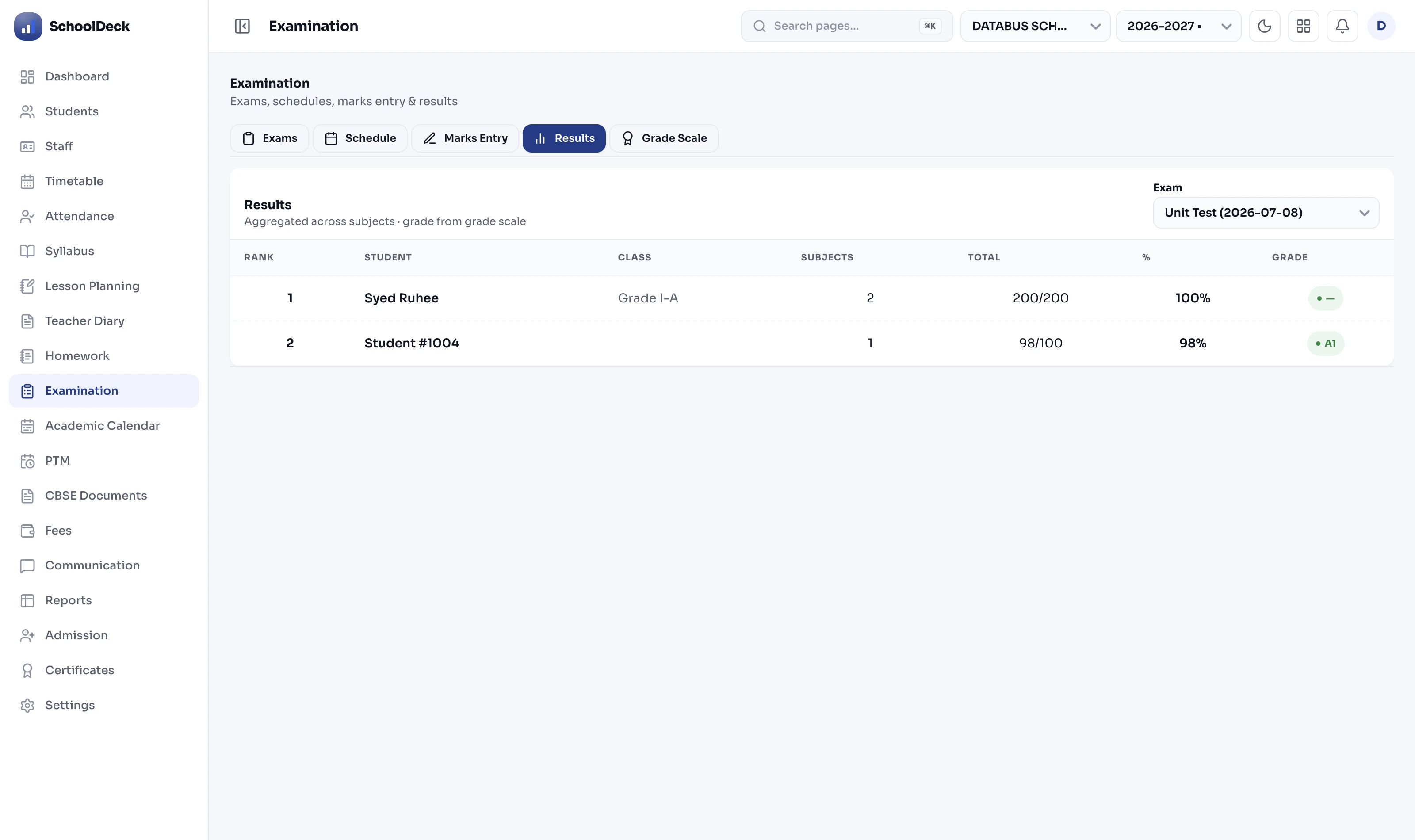
Subject teachers enter marks via the app. Range, grace-mark & aggregation validation on every entry. HOD reviews; principal locks.
2,000 report card PDFs in 90 seconds. Pushed via parent app & WhatsApp. Analytics dashboard ready for next year's planning.
A day in the coordinator's life
Vice-principal in charge of exams. 1,800 students. CBSE school in Indore. Two ways the same fortnight could go.
Mail-merge hall tickets in Word. Three rounds of corrections. Accounts sends a defaulter list separately, by email.
Build seating plan in Excel. Manually shuffle so no two adjacent students have the same QP set. Two evenings lost.
Collect marks slips from 40 teachers. Three discrepancies between section totals and aggregate. Re-verify each.
Mail-merge 1,800 report cards in Word. Printer jams at #1,243. Restart batch. Find 6 wrong percentages after distribution.
"Generate hall tickets." Fee defaulters auto-blocked from the live ledger. 1,800 PDFs ready, 47 flagged for clearance. ~30 min.
"Generate seating plan." 24-per-room, rotational, QP-set sequenced per CBSE norm. Invigilation roster auto-prints in same step.
Teachers enter marks on their phones during free periods. Validation catches the typo at entry. HOD locks daily.
"Generate report cards." 90 seconds. PDFs delivered through the parent app. No printer needed for distribution.
Most "exam software" gives a fancy hall layout. The CBSE Centre Superintendent's checklist is more specific.
Three rows. Twenty-four max. One invigilator. Standard CBSE Centre Superintendent rule.
Not roll-number-based. Different classes alternate. Same class students never adjacent.
Room 1 ends with QP set 2 → Room 2 starts with set 3. Adjacent students never share QP.
Updated CBSE SOP applies. SchoolDeck's room calculator respects classroom dimensions.
References: CBSE Centre Superintendent guidelines, CBSE seating SOP 2025, CBSE OECMS (Online Exam Centre Management System).
The Excel exit
| Exam stage | Manual / Excel way | SchoolDeck way |
|---|---|---|
| Hall tickets | Mail-merge in Word + 3 correction rounds | One click · 30 min · defaulter-blocked |
| Seating arrangement | Two evenings of Excel shuffling | Generate per CBSE norm in 60 sec |
| Invigilation roster | Separate sheet, manual teacher allocation | Auto-generated alongside seating |
| Marks entry | Paper slips → typing → typos | Teacher app · 3-layer validation |
| Grade calculation | VLOOKUP formulas · break in every cell | Rule-engine · zero formula errors |
| Report card production | Word mail-merge · printer jams | 90 sec for 2,000 PDFs |
| Distribution to parents | Print + send home in school bags | Parent app + WhatsApp instant |
Exam automation FAQs
The end-to-end digitisation of the examination workflow — admit cards, seating, invigilation rosters, marks entry, grading & report cards — handled as one connected cycle instead of disconnected spreadsheets. A typical school's term-end workload drops from 14 days to 2-3 days because data flows automatically between stages. The student database produces hall tickets, hall tickets feed the seating plan, marks in the teacher app flow into auto-graded report cards.
Yes. Standard board guidelines: max 24 students per room (CBSE Centre Superintendent norm), 3-row layout, rotational seating (not roll-number-based) to prevent malpractice, and continuous QP-set rotation across rooms so no two adjacent students have the same question paper set. The 6-foot distance recommendation from the 2025 SOP is built in. Schools can override defaults — classroom unit tests typically use class-grouped seating; board-pattern internal exams use full alternating rotation.
Yes. The hall ticket generator pulls live data from the fee ledger before printing. Students with dues above the threshold the school sets (e.g., ₹5,000+) get their ticket flagged 'Pending Clearance' instead of printed. The Accounts office clears the block once payment is received and the ticket auto-prints. This is the most common reason schools say fee collection improved 30-40% — exam time is the highest-leverage moment to collect outstanding dues.
Three validation layers on every entry: range validation (if max is 50, the system blocks any value over 50), grace mark rules (if a student is one mark short of passing in a subject, the system flags it per configured rules), and aggregation validation (catches when a subject total doesn't match the sum of section marks). Plus the standard prevention: no Excel = no formula errors. Marks go straight from the teacher app into the database, with an audit trail of who entered what and when.
Yes. A school can run CBSE CCE (FA1 + FA2 + SA1 + SA2) for Classes 1-8, CGPA grading for Classes 9-10, and percentage-based grading for Classes 11-12 — all simultaneously. Each grade band picks up its rubric automatically. The system also handles board-specific quirks like ICSE's 80/20 internal-external split, State Board regional grading patterns, and custom grading the school invents for diagnostic tests. For detailed grading rules, see the board-aligned exams solution.
For a 2,000-student school, generating all report cards as branded PDFs takes 60-90 seconds end-to-end. PDFs include the school logo, principal's digital signature, QR code for verification, and the board-appropriate format. Schools push them directly to parents through the parent app — no physical printing for bulk distribution, only for the few parents who request paper. That's where the ₹40,000+ annual printing budget disappears.
Yes. On exam day, the same biometric attendance the school already uses marks students 'present at exam,' auto-populating the candidate-wise attendance report. Absent students are flagged. For multi-campus trusts, the head office sees aggregate exam-day attendance across all campuses in real time. For state boards requiring attendance certification, this becomes a one-click submission.
Related
The full technical detail — grading patterns, rubrics, marks engine.
SolutionCBSE CCE, ICSE 80/20, State Board patterns — how each is handled.
Use caseGive teachers back 10+ hours a week — including the report card grind.
Use case₹3.5L+ saved per year — including the report card printing budget.
Stop building seating plans in Excel. Stop mail-merging 2,000 hall tickets in Word. Stop staying back till 9 PM during result week. One platform, one connected workflow, two days instead of fourteen.
CBSE-norm seating · Live in 7 days · From ₹24,999/year


