Databus Logo
Blog Login →
CBSE Board Solutions

CBSE School Management Software & Bye-Laws Engine

Don't just manage your school; keep it Audit-Ready. The only ERP built strictly on CBSE Examination Bye-Laws, automating OASIS data, generating NEP 2020 Holistic Cards, and standardizing Appendix-V Transfer Certificates.

Trusted by 500+ CBSE-affiliated schools across India, SchoolDeck is purpose-built for the CBSE ecosystem — not retrofitted from a generic school software. From Class 9 registration to Class 12 LOC, from UDISE+ data capture to NEP 2020 Holistic Progress Cards, every workflow is aligned with the latest CBSE circulars and Affiliation Bye-Laws.

📋 OASIS Automation 📊 UDISE+ Ready 📄 LOC Registration 🎓 NEP 2020 HPC 🔖 Appendix-V TC
See Compliance Demo →

What is CBSE OASIS & Why Does Your School Need Dedicated Software?

OASIS — the Online Affiliated School Information System — is the mandatory annual compliance portal operated by the Central Board of Secondary Education. Every CBSE-affiliated school in India is required to submit verified data on teacher qualifications, infrastructure, enrolment figures, and financial details through this portal each academic year. Non-submission or submission of incorrect data can jeopardize a school's affiliation status.

The challenge most school administrators face is that OASIS data is not collected from one place — it spans HR records, infrastructure logs, student databases, and financial systems. Without integrated software, coordinators spend weeks manually compiling spreadsheets, cross-checking entries, and reconciling discrepancies before the portal deadline.

SchoolDeck eliminates this entirely. Because all operational data — staff qualifications, room counts, lab inventories, student enrolment — lives inside a single, connected ERP, the OASIS data is always current. When the annual deadline arrives, a school administrator simply clicks "Generate OASIS Report" and downloads the board-ready CSV file. No spreadsheet. No panic. No errors.

Adherence to Latest CBSE Circulars

SchoolDeck is updated within 48 hours of any new CBSE circular. Here's how each major mandate maps to a specific software feature.

CBSE Mandate / Circular SchoolDeck Solution
NEP 2020 Implementation HPC (360 Degree Assessment) HPC Generator: Includes Self-Assessment, Peer-Assessment, and Teacher Observation modules natively. Generates the radar chart required in the official progress card format.
OASIS Data Capture Affiliation Bye-Laws, Annual Submission Staff & Infra Module: Maintains data in exact OASIS format. One-click CSV export validated against the board's data dictionary before download.
Health & Physical Education Mainstreaming HPE in Curriculum Health Cards: Tracks BMI, Vision screening, Dental records, and SEWA project hours automatically alongside academic data.
Standardized TC Appendix V Format, Affiliation Bye-Laws TC Generator: Auto-fetches PEN (Permanent Education Number) and Affiliation Code for legally compliant, flawless TC printing.
75% Attendance Mandate CBSE Examination Bye-Laws, Rule 29 Attendance Engine: Auto-flags students below threshold, sends parent alerts via WhatsApp/SMS, and generates condonation request formats for Regional Offices.
Art Integrated Learning (AIL) CBSE Circular on Subject Enrichment AIL Portfolio Module: Teachers log AIL project details per subject. Data auto-populates the 'Subject Enrichment' field in the final NEP report card.

Core CBSE Compliance Modules

Each module is built around a specific CBSE obligation — not adapted from a generic feature. Here's what SchoolDeck automates for CBSE schools.

📂

OASIS Data Automation for CBSE Schools

The CBSE OASIS portal requires schools to submit verified data on teacher qualifications, infrastructure, and enrolment every year. Manual data collection from disconnected systems leads to errors and last-minute panic. SchoolDeck maintains all OASIS-required data fields throughout the year so that the annual export is a single click.

  • Staff Roster: Auto-validates teacher qualifications vs. subjects taught and flags non-compliant assignments in the HR Module.
  • Infrastructure: Tracks lab specifications, library book counts, classroom dimensions, and sports facilities for accurate board reporting.
  • Validation Engine: Pre-export check identifies data gaps and inconsistencies before you submit to the CBSE portal.
📊

LOC & Class 9/11 Registration Made Simple

Managing List of Candidates (LOC) for Classes 10 and 12 — and the initial registration for Classes 9 and 11 — is one of the most error-prone processes in a CBSE school. A wrong subject combination or a non-compliant student photo can trigger board rejections. SchoolDeck's LOC module enforces CBSE rules at the point of data entry, not at the point of submission.

  • Subject Validation: Prevents invalid subject combinations, e.g., simultaneous enrollment in Math Basic and Math Standard is blocked automatically.
  • Photo Cropper: Auto-resizes and crops student photos to CBSE's exact pixel and file-size specifications before upload.
  • Bulk Export: Generates the final LOC file in the board-accepted format, ready for direct portal upload.
📈

NEP 2020 Holistic Progress Card (HPC) Generator

The NEP 2020 Holistic Progress Card is a significant departure from traditional mark sheets. It requires schools to assess students across five domains — cognitive, social-emotional, physical, creative, and values — and present findings in a radar chart format alongside academic scores. SchoolDeck's Exam Engine generates this card fully automatically, pulling data from teacher observations, self-assessments, peer reviews, and co-curricular records.

  • Competency Mapping: Links exam questions and activities to specific learning outcomes like Critical Thinking, Inquiry, and Teamwork.
  • Peer Review Portal: A dedicated, moderated digital portal where students submit peer assessments — mandatory for the HPC under NEP 2020.
  • Radar Chart PDF: Auto-generates the visual HPC report card in PDF format for digital distribution to parents.
📄

Appendix-V Transfer Certificate Generator

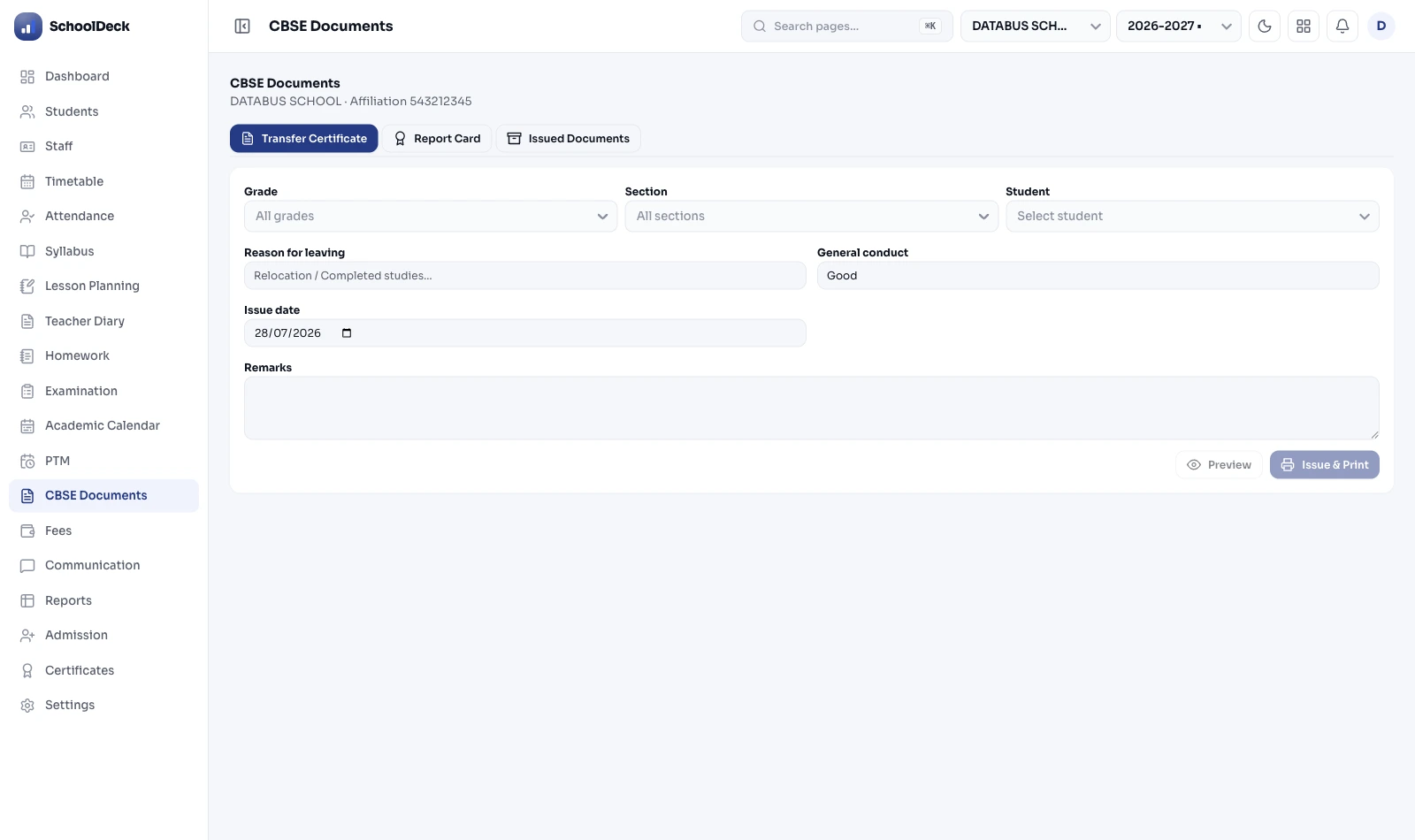
The CBSE Affiliation Bye-Laws specify the exact format for Transfer Certificates under Appendix-V. A TC issued in a non-standard format can be rejected by the receiving school or board. SchoolDeck's TC Generator pulls all mandatory fields directly from the student's SIS profile — including PEN, Affiliation Number, and date of last attendance — ensuring every certificate is legally compliant on the first print.

  • PEN Integration: Auto-includes the UDISE+ Permanent Education Number, eliminating a common source of TC rejection.
  • Digital Archive: Every issued TC is stored in an encrypted digital archive, retrievable instantly during board inspections.
  • Countersignature Workflow: Built-in approval flow ensures the Principal's digital sign-off before any TC is issued.

What is CBSE School Management Software?

CBSE School Management Software is a specialized school ERP designed specifically for institutions affiliated with the Central Board of Secondary Education. Unlike generic school software that treats compliance as an afterthought, a purpose-built CBSE ERP integrates the board's Affiliation Bye-Laws, Examination Bye-Laws, and NEP 2020 guidelines directly into its workflows.

A CBSE-specific ERP differs from a standard school management system in several key ways. First, it includes modules for OASIS data submission — the annual affiliation compliance requirement that generic ERPs simply don't address. Second, it generates report cards in the NEP 2020 Holistic Progress Card format, including radar charts and multi-domain competency assessments, rather than simple mark sheets. Third, it handles CBSE-specific workflows like LOC registration, Appendix-V TC generation, and UDISE+ data capture — all tightly integrated so data never needs to be entered twice.

For a CBSE school administrator, the difference is significant: instead of maintaining separate spreadsheets for OASIS, a separate process for LOC, and a separate template for TCs — all of which need to be reconciled at high-stress moments in the academic calendar — a CBSE ERP like SchoolDeck manages all of it from a single dashboard, year-round.

Who Uses SchoolDeck for CBSE Compliance?

🏫

New CBSE Affiliates

Schools applying for fresh CBSE affiliation use SchoolDeck to structure their infrastructure and staff data for the OASIS submission from day one.

📋

CBSE Affiliation Renewal

Schools due for affiliation renewal use the platform to generate inspection-ready reports, compliance summaries, and accurate OASIS data for the board.

🎓

Class 10 & 12 Schools

Secondary and senior secondary CBSE schools rely on SchoolDeck for error-free LOC submissions, board exam registrations, and NEP 2020 HPC generation.

Generated Compliance Artifacts

What you actually extract from the system — board-ready, every time.

Portal Ready File
📋

OASIS Export Data (.CSV)

Validated against CBSE data dictionary. Upload directly to the affiliate portal.

Student Report
📊

HPC Radar Graph (.PDF)

NEP 2020 compliant 360-degree progress card with competency radar chart.

Legal Document
📄

Appendix-V TC (.PDF)

CBSE Affiliation Bye-Laws compliant TC with PEN and Affiliation Number auto-filled.

CBSE NEP 2020 Holistic Progress Card generated by SchoolDeck ERP

CBSE Compliance FAQs

Common questions from CBSE school administrators about SchoolDeck's compliance features.

What is CBSE OASIS and how does SchoolDeck automate it?

OASIS (Online Affiliated School Information System) is the mandatory annual data portal for all CBSE-affiliated schools. Schools must submit data on staff, infrastructure, and enrolment. SchoolDeck maintains all this data throughout the year in the exact OASIS format. When submission time arrives, you simply export the pre-validated CSV file and upload it directly to the CBSE portal — eliminating weeks of manual spreadsheet work.

How does SchoolDeck handle the CBSE 75% Attendance Rule?

SchoolDeck automatically flags students who fall below the mandatory 75% attendance threshold as defined in CBSE Examination Bye-Laws. The system generates warning letters to parents via the communication module — by WhatsApp, SMS, or email — and formats the medical condonation reports required by the CBSE Regional Office, all without manual intervention from the school's administration team.

Is SchoolDeck updated for the latest CBSE Assessment Bye-Laws?

Yes. SchoolDeck's compliance team monitors CBSE circulars on a daily basis. Any revision to pass criteria, grading logic, subject weightage, or report card format is applied to the platform's backend within 48 hours of the circular's release, ensuring your school's documents are always board-compliant without any action required on your part.

Does SchoolDeck support Art Integrated Learning (AIL) for CBSE?

Yes. Teachers can log AIL project details and student portfolios against specific subjects inside SchoolDeck. The system automatically aggregates this data and reflects it in the 'Subject Enrichment' column of the NEP 2020 Holistic Progress Card — no separate tracking or manual entry required at report card time.

How does SchoolDeck handle LOC submission for Class 10 and Class 12?

SchoolDeck's LOC module enforces CBSE subject combination rules at the point of student data entry. It flags invalid combinations, auto-crops student photos to board-specified dimensions, and generates the final LOC file in the exact format accepted by the CBSE exam portal. This replaces the error-prone spreadsheet process that most schools currently use, and significantly reduces the risk of LOC rejection by the board.

Why Not Just Use Generic School Software?

Generic ERPs handle attendance and fees. CBSE compliance requires much more. Here's what you get only with a purpose-built CBSE ERP.

Feature / Requirement Generic School Software SchoolDeck (CBSE-Built)
OASIS CSV Export ✗ Not Available ✓ One-Click Export
NEP 2020 HPC with Radar Chart ✗ Not Available ✓ Auto-Generated PDF
LOC Validation & Export ~ Manual / Spreadsheet ✓ Rule-Enforced, Auto-Export
Appendix-V TC with PEN ~ Custom Template Only ✓ Board-Format, Auto-Fill
75% Attendance Alerts & Condonation Reports ~ Attendance Only ✓ Full CBSE Workflow
Circular Monitoring & Updates ✗ Manual Update Required ✓ Within 48 Hours

Explore Core ERP Modules

Solutions for Other Boards & Needs

SchoolDeck also has purpose-built solutions for ICSE/ISC schools and State Board schools.

Stay Inspection Ready. Always.

Adopt the software that inherently understands CBSE regulations. Eliminate end-of-year data panic and focus on educational excellence. Join 500+ CBSE schools that never miss a compliance deadline.

Get a Free Compliance Demo →