


🙋
30-second attendance
Stop calling 40 roll numbers. Tap "Mark All Present," then tap the absentees. Auto-WhatsApp to absentee parents in 60 seconds via the parent app.
Saves: ~8 min per class period
A 2023 UNESCO survey found that 60%+ of Indian teachers cite non-teaching admin work as their biggest stress factor — not students. SchoolDeck's teacher app automates attendance, lesson plans, diaries & report-card remarks. Most teachers reclaim 10+ hours a week within the first month.
Let them go home on time. Let them teach.
The data
A 2023 UNESCO survey found that over 60% of teachers in India cite non-teaching duties — not student behaviour, not academic pressure — as their biggest source of stress.
The work piles up: marking physical attendance registers, writing the daily teacher diary by hand, calculating monthly attendance percentages, drafting unique remarks for 40-50 report cards, filling lesson plan books the HOD checks, sending fee reminders to parents on personal WhatsApp.
Each task is small. Stacked, they consume 10–15 hours a week of work that has nothing to do with teaching — exactly the time research links to teacher burnout and attrition.
Where the time goes back
Each one is a small daily annoyance. Together they're the difference between leaving school at 4 PM and 7 PM.
Stop calling 40 roll numbers. Tap "Mark All Present," then tap the absentees. Auto-WhatsApp to absentee parents in 60 seconds via the parent app.
Saves: ~8 min per class period
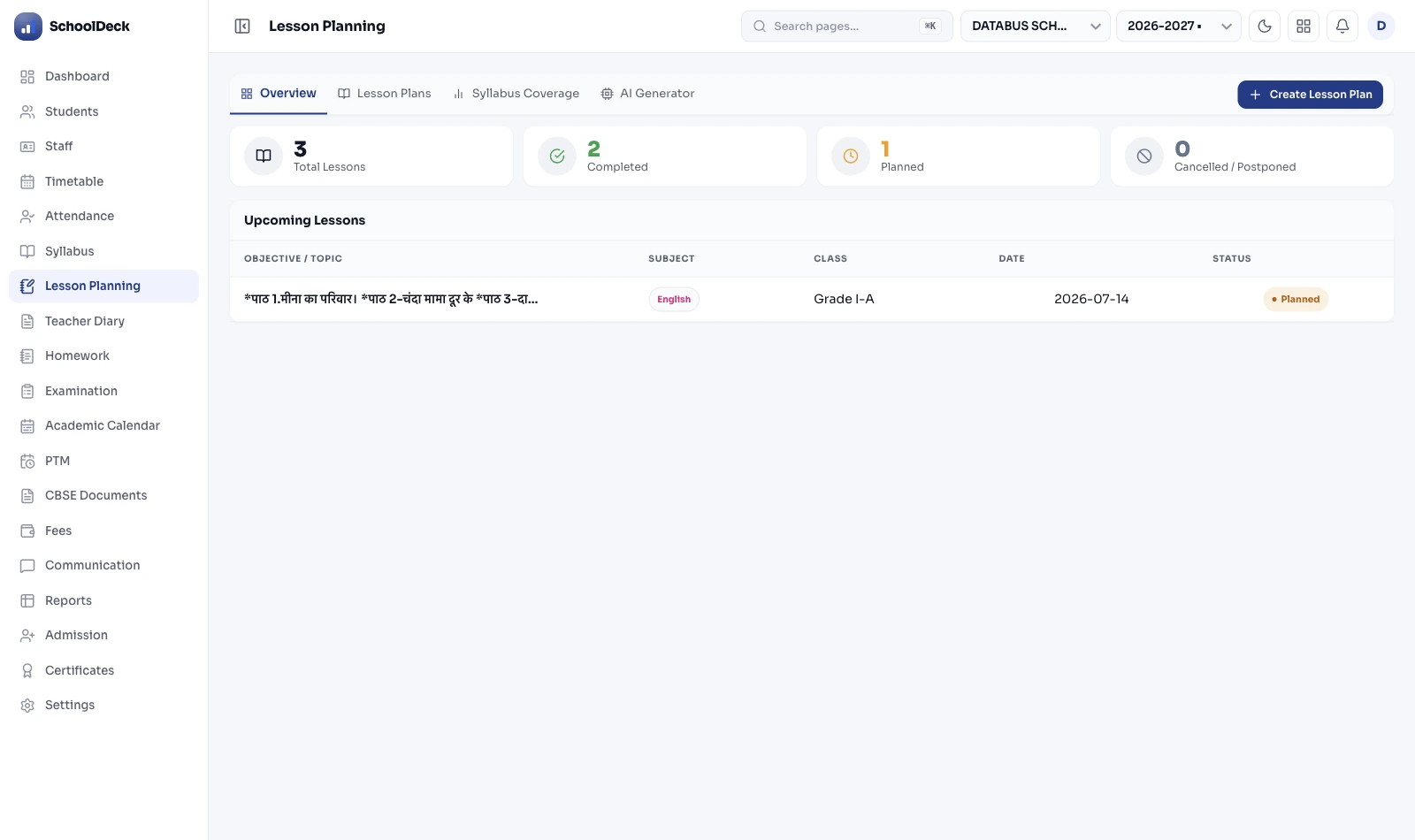
No more handwritten logbooks. Log topics covered in one tap on mobile. Principal sees a live syllabus completion dashboard in real time.
Saves: ~35 min per day
Clone last year's plan for the same chapter. Edit. Submit to HOD. LaTeX support for Maths & Science equations. NEP 2020 outcomes built in.
Saves: ~3 hr per week
Never use a calculator again. Monthly attendance percentages, exam averages, subject performance — all auto-calculated. Zero arithmetic errors, zero month-end panic.
Saves: ~2 hr at month-end
Move parent chats off your personal number. In-app secure messaging means parents reach the teacher's institutional identity — no more 9 PM messages on personal mobile.
Protects: evenings & weekends
Drafting 40 unique remarks every term is misery. The AI analyses each student's data and drafts personalised remarks. Teachers review, edit, approve.
Saves: ~2-3 hr per term per class
Class 8 maths teacher, CBSE school in Pune. Four daily moments that decided how late she went home.
Anita's Tuesday: ~3.5 hours of admin work → ~30 minutes. That's 3 hours back, every day she teaches.
The objections we hear
The four concerns every principal raises before rolling out a teacher app.
If a teacher can use WhatsApp, they can master the app in 30 minutes. Most actions are one tap from the home screen. Adoption above 90% within 2 weeks is standard.
Critical actions work offline — attendance, diary, lesson plans. Data caches locally and syncs when the connection returns. Designed for Tier-2/3 classroom reality.
Not required. The app runs on any teacher's personal Android phone. The small APK works fine on budget devices. Schools that prefer it can issue tablets — both options work.
AI drafts are starting points, not auto-published. Teachers review, edit and approve every remark. HOD can audit any remark's full edit history. No shortcuts to the report card.
Teacher app FAQs
A 2023 UNESCO survey of Indian teachers found 60%+ cite non-teaching duties as their biggest stress factor — not students. Marking attendance, writing diaries, calculating percentages, drafting 40-50 unique report card remarks, filling lesson plan books, fielding parent WhatsApp messages on personal phones. Each task is small; stacked, they eat 10-15 hours a week.
It replaces five physical workflows with their digital equivalent: attendance (mark all + tap absentees, parent SMS auto-fires), lesson plans (clone-from-last-year + HOD approval), digital diary (one-tap topic log), auto-calculated attendance percentages and class averages, and AI-drafted report card remarks. Most teachers reclaim 10+ hours a week within the first month.
No — designed with a zero-training principle. If a teacher can use WhatsApp, they can master the app in under 30 minutes. The interface uses large buttons, regional language labels, and the most common action is one tap from the home screen. Schools onboarding senior teachers typically run a single 45-minute training and see adoption above 90% in two weeks.
Yes. Critical teacher actions work offline — attendance, lesson plan drafts, topic logs. Data caches locally and syncs to the cloud when the connection returns. Built specifically for Tier-2, Tier-3 and rural schools where classroom Wi-Fi can be unreliable. APK footprint small enough for budget Android phones.
Drafting unique remarks for 40-50 students every term is one of the most time-consuming tasks. The AI analyses each student's marks across subjects, attendance pattern and homework completion to suggest a personalised remark — e.g., "Strong in Mathematics; should focus more on English Literature." Teachers can use the draft as-is, edit it, or rewrite. Most save 2-3 hours per term per class section.
Teachers don't share personal numbers with parents. All communication routes through the in-app secure messaging portal — parents reach the teacher's institutional identity, not their personal mobile. Teachers reply during school hours from the same app. The school administrator can audit all conversations for safeguarding. This single change eliminates the after-hours WhatsApp problem that drives teachers to burnout.
Yes. The Smart Lesson Planner supports LaTeX rendering for mathematical equations, chemical equations and scientific notation. Teachers can clone a previous year's plan (typing the same plan twice is the most absurd repetition in school admin), insert images and diagrams, and submit for HOD approval through the same interface. NEP 2020 learning outcome fields built in for CBSE schools.
Related use cases
The school's cash savings angle — ₹3.5L+ on paper, SMS & printing.
Use caseHow schools convert 40% more enquiries with a digital admissions CRM.
Use caseTerm-end workload from 2 weeks to 2 days — marks, grading & report cards.
FeatureThe deep feature spec for the lesson planning & teacher diary tool.
Stop forcing them to spend 15 hours a week on registers, diaries, calculations and 40-student remarks. Give them an app that handles all of it — and watch what they do with the time you give back.
Live in 7 days · 90%+ teacher adoption in 2 weeks · From ₹24,999/year