Databus Logo
Blog Login →
Features Fee Management
SchoolDeck Fee Module — Full Technical Reference

School Fee Management Software UPI, Tally Sync & PDC Tracking

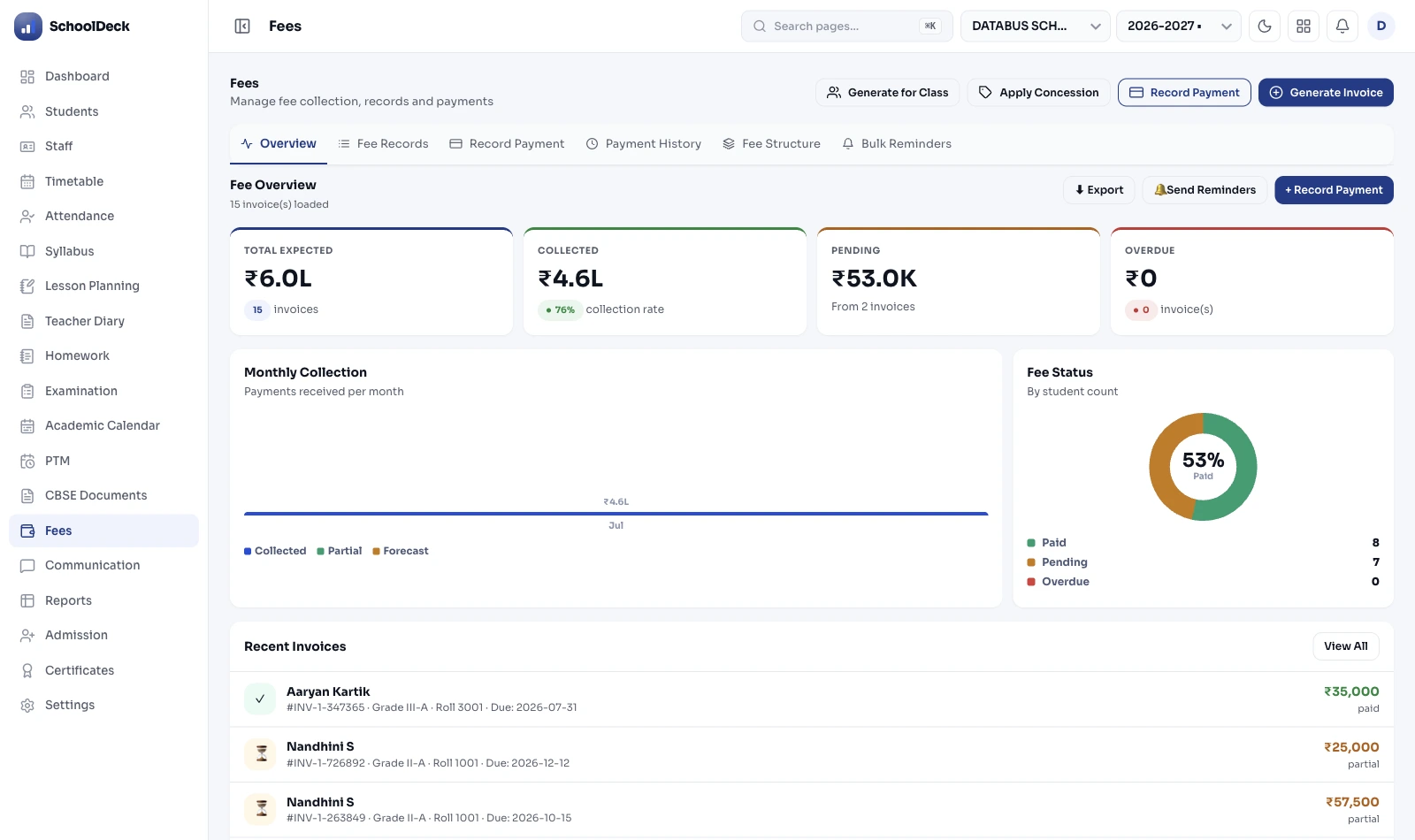
The complete fee module built for school accountants. Handle online UPI and gateway collection, run a barcode cashier counter, track PDC cheques, enforce concession approval workflows, automate late fine rules, and export a one-click Tally XML Day Book — all from one system. Here's exactly how each piece works.

💳 UPI · Razorpay · BillDesk · PayU 🖨️ Barcode Cashier POS 📑 PDC Cheque Tracking 📊 Tally ERP 9 / Prime XML 🔐 OTP Concession Approval
Payment Methods: UPI Visa Mastercard RuPay + Net Banking · Cash · Cheque · PDC
See the Fee Module in Action → Free Demo

"The Tally XML export is the feature that sold me. I was spending 3–4 hours every Friday re-entering the week's fee receipts into Tally Prime manually. Now I click one button, the file is ready in 30 seconds, and I import it. That's 12–16 hours a month back in my life."

LN
Lakshmi Narayanan
Accounts Manager, The PSBB Millennium School, Chennai

Every Collection Method. One System.

SchoolDeck handles every payment mode Indian schools actually use — from midnight UPI transfers to Monday morning cheque queues — with automated reconciliation for all of them.

💳

Online Payments

UPI, Credit/Debit Cards, Net Banking via Razorpay, BillDesk, PayU, or Cashfree. Receipt auto-generated on payment. Ledger updated instantly — no reconciliation step needed.

🖨️

Cashier POS Counter

Barcode scan → cash accepted → thermal/digital receipt in under 10 seconds. Built for high-volume counter collection. Works on standard receipt printers and tablet setups.

📑

PDC Cheque Tracking

Log post-dated cheques with cheque number, bank, amount, and deposit date. Dashboard alert fires on deposit date. Bounce logic reverses payment, re-opens due, and adds configurable penalty automatically.

📊

Tally ERP Sync

One-click XML export of Day Books, Fee Registers, and Bank Receipts — compatible with Tally ERP 9 and Tally Prime. Head-wise ledgers map to your existing Tally chart of accounts.

01. Online Payments & Gateway Setup

Who uses this: Accountants, IT admins setting up the payment portal

SchoolDeck integrates with four payment gateways — Razorpay, BillDesk, PayU, and Cashfree — all PCI-DSS compliant. Parents pay via UPI, Credit Card, Debit Card, Net Banking, RuPay, or Wallet directly from the SchoolDeck Parent App or the school's website payment button.

When a parent pays online — even at 11 PM via UPI — the system does three things instantly: generates a digitally signed receipt, updates the student's fee ledger, and maps the UTR number to the transaction for reconciliation. No accountant intervention required.

Key configuration options:

  • MDR Configuration: Set transaction charges to be borne by the parent (passed through at checkout) or absorbed by the school (hidden from parents).
  • Partial Payments: Enable or disable installment payments per fee head. The system tracks the running "Due Balance" and generates a valid receipt only for the amount paid that day.
  • Smart Split Routing: A single parent payment automatically splits at the gateway — Tuition to the Trust account, Transport to the Fleet account — without any manual allocation after the fact.
  • Website Integration: A "Pay Fees Online" button embeds on the school website. Parents enter the admission number and are routed to a branded payment portal — no login required.
SchoolDeck Online School Fee Payment Gateway Dashboard

02. Cashier POS Counter & PDC Cheque Tracking

Who uses this: Counter accountants, accounts office staff

In most Indian schools, cash and cheques account for 40–60% of fee collection — especially in Tier 2 and Tier 3 cities. SchoolDeck's counter module is a purpose-built POS system for the accounts office, not a generic billing form.

Cashier POS — how a counter collection works:

  1. 1.Accountant scans student ID barcode (or searches by name/admission number).
  2. 2.Student's outstanding invoices appear — accountant selects which dues to collect.
  3. 3.Accept payment in cash. System calculates change if needed.
  4. 4.Receipt prints via thermal printer or is sent digitally to parent WhatsApp — in under 10 seconds total.

PDC (Post-Dated Cheque) tracking:

  • Logging: Log PDC with cheque number, bank name, MICR, amount, and the exact deposit date. The cheque is held as "Pending" in the system — the student's due is not marked paid until cleared.
  • Deposit Alert: On the deposit date, the accountant receives a dashboard notification listing every PDC due for bank submission that day.
  • Bounce Logic: Mark a cheque as bounced. SchoolDeck instantly: (a) reverses the payment entry, (b) re-opens the full due amount on the student's ledger, and (c) adds a configurable Cheque Bounce Penalty to the student's next generated invoice. No manual correction required.
SchoolDeck School Fee Cashier Module and PDC Tracking

03. Concession Rules & Automated Late Fine Engine

Who uses this: Accounts heads, Principals configuring fee policy

Fee structures in Indian schools are rarely simple. A student may pay standard Tuition, a zone-discounted Transport fee, a sibling concession, and an RTE-isolated invoice — all in the same month. SchoolDeck's Rule Engine handles every combination at the time of bulk invoice generation, without manual intervention per student.

Concession Rule Engine:

  • Sibling Detection: Define a rule — "10% off Tuition for the second enrolled sibling, 15% for the third." When monthly invoices are generated, the system scans the family database, identifies siblings, and applies the correct tier automatically.
  • Staff Ward Concession: Tag staff members in the HR module. Children of staff receive configured fee waivers on designated fee heads — applied automatically at invoice generation, no accountant action needed.
  • OTP Approval for Ad-hoc Waivers: If an accountant tries to apply a non-standard "Principal's Discount" beyond their authority level, the system sends an OTP to the Principal's registered mobile. The concession is blocked until the OTP is entered — and the approval is permanently logged.

Automated Late Fine Rules:

Configure late fine logic once — the system enforces it without staff involvement. Example rule: "Add ₹50 per day for every day after the 10th of the month, up to a maximum of ₹500." The fine accrues automatically. Parents see the live updated amount in the Parent App. No manual calculation, no negotiation at the counter.

  • Multiple Fine Types: Configure daily fines, monthly flat penalties, or percentage-of-due fines — per fee head if needed.
  • Grace Period: Set a grace period before fines begin — e.g., no fine until the 15th, then ₹100/day after.
  • Fine Waiver: If the Principal approves a fine waiver, it follows the same OTP approval workflow — creating an audit trail even for exceptions.

04. Automated Bank Reconciliation

Who uses this: Accountants, CAs doing month-end close

Reconciling bank statements with student fee ledgers is one of the most time-consuming tasks in a school accounts office. SchoolDeck eliminates it for online payments and reduces it to a one-step process for offline payments.

Online payments — zero reconciliation step:

Every UPI, card, or net banking payment made through SchoolDeck's integrated gateway is automatically matched to the student's ledger by UTR number at the time of payment. The accountant never manually matches a bank statement entry to a student record for online collections.

Offline payments — CSV upload reconciliation:

For NEFT transfers, manual UPI payments sent directly to the school account, or deposits made at the bank branch: the accountant downloads the bank statement CSV (available from every major Indian bank's internet banking portal) and uploads it to SchoolDeck. The system scans the CSV, matches transactions by amount and date against pending student ledger entries, and auto-reconciles. Unmatched entries are flagged for manual review.

End-of-day cash report:

At any point — typically 5 PM before the counter closes — the accountant generates a "Cash-in-Hand" report. It shows total cash collected today, minus any cash paid out, giving the exact physical cash balance that should be in the drawer. Discrepancies are flagged immediately.

05. Tally ERP 9 / Tally Prime XML Export

Who uses this: Accountants, CAs managing Tally ledgers

SchoolDeck acts as an operational sub-ledger that feeds into Tally — not a replacement for it. Your CA continues working in Tally Prime or Tally ERP 9 as normal. SchoolDeck handles the operational layer (collection, invoicing, reconciliation) and exports clean, correctly structured data into Tally with one click.

Exactly what gets exported:

  • Day Book: Every fee receipt for the selected date range, formatted as Tally voucher entries with correct ledger names, amounts, and narration.
  • Fee Registers: Head-wise collection summaries — "Tuition Fee Income: ₹4,85,000 / Transport Revenue: ₹92,500 / Lab Fees: ₹18,200" — mapped to your Tally chart of accounts.
  • Bank Receipts: All gateway and offline bank deposits formatted as Tally receipt vouchers with UTR references.
  • Concession Journal Entries: Approved concessions export as debit notes in Tally — maintaining the integrity of the income ledger even where waivers were applied.

Import process in Tally:

Gateway → Company → Import Data → Vouchers → Select the SchoolDeck XML file → Import. All entries appear in the Day Book correctly. No mapping step required if Tally ledger names match your SchoolDeck Head of Accounts configuration.

06. Head-wise Ledgers & GST-Compliant Invoicing

Who uses this: CAs, accounts heads, school management

SchoolDeck tracks every rupee by Head of Account — not just as a lump-sum fee collection. This is the foundational requirement for both meaningful P&L analysis and statutory audit compliance.

Standard fee head types:

Mandatory heads (Tuition — billed to every student), optional heads linked to modules (Transport — billed only to enrolled route students, Hostel — billed only to boarders, Lab — billed by class), and one-time heads (Caution Deposit — on admission, Uniform — annually). Each head has its own ledger, its own Tally mapping, and its own collection report.

GST Tax Invoices:

While core education services are GST-exempt, schools frequently collect GST-applicable amounts — uniform sales, textbook sales, transport charges from third-party contractors, or canteen revenue. SchoolDeck generates GST-compliant tax invoices with correct HSN codes, CGST/SGST splits, and invoice serial numbers — without requiring separate invoicing software for taxable transactions.

Mid-session pro-rated billing:

When a student joins mid-year via the Admissions CRM, SchoolDeck calculates the pro-rated fee based on remaining months in the academic year and the school's configured billing policy — annual, quarterly, or monthly — without any manual calculation by the accountant.

SchoolDeck School Finance Report Head-wise Ledger

07. Fee Lock & Automated Defaulter Follow-up

Who uses this: Principals, accountants managing collection rates

Automated dunning — WhatsApp + SMS:

The Communication module integrates with the fee ledger. Configure a dunning schedule — e.g., send a WhatsApp reminder with a Pay Now link on the 5th, 10th, and 15th of each month to every parent with an outstanding due. No accountant action required. The system identifies defaulters, generates the message, and sends it.

Fee Lock — block academic access for defaulters:

Because SchoolDeck's fee module integrates natively with the Academic and Exam module, the Principal configures exactly which documents are withheld from the Parent App when dues are outstanding:

  • Digital report cards — blocked on the Parent App until all dues cleared
  • Exam hall tickets — withheld from the student portal
  • Transfer Certificate — cannot be generated while dues are open

The lock lifts automatically when payment is confirmed — no staff action needed.

08. Excel & Paper vs. SchoolDeck Fee ERP

Capability Manual / Excel SchoolDeck
Receipt GenerationManual carbon copy / Word doc1-click digital or thermal — 10 sec
PDC TrackingPhysical register, easy to missAuto-alert on deposit date, bounce logic
Late Fine CalculationManual, prone to error or skippingAutomated by configured rules daily
Sibling ConcessionsManually applied, inconsistentAuto-detected & applied at invoice gen
Bank Reconciliation2–5 days manual matching per monthInstant (gateway) / CSV upload (offline)
Tally Export3–4 hrs manual re-entry per week30-second XML export — zero re-entry
Concession ControlVerbal approval, no audit trailOTP approval + permanent audit log
Defaulter Follow-upManual calls, inconsistentAutomated WhatsApp + Pay Now link
Data SecurityPhysical registers, Excel — losableCloud encrypted + immutable logs

09. Frequently Asked Questions

Which payment gateways does SchoolDeck support?+
SchoolDeck integrates with Razorpay, BillDesk, PayU, and Cashfree — all PCI-DSS compliant. Parents pay via UPI, Credit Card, Debit Card, Net Banking, and RuPay. Transaction MDR charges are configurable to be borne by the parent or absorbed by the school.
How does PDC cheque tracking work?+
Log PDCs with cheque number, bank, amount, and deposit date. The system sends a dashboard alert on the deposit date. If the cheque bounces, marking it in SchoolDeck instantly reverses the payment, re-opens the due amount, and adds a configurable Cheque Bounce Penalty to the student's next invoice — automatically.
Is the Tally export compatible with both Tally ERP 9 and Tally Prime?+
Yes. SchoolDeck exports Day Books, Fee Registers, and Bank Receipts as a Tally-compatible XML voucher file. This imports directly into both Tally ERP 9 and Tally Prime. Head-wise ledger entries are mapped to your existing Tally chart of accounts — no manual mapping step if ledger names match your SchoolDeck Head of Account configuration.
How does mid-session pro-rated billing work?+
If a student joins mid-year, SchoolDeck automatically calculates the pro-rated fee based on the remaining months in the academic year and the school's configured billing cycle — without any manual calculation by the accountant.
How do sibling concessions work in SchoolDeck?+
Define concession rules globally — for example, "10% off Tuition for the second child." When bulk invoices are generated, SchoolDeck identifies siblings in the database and applies the correct discount automatically. OTP-enforced approval workflows ensure no ad-hoc concession is applied without authorisation.
Can the school block report cards or hall tickets for fee defaulters?+
Yes. SchoolDeck's Fee Lock integrates with the Academic and Exam modules. The Principal configures which documents — report cards, hall tickets, Transfer Certificates — are withheld from the Parent App for students with outstanding dues. The lock lifts automatically when payment is confirmed.

Looking for the business case?

This page covers how each feature works technically. If you're a trustee or principal evaluating the financial ROI — revenue recovery, defaulter reduction, and trustee-level dashboards — read the solutions page instead.

→ How Schools Stop Revenue Leakage with SchoolDeck

See the Full Fee Module Live.

Walk through UPI setup, the cashier counter, Tally export, and concession workflows with a product specialist — in a 30-minute demo tailored to your school's fee structure.

No commitment · No credit card · Specific to your school size and structure

Book a Free Fee Module Demo →