


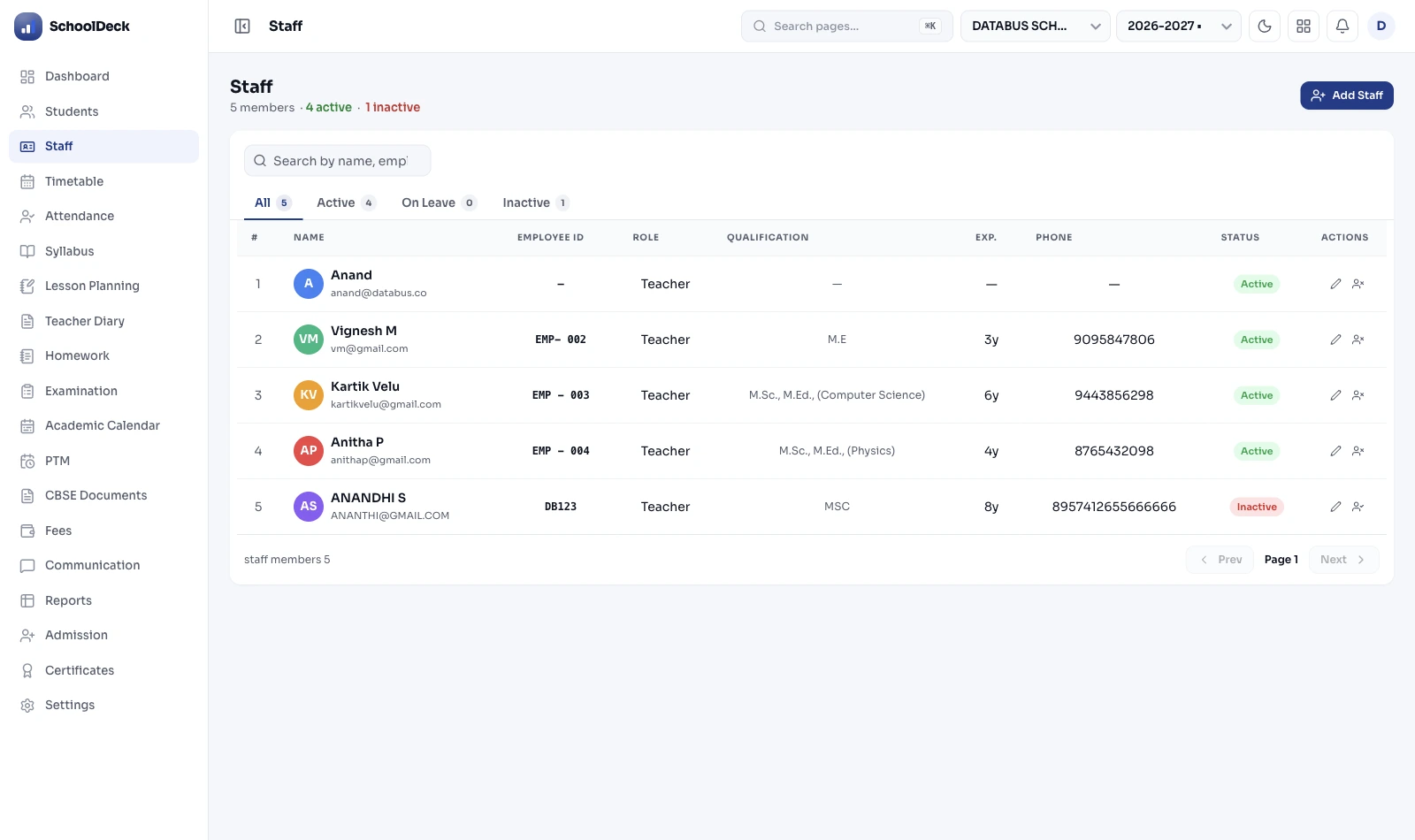
What is staff attendance software for schools?
Staff attendance software is the digital replacement for the paper sign-in register on the principal's desk. SchoolDeck captures IN/OUT timestamps for teaching and non-teaching staff via four mechanisms — biometric devices (fingerprint or face), RFID card tap-and-go, web punch from a school computer, or mobile punch from the SchoolDeck app with optional selfie + GPS geofence. The captured timestamps drive late tracking, live leave balances, working-day calculation per shift, and the payable-day output that feeds the payroll module.
The SchoolDeck attendance module owns one specific layer: staff IN/OUT capture. It does not own payroll computation. PF, ESI, Income Tax Act 2025 Section 392 salary TDS, Form 130 (was Form 16), Form 131 quarterly, ECR file generation for EPFO upload — all of that lives at /solutions/staff-payroll-hr/ which consumes this module's payable-day output. Two complementary modules, distinct ownership. This separation matters because schools evaluate them differently — IT/HR evaluates the capture; the Trust accountant evaluates payroll.
Biometric devices — fingerprint and face, four brands supported
Most Indian schools already have a biometric device installed at the main entry. SchoolDeck integrates with the four most common brands deployed in Indian schools — eSSL, Matrix, ZKTeco, Mantra — across both fingerprint and face-recognition variants. Integration is via push-data API: the device pushes punch events to SchoolDeck cloud as they happen, no end-of-day batch sync, no manual export.
For schools that haven't bought hardware yet, the recommendation is face-recognition over fingerprint for one specific reason — Indian morning rush. When 100+ teachers arrive between 7:45 and 8:00 AM, fingerprint queues bottleneck. Face-recognition is touchless and processes 4-5 staff per minute per camera. Two cameras at the main entry handle the rush smoothly.
Hardware-agnostic integration matters: if a school switches biometric vendor after three years, the SchoolDeck attendance module continues to work — only the push-data endpoint reconfiguration changes. No re-architecture, no data migration.
RFID and mobile punch — for the staff the biometric machine doesn't reach
The biometric machine on the office wall handles 80% of the staff. The remaining 20% — bus drivers, off-site sports coaches, school-event volunteers, hostel wardens reporting to remote dormitories — need different mechanisms.
RFID card tap-and-go: Each staff member carries a school ID card with an embedded RFID chip. They tap the card at any RFID reader installed at secondary entry points (transport gate, hostel main door, sports complex). The reader registers the punch and routes it to the same SchoolDeck cloud as the biometric punches. Useful in higher-throughput contexts than fingerprint.
Mobile punch via SchoolDeck app: Staff opens the SchoolDeck app on their phone, taps Punch In. The app reads GPS, checks the geofence (see next section), captures a selfie if the role requires it, logs the timestamp. Useful for staff not regularly at the main building — the bus driver at the depot 5km away, the sports coach at an external stadium, the librarian setting up a book fair at a partner school.
Geofence — verifying the staff member is actually there
Mobile punch without a geofence is a self-attested timestamp — useless. Mobile punch with a geofence is verified presence — useful.
The admin configures a geofence radius around each work location:
- Campus: Typically 100m radius from the school's central GPS coordinate. Large enough to handle GPS jitter near building walls; small enough that punching from the staff car park or the boundary wall still works while the staff member's home a kilometre away does not.
- Transport depot: Typically 50m radius. Tighter because depots are smaller; drivers should punch only when actually at the depot, not from the nearby tea stall.
- Off-campus event: Configured per event by the Vice-Principal. Sports tournament at a city stadium, school exhibition at a public hall, inter-school debate at a partner institution — geofence configured for the date and venue.
The flow: staff opens app, taps Punch In, the app reads the phone GPS, compares against the geofence centre + radius. If inside, punch logs. If outside, punch is blocked with a clear message — "You are 1.2km from the school campus. Punch is not allowed from this location." No partial fudging, no benefit-of-the-doubt at the system level.
For staff legitimately working from outside (a teacher attending a CBSE workshop in another city), the Vice-Principal manually marks the day as Official Duty in the HR dashboard — captured in the audit trail at /features/audit-logs/.
Shift management — schools don't have one workforce, they have four
A typical Indian K-12 school operates four distinct shift patterns simultaneously:
- Day Shift: 8:00 AM-3:00 PM. Academic staff (teachers, coordinators, principal, librarian, counsellor). Standard 7-hour day.
- Split Shift: Two non-contiguous windows in the same day. Transport drivers (5:30-9:00 AM morning route + 2:30-5:00 PM afternoon route, with paid mid-day rest). Sports coaches (7:00-9:00 AM morning training + 3:30-5:30 PM evening). The split is recorded as a single attendance record with two punch pairs.
- Rotating Shifts: Morning / evening / night rotation. Security guards, hostel wardens. Weekly or monthly rotation per the school's roster.
- Flexible Hours: Senior administrative roles (Trust Director visits, Auditor, External Consultants). No fixed cutoff; attendance recorded but late tracking disabled.
Each staff member is assigned a shift; their late-in cutoff and working-hour calculation follow that shift definition. The Shops and Establishments Act for the school's specific state drives the holiday calendar — Maharashtra schools follow Maharashtra Shops Act, Karnataka schools follow Karnataka Shops Act, etc. State-specific public holidays are pre-loaded.
Leave management — Casual, Sick, Earned, Maternity, the Sandwich Rule
Indian school leave policy is contentious. If a teacher believes they have 3 Casual Leaves remaining but the HR ledger shows 0, the resulting friction during month-end payroll is the source of half the HR office's discomfort. Transparency is the only honest answer — live balances visible to every staff member 24/7 in the SchoolDeck app's Employee Self-Service (ESS) tab.
Leave types supported, all configurable per the school's Trust HR policy:
- Casual Leave (CL): Typically 8-12 days/year for academic staff. Used for short personal absences.
- Sick Leave (SL): Typically 12 days/year. Optional medical certificate attachment for absences >2 days.
- Earned Leave (EL): Accrued at school-configured rate (typically 1.5 days/month). Encashable on resignation per Trust policy.
- Maternity / Paternity Leave: Per Maternity Benefit Act 1961 (as amended) — 26 weeks for maternity; paternity leave per Trust policy (typically 5-15 days).
- Compensatory Off: Granted for working on a declared holiday or weekend.
- Loss of Pay (LOP): Applied automatically when leave balance is exhausted. Final salary impact computed by /solutions/staff-payroll-hr/.
The Sandwich Rule: If your Trust policy is that a leave on Friday and the following Monday counts the intervening Saturday and Sunday as leave too (the Sandwich Rule), the system deducts 4 days from balance or applies 4 days as LOP. If your policy treats them as 2 separate leaves, the system follows that rule. Enabled per school during onboarding; not enforced by default.
Leave applications submitted from the ESS tab route through the configured approval chain — typically Class Teacher → Coordinator → Vice-Principal → Principal, with each step able to approve, reject, or send back with comments.
Employee Self-Service — what every staff sees in their app
The ESS tab in the SchoolDeck staff app is what removes most HR office walk-ins. Every staff member sees:
- Today's punch: IN time, OUT time (if punched), working hours so far, late-in status (red flag if past cutoff).
- Live leave balances: CL / SL / EL / Maternity remaining, with year-to-date used.
- Leave application form: Submit a new leave request from the app — date range, leave type, reason, optional medical certificate attachment.
- Application status: Pending with Coordinator / Approved by Principal / Rejected — with reason notes from approvers.
- Monthly attendance summary: Days present, days on approved leave, days LOP, total working hours.
- Year history: Complete leave history with reasons and approver names, exportable for the staff member's personal record.
The salary slip itself sits in the ESS tab too — but the slip generation and the actual salary computation are owned by /solutions/staff-payroll-hr/, not this module. The ESS tab is the rendering surface; the data sources are split across two modules.
Capture ≠ Payroll ≠ Student Attendance ≠ Substitute Routing
The SchoolDeck staff workflow cluster has four pages. Each owns a distinct layer. Knowing the boundaries helps schools evaluate them correctly.
- This page · /features/staff-attendance/ — Owns staff IN/OUT capture. Biometric, RFID, web punch, mobile punch with geofence. Late tracking, leave balance display, payable-day output. The "did they arrive, when, and how do we know" layer.
- /solutions/staff-payroll-hr/ — Owns payroll computation. Provident Fund + ESI + Income Tax Act 2025 Section 392 salary TDS (Numeric Payment Codes 1001-1004) + Form 130 (was Form 16) + Form 131 quarterly + ECR file generation for EPFO portal upload + LOP impact on monthly salary. Consumes this module's payable-day output.
- /solutions/attendance-biometric/ — Owns the student attendance + parent WhatsApp alert buyer solution. Bundles staff attendance + student attendance + auto-WhatsApp parent absent alert into one buyer story. The principal-facing solutions page; this is the IT/HR-facing feature page.
- /features/auto-timetable/ — Owns substitute teacher routing. When this module marks a teacher absent, auto-timetable identifies free teachers for that period and proposes a substitute. The absent teacher's lesson plan is surfaced from /features/lesson-planning/.
Each page targets a distinct query intent. This page is the technical IT/HR feature page for staff IN/OUT mechanism evaluation. The payroll solution is for the Trust accountant. The biometric solution is for the principal evaluating end-to-end attendance. The auto-timetable feature is for the academic coordinator solving the substitute problem.
Paper sign-in register vs SchoolDeck staff attendance
Practical differences for a 1,200-student day school with 114 staff across day shift, split shift and rotating shifts.
| Capability | Paper sign-in register | SchoolDeck Staff Attendance |
|---|---|---|
| Proxy signing prevention | Trust-based — colleagues sign for each other | Biometric / face / selfie + geofence |
| Late-in tagging | Hard to enforce; everyone signs 8:00 | System-tagged against shift cutoff to the minute |
| Bus driver / off-site staff tracking | Zero — they never enter main building | Geofence-verified mobile punch from depot |
| Leave balance visibility | Walk into HR; check Excel; hope it's right | Live in staff app ESS tab — 24/7 |
| Leave application workflow | Paper form, signature loop, often lost | In-app form, configured approval chain |
| Incomplete punch (forgot to punch out) | Untracked — full day or LOP arbitrarily | Flagged, regularised by HR with reason logged |
| Substitute teacher coverage | HoD scrambles; substitute walks in blind | Auto-routed; lesson plan surfaces in app |
| Payable-day calculation | HR clerk's 25th-of-month manual exercise | Auto-computed; feeds /solutions/staff-payroll-hr/ |
| CBSE Bye-Laws Ch. 9 attendance records | Physical ledger archive, hard to search | Sortable digital archive, instant export |
| Staff biometric data protection | N/A — paper register has no biometric data | DPDP 2023 — encrypted, role-gated, audit-logged |