Databus Logo
Blog Login →
For HR coordinators · For school accountants · Social Security Code 2020 ready

School Payroll & HRMS Platform

Payday morning. Without the panic.

It's the 28th. Biometric punches from 184 teachers and 47 support staff flow into the payroll engine. EPF calculated at 12%+12% with the EPS ₹1,250 cap. ESI at 0.75%+3.25% for the staff under ₹21K. Professional Tax at the right state slab — Tamil Nadu, Karnataka, Maharashtra, whichever applies. TDS projected. Loan EMIs deducted. Principal reviews, approves once. Payslips land on staff phones. Bank transfer file exports. It's 11:30 AM.

Built for CBSE, ICSE & State Board schools in India · Social Security Code 2020 aligned.

💡 Looking for biometric hardware setup, DPDP staff biometric privacy, ZKTeco/Matrix device integration? See Attendance & Biometric →
🛡️ EPF (12%+12%, EPS ₹1,250 cap) 🏥 ESI (0.75%+3.25% under ₹21K) 📋 State-wise Professional Tax 🧾 TDS & Form-16 🎁 Gratuity 5-year tracker
4 categories
permanent · contract · visiting · daily-wage
~5 min
to compute 200+ staff salaries
15th
EPF/ESI statutory deadline (next month)
7 days
average migration timeline

Quick definition

School HR isn't corporate HR. Different shape entirely.

Corporate HRMS tools are built around one staff category — full-time salaried employees on monthly pay cycles. Schools don't work like that.

A typical 1,500-student school runs four staff categories in the same payroll cycle:

  • Permanent teachers on Grade Pay or fixed CTC structures
  • Contractual staff on annual academic-year appointments
  • Visiting faculty paid per period or per hour
  • Daily-wage support staff — peons, security, housekeeping

Plus academic-year contracts that don't match financial years. Mid-year joiners. Board-exam invigilation duties. Summer breaks. Generic HR tools bend awkwardly for all this. SchoolDeck is shaped around it from the start.

The 2026 statutory specifics most school payroll vendors don't cite

EPF + ESI + PT + TDS + Gratuity. The actual numbers.

Built for the Social Security Code 2020 framework, with 2026 rates and the Supreme Court's January 2026 wage-ceiling directive.

EPF — 2026 rates

12% + 12% with the EPS cap

Employee 12% + Employer 12% on Basic + DA only. The employer 12% splits:

  • 8.33% to EPS (Pension)
  • Capped at ₹1,250/month on ₹15K wage ceiling
  • 3.67% to EPF (Provident)
  • • Interest 8.25% (FY 2025-26)
  • • Mandatory at 20+ employees
ESI — 2026 rates

0.75% + 3.25% under ₹21K gross

Total 4% of gross wages for staff up to ₹21,000/month gross:

  • Employee 0.75%, Employer 3.25%
  • ₹25,000 ceiling for persons with disability
  • • Contribution periods: Apr-Sep, Oct-Mar
  • • Coverage continues till period-end if wage crosses ₹21K mid-period
Statutory deadline

15th of next month — both EPF + ESI

Both EPF and ESI dues for a month must be deposited by the 15th of the following month. Late payment attracts 12% interest penalty plus damages. SchoolDeck flags upcoming deadlines a week ahead and exports the monthly ECR (Electronic Challan cum Return) file ready for EPFO portal upload.

Supreme Court · January 2026

EPF wage ceiling under review

The Supreme Court directed the Central Government and EPFO on January 9, 2026 to decide on raising the EPF wage ceiling — proposed move to ₹21,000 or ₹25,000 from the current ₹15,000 — within four months. If the ceiling rises, every school's EPS contributions will recalculate. SchoolDeck will push the engine update centrally when the notification is issued.

References: Employees' Provident Funds and Miscellaneous Provisions Act 1952; Employees' State Insurance Act 1948; Payment of Gratuity Act 1972; Payment of Bonus Act 1965; Social Security Code 2020 (consolidation of nine labour laws); Supreme Court directive on EPF wage ceiling (January 9, 2026); EPFO administrative circulars. Schools remain responsible for compliance with applicable laws — SchoolDeck provides the calculation engine and ECR filing infrastructure that supports compliance.

Four pillars · one platform

What the HR coordinator's month becomes.

Pillar 1
⚙️

Biometric-to-salary pipeline

Raw punch data from biometric devices flows in. School rules apply — late-mark tolerance, half-day thresholds, approved-leave overrides. Payable days per staff member calculated automatically. HR reviews reconciliation report, corrects anomalies, locks attendance. Salary computation runs.

  • Configurable rules ("3 late = 1 half-day")
  • Leave-balance reconciliation in same flow
  • Pre-lock anomaly review report
Pillar 2
🛡️

Statutory engine — EPF / ESI / PT / TDS

EPF at 12%+12% with EPS ₹1,250 cap. ESI at 0.75%+3.25% under ₹21K. State-wise Professional Tax. Monthly TDS projection avoids year-end shock. Form-16 at year-end. ECR file generated for EPFO portal upload. Every calculation traceable.

  • 15th deadline alerts (12% penalty risk)
  • Multi-state PT for trust networks
  • 80C/80D/HRA declarations captured
Pillar 3
📒

Digital service book

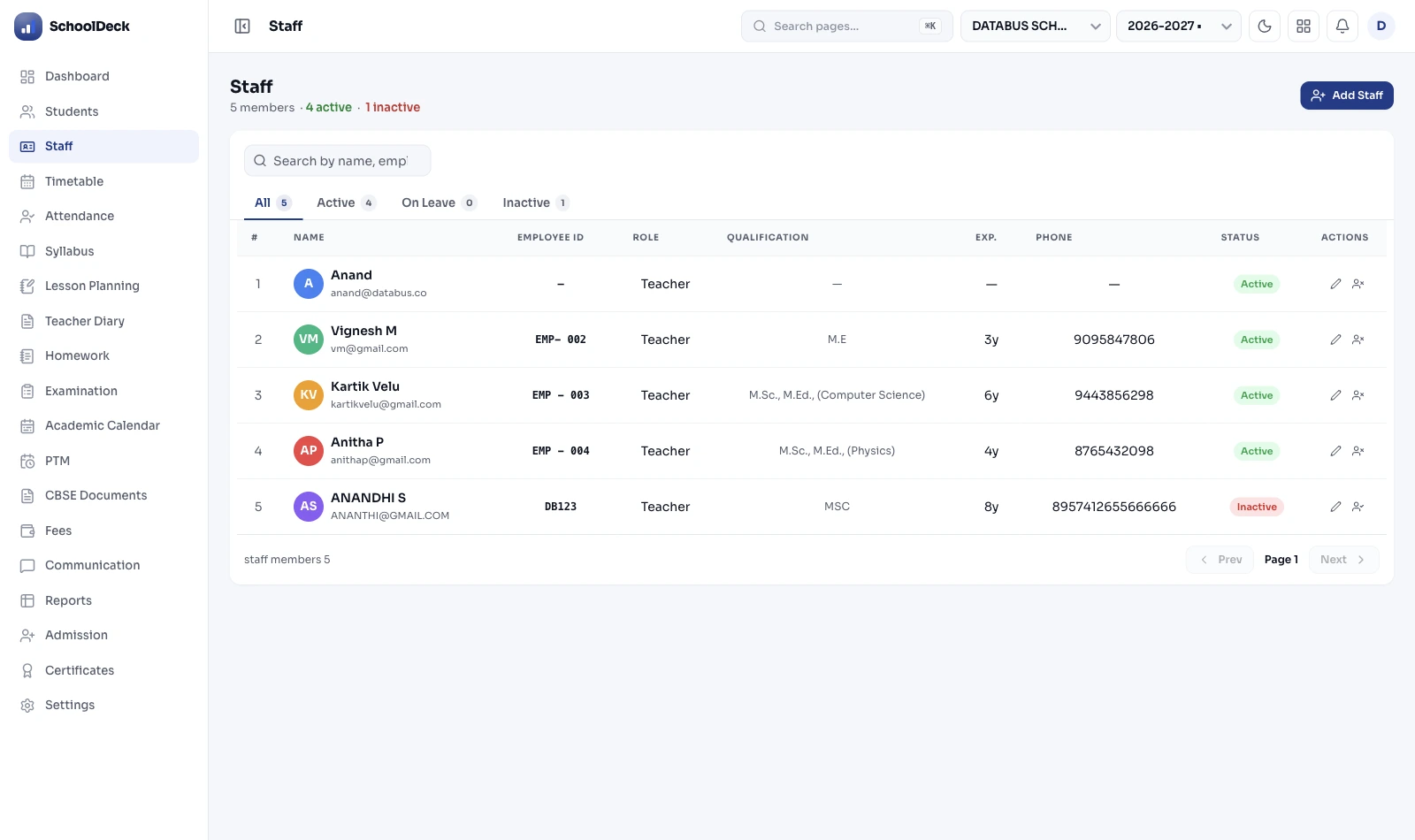
Replaces the physical service book registers schools maintained for decades. Each staff member's full record — joining date, increments, promotions, transfers across branches, document vault (degrees, ID proofs, appointment letters), loan/advance EMI schedules, accrued gratuity. One searchable record per employee, 10+ year retention.

  • 5-year gratuity threshold auto-alert
  • Continuous tenure preserved on transfer
  • Loan/advance ledger per employee
Pillar 4
📱

Staff self-service app

Teachers and staff apply for CL, EL, ML, or OD via the mobile app. Principal approves in one tap. Leave-balance visible in real-time. Password-protected payslips delivered on payday — no printing, no distribution. HR office footfall drops significantly when staff stop walking in for routine queries.

  • Mobile leave application + approval
  • Encrypted PDF payslips on phone
  • Year-end Form-16 download

The monthly cycle

Five steps from biometric to payslip.

01

Biometric sync

Raw punch data imported from biometric device at month-end

02

Leave reconciliation

Approved leaves, late marks, LOP days calculated per staff

03

Salary computation

Earnings, deductions, EPF, ESI, PT, TDS calculated

04

Principal approval

HR reviews summary; principal approves with one click

05

Payslip delivery

Encrypted payslips to staff app; bank transfer file exports

The shift

Excel payroll vs SchoolDeck HRMS.

Task Excel + paper register SchoolDeck HRMS
LOP calculation Manual counting from paper register Auto-sync from biometric
EPF + ESI compute Formula errors; ECR built manually Current rates; one-click ECR export
Professional Tax Manual state-slab lookup monthly Correct state slab auto-applied
TDS & Form-16 Year-end scramble, error-prone Monthly projection + Form-16 ready
Visiting faculty per-period Separate Excel sheet, manual periods Pulled from timetable, auto-rate
Loan/advance deduction Easy to miss or double-deduct EMI schedule, auto-deduct till zero
Gratuity tracker Discovered only when staff resigns 5-year threshold auto-alert
Payslip delivery Print + physical distribution Encrypted PDF on staff phone

India-specific compliance · 2026 specifics

Six statutes. Six clean calculation engines.

1 Provident Fund (EPF)

Employee 12% + Employer 12% on Basic + DA. Employer share splits: 8.33% to Pension (EPS, capped at ₹1,250 on ₹15,000 wage ceiling) + 3.67% to EPF. ECR file generated monthly for EPFO portal. Mandatory at 20+ employees. EPF interest 8.25% (FY 2025-26). Statutory deadline: 15th of next month.

2 Employees' State Insurance (ESI)

Employee 0.75% + Employer 3.25% = total 4% on gross wages. Eligibility: staff earning up to ₹21,000/month gross (₹25,000 for persons with disability). Two contribution periods: April-September, October-March. Coverage continues till period-end even if wage crosses threshold mid-period.

3 Professional Tax (PT)

State-specific slabs. Tamil Nadu: ₹208/month above ₹21K. Karnataka: ₹200/month above ₹15K. Maharashtra: slab-based brackets. West Bengal: slab-based from ₹40. Each state's rules applied to staff registered at that branch. Multi-state trust networks supported.

4 TDS on Salary + Form-16

Monthly TDS projected based on declared investments (80C, 80D, HRA exemption). Tax liability distributed across the year to avoid large year-end deductions. Form-16 Part A and Part B generated at year-end for every taxable employee. Quarterly Form 24Q filing supported.

5 Gratuity (Payment of Gratuity Act 1972)

Eligibility: 5 continuous years of service (schools with 10+ employees). Formula: (Last Basic + DA) × 15 × Years ÷ 26. Maximum statutory gratuity ₹20 lakh (tax-exempt). Tenure tracked from date of joining; preserved across branch transfers within the same trust. Threshold-crossing alerts to HR.

6 Bonus (Payment of Bonus Act 1965)

Applies to employees earning Basic + DA ≤ ₹21,000/month. Minimum 8.33%, maximum 20% of annual salary. Eligible employee list flagged at start of bonus period. Disbursement amount calculated; ledger updated.

"I run HR for a CBSE school in Hyderabad — 231 staff total, of which 47 are visiting faculty teaching maths and sciences for senior secondary. The visiting faculty was always the Excel nightmare — different rates per teacher, periods pulled from a separate timetable file, half of them earning above PF threshold and half below. Three days of reconciliation every month before I could even start the permanent staff payroll. With SchoolDeck the visiting periods come straight from the timetable module, rates apply automatically per faculty, and the salary computation runs in one cycle alongside the permanent teachers. The first month I ran payroll on the platform, I left office at 1 PM on the 28th instead of 9 PM. My husband called to check if I was sick."
S
Sushma Reddy
HR Coordinator — CBSE School (231 staff), Hyderabad

Payroll & HR FAQs

What school HR coordinators ask before switching.

What does school HRMS do that generic corporate HR software doesn't?

+

Schools run four staff categories in the same payroll — permanent teachers on CTC, contractual staff on annual letters, visiting faculty paid per period or per hour, daily-wage support staff. Generic corporate HR tools are built around one category and bend awkwardly for the rest. SchoolDeck applies the correct salary structure, statutory deductions, and leave rules to each category automatically in the same monthly run. Also understands academic-year cycles — June joiners, board-exam invigilation duties, summer breaks — which corporate tools don't model.

What are the current EPF and ESI rates for schools in 2026?

+

EPF — Employee 12% + Employer 12% of Basic + DA. Employer 12% splits: 8.33% to EPS (Pension), capped at ₹1,250/month on ₹15,000 wage ceiling, remaining 3.67% to EPF. EPF interest rate 8.25% for FY 2025-26. Mandatory for schools with 20+ employees. ESI — Employee 0.75% + Employer 3.25% = total 4% on gross wages, for staff earning up to ₹21,000/month gross (₹25,000 for persons with disability). Both due by 15th of following month — late payment attracts 12% interest penalty. SchoolDeck calculates both correctly and generates the monthly ECR file. Supreme Court directed Central Govt and EPFO in January 2026 to take a final decision on raising the EPF wage ceiling to ₹21,000 or ₹25,000 within four months.

How does biometric attendance feed into payroll?

+

HR coordinator imports raw punch data from the biometric device at month-end. SchoolDeck applies your school's rules — "3 late marks = 1 half-day", "2 half-days = 1 LOP day", tolerance windows, approved-leave overrides. Payable days per employee calculated automatically. HR reviews the reconciliation report, corrects anomalies, locks attendance. The salary computation engine takes locked attendance as input. No manual counting from paper registers, no Excel formula errors.

Can the system handle part-time and visiting faculty paid per period or per hour?

+

Yes. Configure Hourly or Per-Period salary structures for visiting faculty, guest lecturers, and temporary support staff separately from permanent staff. The system pulls actual periods taught from the timetable module when integrated, or accepts manual period entry. Pay calculated as (periods × per-period rate) plus allowances. Statutory deductions apply where eligible — visiting faculty earning above ESI threshold typically don't trigger PF/ESI, but TDS may apply on professional fees. Configurable per faculty member based on appointment terms.

How is state-wise Professional Tax handled across India?

+

PT slabs vary by state. Tamil Nadu ₹208/month above ₹21,000. Karnataka ₹200/month above ₹15,000. Maharashtra slab-based brackets. West Bengal slab-based from ₹40. Andhra Pradesh, Telangana, Gujarat, MP, Kerala — each has its own structure. SchoolDeck applies the correct state slab automatically based on the school's registered location. For multi-branch trusts across states (e.g., Tamil Nadu trust running a Karnataka branch), each branch applies its own state's PT rules to staff registered there. Remittance to each state authority tracked separately.

How does gratuity tracking work under the Payment of Gratuity Act?

+

Gratuity eligibility triggers after 5 continuous years of service under the Payment of Gratuity Act 1972 (schools with 10+ employees). Formula: (Last drawn Basic + DA) × 15 × Years of Service ÷ 26 — i.e., 15 days' wages per completed year. Maximum statutory gratuity ₹20 lakh (tax-exempt). SchoolDeck tracks each staff member's continuous service period and alerts HR when an employee approaches the 5-year threshold so the school can budget the liability. Accrued gratuity amounts maintained in the digital service book — no surprises when someone resigns or retires after 12 years.

Is payroll data secure and access-controlled?

+

Yes. Payroll data protected by role-based access control. Only authorised HR personnel and principal can view salary details. Class teachers, subject teachers, non-HR admin staff cannot access the payroll module — colleagues' salaries are hidden even within the school. Audit logs record every payroll action (who ran the cycle, who approved, who edited a salary structure). DPDP Act 2023 applies to staff personal data the same way it does to student data; SchoolDeck maintains the consent and processing records expected under Section 7 lawful processing for HR purposes.

Can payroll run centrally across multiple school branches?

+

Yes. Trust networks running 3-25 schools can process payroll for all branches from one central dashboard. Each branch retains its own salary structures, statutory registrations (different EPFO and ESIC codes per branch are common), local state Professional Tax. Central HR team sees consolidated payroll outflow, branch comparison, total statutory liability. Staff transferring between branches retain complete service history — including gratuity tenure clock which doesn't reset on intra-trust transfer. Beyond 25 schools the consolidation architecture changes — discuss on demo call.

How long does migration from existing Excel or another system take?

+

Typically 7 working days for a school of 100-300 staff. SchoolDeck onboarding team imports existing staff records (name, designation, joining date, salary structure, statutory registrations, bank details), historical leave balances, ongoing loan/advance EMI schedules, gratuity accrual tenure from your Excel files or previous payroll software. Parallel run for first month recommended — compute salary in both old and new systems, reconcile differences, then go live. Most schools complete first live payroll within first month and stop parallel run by month two.

Related

Where to go next.

For HR coordinators who survive the 28th

Make payday a calm Monday.

Four staff categories. EPF, ESI, PT, TDS, gratuity, bonus — all auto-calculated under the Social Security Code 2020. Biometric to salary in one click. ECR file ready for EPFO upload by the 15th deadline. Built for Indian K-12 schools.

From ₹30/student/month · 500+ Indian schools live · 7-day migration including parallel-run setup