


What is multi-branch school management software?
It is a cloud-based ERP that lets one educational Trust operate every K-12 campus from a single Super Admin login, while keeping each branch's student, staff and financial data strictly partitioned at the API level — not just hidden in the user interface. The Trust Chairman or Group Director logs in once and sees the whole organisation. A Branch Principal logs in and sees only her campus.
The SchoolDeck multi-branch module owns one specific layer: the operational data partition. How branches are configured, how RBAC fences each branch session, how staff move between branches with statutory history intact, how admissions enquiries route by pin code, how procurement moves between Trust warehouse and branch FAR. The Trust executive hub — consolidated P&L, departmental budgets vs actuals, Maker-Checker dual control, Tally bridge — is owned by /features/finance-management/. This module feeds that hub; it does not duplicate it. For the trustee-buyer scenario ("running a 2-10 campus Trust from one dashboard"), see /use-cases/multi-branch-school-management/.
The Super Admin role — what the Trust Chairman actually logs into
The Super Admin is a Trust-level role that exists once per Trust. The person assigned this role is typically the Chairman, the Group Director, the Trust CFO or the operations head — someone whose responsibility is the whole organisation rather than one campus.
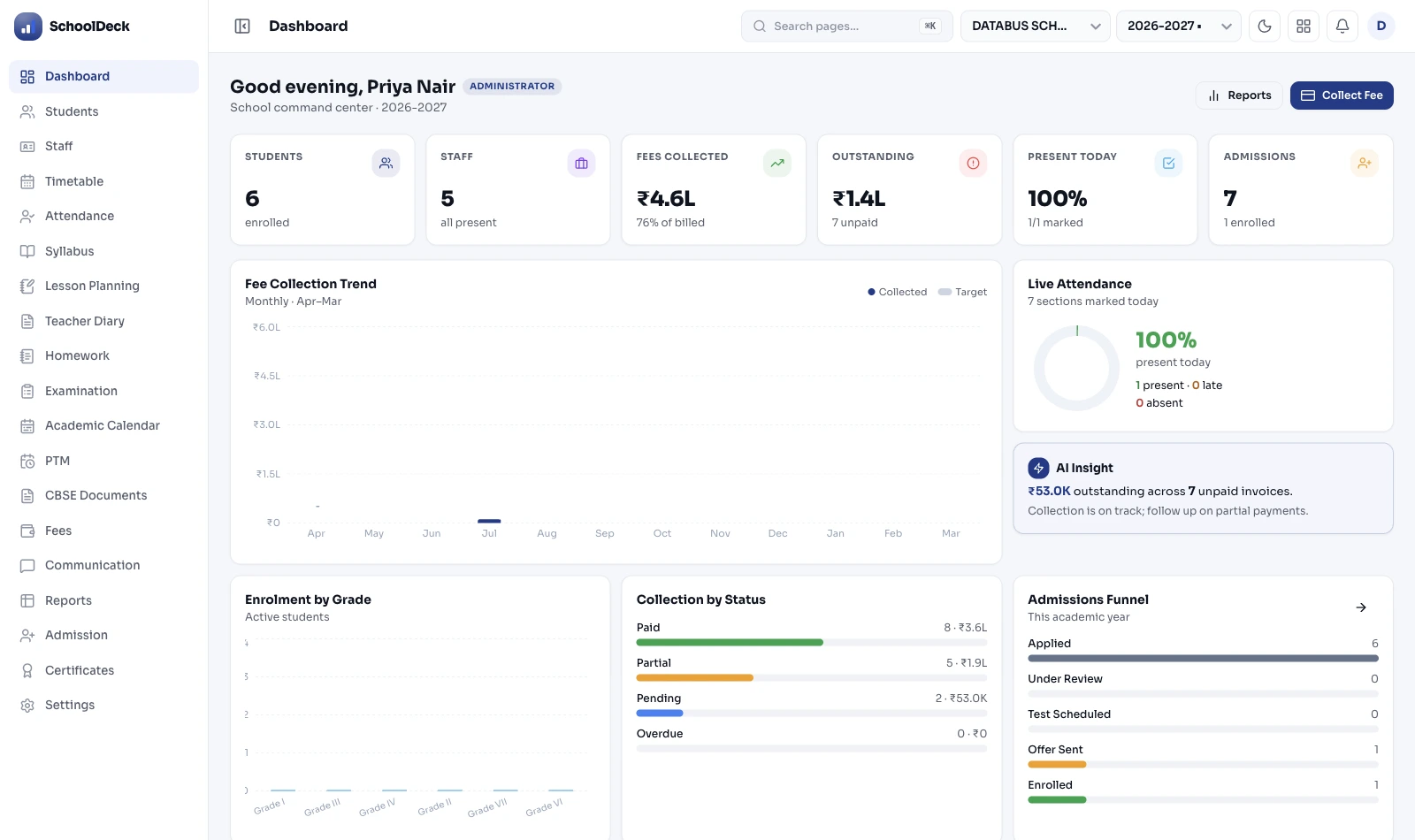
On login the Super Admin sees a consolidated view: total Trust enrolment, today's collection across all branches, outstanding dues per branch, today's attendance percentage per branch, and any escalation flags from branch RBAC violations or audit-log anomalies. Filters let the view be narrowed to one city, one academic board, one branch — or pivoted to compare branches side-by-side.
Critically: every drill-down query the Super Admin runs is itself logged. Every viewing of cross-branch data, every modification, every export. The forensic edit trail across all branches is owned by /features/audit-logs/ for DPDP Act 2023 compliance — including the Super Admin's own activity.
API-level RBAC fencing — the technical detail that matters
Most multi-branch ERPs talk about "role-based access" but enforce it only at the user interface — a Branch Principal sees only their campus on screen, but the underlying API still returns data from all branches if queried directly. That is a confidentiality vulnerability, not a security architecture.
SchoolDeck enforces branch fencing at the API layer. When a Branch Principal authenticates, her session carries a branch-partition token. Every API call she makes is filtered against that token — student lists, staff lists, financial reports, admissions queue. If she alters a URL parameter or attempts to query another branch's data directly, the API returns a 403 authorisation error before the database is queried.
Branch-fenced roles include: Branch Principal, Branch Vice-Principal, Branch Accountant, Branch Admissions Officer, Branch Coordinator, Class Teacher. Trust-level roles with cross-branch visibility include: Super Admin (Chairman/Director), Trust Treasurer (financial only), Trust Academic Head (academic only), Trust HR Head (HR only), Trust Auditor (read-only). Role definitions and configuration are documented at the dedicated /features/role-based-access/ page.
1-click inter-branch staff transfer — with statutory history intact
Every staff record in SchoolDeck belongs to the Trust, not the branch. A teacher's employee profile sits in a Trust-level table; the branch is a foreign key. Transferring her from one branch to another is a single field update.
What stays with her in the move: her employee ID, joining date, designation history, PF account, ESI registration, accumulated leave balance, biometric attendance history, salary slip history (with Numeric Payment Code references), and her Income Tax Act 2025 Section 392 salary TDS records. When her annual Form 130 (was Form 16) is generated at year-end, it consolidates earnings across both branches into one certificate. No fragmented documents. No statutory reconstruction.
What changes: her branch assignment, the school address on her appointment letter (regenerated automatically), her access scope under RBAC, and her timetable assignment in /features/auto-timetable/. The Trust HR Head sees the transfer log in /features/audit-logs/. The destination branch principal sees her in her new staff list on her next login.
Pin-code admission routing — leads stop dying in inboxes
For a Trust running a city-wide admissions campaign, the typical flow is: parent fills enquiry form on Trust website → form lands in a generic Trust inbox → Trust office coordinator manually decides which branch the family belongs to → forwards by email or WhatsApp → branch principal sees it next time she opens her inbox. Forty leads in, three follow-ups out by Friday. The other 37 enrol their children elsewhere.
SchoolDeck routes leads by pin code at form submission. The Centralised Admissions CRM looks at the parent's pin code, references the configured catchment map for each branch (set up once during Trust onboarding), and assigns the lead to the nearest branch's admissions queue automatically. The branch admissions officer sees a pre-routed lead in her queue within seconds, follows up via WhatsApp through /features/communication-tool/ over the Trust's TRAI DLT-registered SMS and WhatsApp utility channels.
Source-ROI tracking — which ad campaign generated leads in which catchment — is consolidated at Trust level for the marketing team. Branch admission funnels are visible per-branch for the principal. The Trust Chairman sees both views.
Inter-branch asset transfer — depreciation schedule preserved
When the Trust buys 500 laptops centrally and dispatches 60 to Branch A, 80 to Branch B, 50 to Branch C and so on, each laptop's Fixed Asset Register entry needs to land in the destination branch's FAR — not the Trust warehouse's FAR — with the original acquisition date, original cost and depreciation schedule preserved.
SchoolDeck handles this through the Inter-Branch Asset Transfer workflow in /features/inventory-management/ which owns the asset + stock tracking layer including Fixed Asset Register with Companies Act 2013 Schedule II + Income Tax Rule 5 parallel depreciation. A digital dispatch challan moves stock from the central warehouse FAR to the destination branch FAR. The acquisition date and depreciation start-date stay intact — the only change is the branch ownership flag.
This matters for the Section 12A / 12AB Trust audit. At audit time, the CA wants both the branch-level FAR (per-campus reconciliation) and the Trust-consolidated FAR (Trust-level Schedule II depreciation roll-up). Both views come from the same underlying data — no reconciliation, no spreadsheet matching.
Each branch on its own academic board and fee structure
A Trust running a premium CBSE flagship in central Chandigarh, an ICSE branch in Mohali targeting a different parent segment, and three State Board branches in tier-3 Punjab towns is the normal Indian Trust shape. SchoolDeck does not impose a single curriculum or fee policy on all branches.
Configured per branch: academic board (CBSE / ICSE / any State Board), grading pattern (9-point CBSE / ICSE percentages / state-board format), fee structure with late-fine logic, term calendar with state-specific holidays, report card format (NEP HPC if the branch has adopted it, traditional FA/SA if not), and report card language (English / Hindi / Marathi / Tamil / Bengali etc.). The Class 10 Two Board Exams (effective from 2026 for CBSE branches) is enabled per-branch, not Trust-wide.
What stays Trust-wide: master vendor list, master DLT registration, master payment gateway (with funds reconciled to branch sub-ledgers), staff master, Trust audit trail, and the Super Admin role. Branch-specific exam workflow (CBSE 80+20, ICSE project marks, state-board patterns) is handled by /features/examinations/.
This module ≠ Finance Management ≠ Multi-Branch Use Case
Three SchoolDeck pages mention "multi-branch." Each owns a distinct layer. Understanding the boundary helps a Trust evaluate them correctly and helps search engines stop conflating them.
- This page · /features/multi-branch/ — Owns the operational data partition. Super Admin login, branch RBAC fencing at API level, 1-click staff transfer, pin-code admission routing, inter-branch asset transfer, branch-specific board configuration. The mechanics of how a Trust runs day-to-day operations across campuses.
- /features/finance-management/ — Owns the Trust executive hub. Consolidated P&L across branches, multi-branch governance, departmental budgets vs actuals, Maker-Checker dual control on financial transactions, automatic Tally XML bridge. The financial consolidation layer that sits on top of operations. For Treasurers and Trustees specifically.
- /use-cases/multi-branch-school-management/ — Owns the buyer scenario. "I am a Trust running 4 campuses, what does SchoolDeck do for me?" Tells the story end-to-end with ROI, implementation timeline, customer narratives. For Trust Chairmen evaluating the platform top-down, not researching specific features.
This page assumes you already know your Trust needs multi-branch software and want to understand how it works under the hood. The use-case page is for the earlier stage. The finance-management page is for the parallel concern.
Disconnected software vs SchoolDeck multi-branch
Practical differences when running a Trust with 6 campuses and 8,400 students total.
| Operational task | Disconnected / standalone software | SchoolDeck Multi-Branch |
|---|---|---|
| Trust Chairman daily check | Wait for 6 branch emails by 5th of month | Live dashboard, one login, all branches |
| Branch data confidentiality | UI-only gating, API leaks possible | API-level RBAC fencing per branch token |
| Mid-year staff transfer | Delete + re-enter, statutory history fragmented | 1-click, PF/ESI/leave/TDS history retained |
| Year-end Form 130 for transferred staff | Manually reconstructed from 2 sources | Consolidated across branches automatically |
| Admission enquiry routing | Forwarded by Trust office coordinator manually | Pin-code auto-route to nearest branch |
| Central procurement of 500 laptops | "Centralised" in memo, retail pricing in practice | Trust PO + digital dispatch challan to FAR |
| Branches on different academic boards | Separate software instance per board type | CBSE+ICSE+State per branch, one ERP |
| Multi-branch parent app experience | Separate apps per child, two logins to manage | One login, toggle between children |
| Trust audit at Section 12A/12AB time | Branch FARs reconciled by CA in spreadsheets | Branch + consolidated FAR from same data |
| Adding a 7th branch to the Trust | Buy new software, hire IT staff, train from zero | Hours of configuration in Super Admin console |