


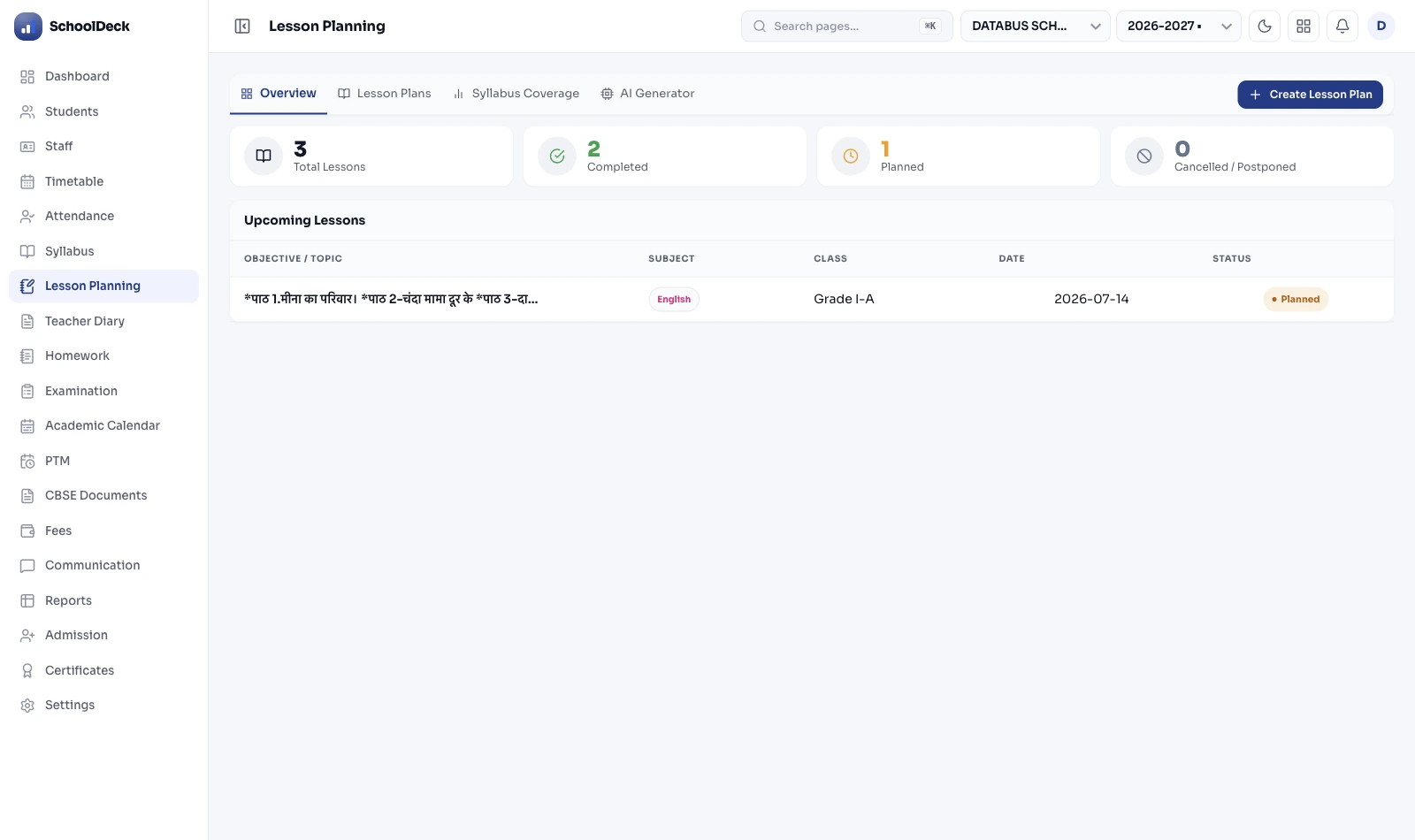
What is the SchoolDeck Digital Lesson Planner?
It is a cloud-based replacement for the physical teacher diary. A teacher writes each period's plan into a structured template — learning objectives, activity flow, NEP 2020 5E Model sections, Bloom's cognitive level, attached PDF and video resources, learning outcomes — instead of into a handwritten book. The coordinator gets a real-time syllabus completion view across every section without collecting any physical diaries.
The module owns one specific layer: teacher preparation. The 5E-structured units a teacher plans in advance. It is not the daily assignment workflow — that is part of the broader academic cluster orchestrated by /features/academics/ and the daily assignment workflow with NCERT homework caps is owned by /features/homework-management/. It is not the formal assessment scheme (CBSE 80+20 / NEP HPC / 9-point grading) — that is owned by /features/examinations/. Three different modules, one student record.
Smart Clone — last year's plan, refreshed for this year in one click
The first week of June shouldn't involve rewriting plans a teacher has already written three times. Smart Clone imports the previous academic year's entire plan — every subject, every chapter, every period, every attached resource — in a single click.
The system then remaps every date onto the new academic calendar. Diwali on a Tuesday instead of a Thursday this year? Lessons shift. A new state holiday declared mid-year? The affected period is skipped and pushed to the next class. The teacher opens the cloned plan, reviews what worked last year, updates the parts that didn't, attaches any new resources, and publishes.
- Full-year import: One click imports the entire curriculum plan — not lesson-by-lesson. All subjects, all chapters, all periods.
- Auto-date remapping: Old schedule mapped to new academic calendar. Newly notified holidays automatically excluded.
- Resources carry forward: The PDFs, videos and worksheets attached to last year's lessons come across with the plan. The next teacher inherits five years of refinement.
- Iterative improvement: Teachers refine rather than rebuild — the school's plans compound in quality every year instead of starting from zero.
Real-time syllabus heatmap — so the coordinator knows in week six, not week sixteen
In a school with multiple sections of the same class, syllabus parity is a real and recurring problem. Section A's English teacher moves faster. Section C's teacher had a week of absences in September. By November, when the common test paper is set, three sections are at different points in the same textbook — and the only way the coordinator finds out is by reading the result analysis.
The syllabus tracker works like this: after each class, the teacher marks each topic Completed, In Progress, or Pending. About 20 seconds. Across the school, these updates feed a live heatmap visible to academic coordinators and the principal.
Green means on track. Amber means slightly behind. Red means significantly behind the master schedule. A coordinator who sees Section C flagging red in week six can intervene in week seven — additional periods, schedule adjustment, HOD check-in with the teacher. That's a fundamentally different situation from finding out at term-end.
This visibility connects to /features/examinations/ which owns the formal assessment scheme (CBSE 80+20, NEP HPC, 9-point grading, Class 10 Two Board Exams from 2026). When the question paper is set, the system can flag if a topic in the paper hasn't been marked completed in some sections — preventing students being tested on content they were never taught.
NEP 2020 and NCF-SE 2023 fields built into every lesson template
NEP 2020 (Ministry of Education, July 29, 2020) requires lesson plans to explicitly document learning outcomes, competency development, and interdisciplinary connections. The NCF-SE 2023 (National Curriculum Framework for School Education, August 2023) extends this with specific requirements around art and sport integration. In schools still using paper diaries, this creates a secondary documentation burden — write the diary, then separately prepare NEP compliance records for inspections.
The SchoolDeck lesson template includes these as required standard fields:
- Bloom's Taxonomy cognitive level: A dropdown — Remember, Understand, Apply, Analyse, Evaluate, Create. One click per lesson.
- 5E Model sections: Structured fields for Engage, Explore, Explain, Elaborate, Evaluate — the pedagogical framework recommended by NEP for activity-based learning.
- Learning outcomes: Free-text field stating what students should be able to do by the end of the period. Feeds directly into the Holistic Progress Card via /features/report-card-narration/ and PARAKH evidence.
- Art and sport integration: Dedicated field describing how creative or physical activity is integrated into the core lesson, as required by the NEP holistic mandate.
- Interdisciplinary linkages: Links the lesson to related concepts in other subjects — for example, a Geography lesson on river systems to a Science lesson on the water cycle.
During CBSE Affiliation Bye-Laws Chapter 4 & 6 inspections, these records are available as a structured digital archive — filterable by subject, grade, term and teacher. No last-minute file compilation.
Teaching resources attached to topics, not trapped on personal devices
Every school has a Mrs. Priya — the Biology teacher with five years of painstakingly built worksheets, annotated diagrams, and curated video links. They live on her personal pen drive and a personal WhatsApp group. When she moves to a different school — and good teachers move — the school's Biology department is back to square one with the next hire.
SchoolDeck attaches resources directly to topics in the lesson plan. A YouTube link, a PDF worksheet, a PowerPoint, a NCERT page reference — uploaded to the specific lesson they belong to, stored in the school's account, not the teacher's personal cloud. When the teacher leaves, the resources stay. The next teacher inherits a fully populated curriculum. Every edit and every change of custodianship is captured in the immutable audit trail via /features/audit-logs/ for DPDP Act 2023 compliance.
The same resources are immediately available to a substitute teacher covering the class, to the HOD reviewing lesson quality, and to the next teacher assigned that subject in the new academic year. Teaching materials compound year-on-year instead of being rebuilt from scratch every time staff change.
What a substitute teacher sees when she walks into the absent teacher's class
When the regular teacher is absent and a substitute walks in, one of two things typically happens: the substitute knows the subject well enough to continue from where the class left off, or she doesn't and the period becomes "quiet study time." The second outcome is far more common.
SchoolDeck closes this gap. When a teacher is marked absent in /features/staff-attendance/, the assigned substitute opens the SchoolDeck app and sees:
What the substitute sees
Last class: Mrs. Sharma completed "Photosynthesis — Light Reactions" on Tuesday. Students were assigned pages 84–87 to read at home.
Today's plan: "Stomata Structure and Function." Use the attached PDF worksheet — students work in pairs for the first 20 minutes.
Resources: Stomata diagram PDF, NCERT Class 10 Chapter 6 page reference, video link for the closing 10 minutes if time allows.
The substitute doesn't need to be a Biology specialist to run a productive class. The plan is already written. This matters in specialist subjects — Chemistry, Physics, a second language — where a teacher's absence would otherwise mean a wasted period for an entire section.
What coordinators and principals actually see
The physical teacher diary creates an accountability problem nobody likes to acknowledge. Principals are supposed to check diaries weekly. In practice, checking 78 physical diaries is a half-day task that competes with every other responsibility a principal has. Most schools settle for spot checks — three or four per week — which means a teacher who isn't planning seriously can go undetected for months.
Accountability without nagging
The principal's dashboard auto-flags teachers who haven't updated their log this week. The coordinator follows up with two specific people instead of checking 78 diaries.
Plan review from a phone
Open any teacher's lesson plan from the phone. Leave a comment — "This plan needs more detail on the evaluation activity" — against a specific period. The teacher sees the comment and responds in the app. No diary collection, no awkward face-to-face conversation.
Inspection and accreditation readiness
CBSE inspectors ask for lesson plan records. NABET / IB / CIE evaluators ask for curriculum documentation. A structured, searchable digital archive — filterable by subject, grade, teacher and term — takes minutes to export instead of half a day pulling physical files.
Multi-branch parity view — same chapter, three campuses, one heatmap
For school Trusts running 2–10 campuses, syllabus parity becomes harder. A chain that runs the same CBSE curriculum across three branches in different cities can have Branch A two weeks ahead of Branch C by November — and the central academic office only finds out when the common board pre-board paper reveals it.
The multi-branch view shows syllabus completion across every campus on one dashboard. Compare Section X of Class 9 in Branch A against the same section in Branch B. Spot drift early. Make schedule adjustments before, not after, the common assessment. Trust executives can also see this consolidated view alongside fee, attendance and exam metrics through the executive dashboard via /features/finance-management/.
Paper teacher diary vs SchoolDeck digital lesson planner
The practical differences in a school with 78 teaching staff.
| Task | Paper Teacher Diary | SchoolDeck Digital Planner |
|---|---|---|
| Planning time, start of year | Every teacher rewrites the whole year by hand | Smart Clone → review → publish |
| Syllabus visibility for coordinator | 2–3 diary checks per week, 30 of 78 covered | Live heatmap, all 78 teachers, any device |
| NEP 2020 5E + Bloom's compliance | Separate compliance document at inspection | Required fields in every lesson template |
| When a teacher leaves the school | Plans + resources go with her | Everything stays in the school account |
| Substitute teacher coverage | Walks in blind, period becomes "quiet study" | Sees last lesson, today's plan, resources |
| Cross-section parity tracking | Found out at term-end through result gaps | Green / Amber / Red flags from week one |
| Question paper vs syllabus taught | Manual cross-check by HOD, often missed | Auto-flag via /features/examinations/ |
| CBSE inspection preparation | Half-day compiling physical files | Searchable archive, export in minutes |
| Offline / patchy connectivity use | Paper works everywhere (only upside) | Offline drafting on mobile, auto-sync |
| Multi-branch syllabus parity | Phone calls and weekly emails between branches | One dashboard, every campus, live |