Cloud Recording with Absentee Auto-Share · Built for India
Record the PTM. Record the lecture. Record the training. When the meeting ends, the recording link lands automatically in the inbox of every parent, student, or trainee who didn't show up — no manual share step, no teacher forwarding files, no coordinator chasing thirty WhatsApp groups.
That's the part we built that others didn't. The MP4 file and the cloud storage are tablestakes. The absentee email is the product.
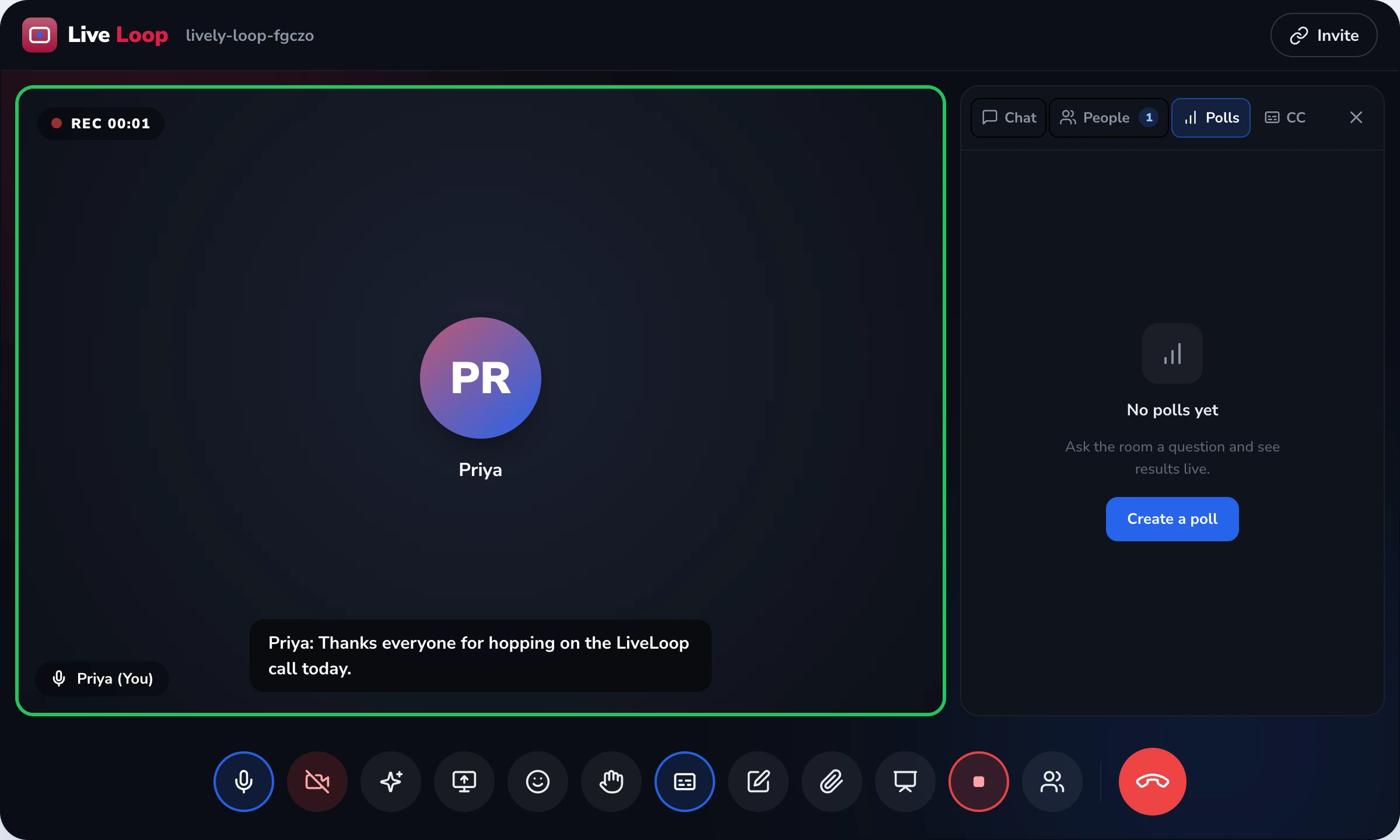
LiveLoop Cloud Recording, defined. One-click cloud recording for LiveLoop video meetings. The output is an MP4 video file (H.264 codec) stored in LiveLoop's cloud, not on the host's device. Recording captures the main session — including whichever breakout room the host is currently visiting. The differentiator is absentee auto-share: when the meeting ends, LiveLoop compares the expected roster (from SchoolDeck / CampusAlly / TutorDesk, or the calendar invite) against who actually joined, and emails the recording link to every absentee — automatically, without host action. Hosts can configure retention (default 90 days), set password-protected share links, and download the raw MP4. Transcripts, AI summaries, and engagement reports are separate artefacts documented on their own pages.
Defining Artifact · The absentee email
Sankalp NEET Academy, Pune branch. A 7 PM Saturday parent–coordinator session about JEE Main 2026 strategy. 380 parents expected. 312 joined live. 68 did not. Here is what happened next — without anyone on the Sankalp staff doing anything.
Mr. Bhandari clicks End Meeting. The recording auto-stops. He gets a notification: "Recording uploading. Absentees will be notified once it's ready."
Four minutes later: MP4 file uploaded, encrypted at rest, share link generated. The platform compares the TutorDesk roster (380 expected) against the join log (312 joined). Delta: 68 absentees. Their email addresses are pulled from the TutorDesk parent records.
Each of the 68 absent parents gets an email referencing their child's name. The email is in English and the regional language (Marathi for Pune). Tap the button, the recording plays in the browser.
What Mr. Bhandari did between 8:30 and 8:35 PM: Locked the office. Drove home. Nothing platform-related. The 68 emails went out without him.
Why this matters
Most platforms record the video and stop there. The real work — getting the recording to the people who actually need it — falls on the teacher or coordinator. Here's what breaks.
The PTM ends at 8 PM. By 10 PM, 12 absent parents have WhatsApped the class teacher asking for the recording. By the next morning, it's 30. The teacher spends Monday morning forwarding the same link thirty times. Absentee auto-share kills this entirely.
Most platforms produce a local MP4 file the host has to share. A one-hour HD recording is 400 MB+. It won't fit in email, won't fit in WhatsApp, and Google Drive sharing requires a Google account on every parent's end. Cloud storage + share link sidesteps all of it.
When the recording is downloaded to a student's laptop, it's exposed to every laptop accident in the world. Cloud-hosted with link-based access means the file lives in one place and re-watching is just re-opening the link.
Recordings of children's online classes from years ago, still on the school's local server, no one tracking who has access. Default 90-day retention + admin policy enforcement makes DPDP compliance routine instead of accidental.
Use cases by audience
Absentee auto-share works the same way for every audience. What changes is which roster source the platform pulls absentees from.
CBSE, ICSE, State Board principals running PTMs and remote class days.
Roster source: SchoolDeck student records. The class teacher records the Wednesday online science class. By Thursday morning, every absent student's parent has the recording link in their email — referenced by the student's name and roll number. The teacher doesn't see who was absent until the next class.
Heads of Department and IQAC officers running lecture series and guest seminars.
Roster source: CampusAlly enrolment records. A guest industry lecture for the BBA final-year students. 87 enrolled, 71 attended live. The 16 who didn't (placement interviews, illness) get the recording in their college email overnight. The seminar coordinator doesn't field a single "can you share the recording" message.
NEET, JEE, UPSC coaching directors running large multi-branch batches.
Roster source: TutorDesk batch records. A 380-student JEE parent strategy session. 312 join, 68 are absent (the working-parents in tier-2 cities who couldn't make 7 PM). All 68 get the recording on their phone by 8:35 PM. Re-engagement that used to take a week happens overnight.
L&D managers running mandatory training, distributor meets, and town halls.
Roster source: the calendar invite list (Google Calendar or Outlook). A mandatory compliance training scheduled for 500 employees. The 86 who couldn't attend get the recording the same evening. Mandatory training acknowledgement happens in 2 days, not 2 weeks.
Recording layouts
The host chooses the layout at the start of the recording and can switch mid-meeting. Each layout has a clear use — the wrong one wastes the playback experience.
Storage, retention, and DPDP discipline
A recording of a Class 8 child speaking in class is personal data under the DPDP Act 2023. Section 9 says that data of minors needs verifiable parental consent and a stricter handling regime. Six things follow from that — and they shape how cloud recording works at LiveLoop.
Recordings are auto-deleted after 90 days on paid plans (14 days on free). The default is short because most recordings are needed within a week, not a year. Admins can extend per meeting category.
The institution admin can define different retention rules per meeting category: PTMs 6 months, staff meetings 3 months, board calls 12 months. Once retention expires, the recording is permanently deleted.
Every recorded meeting starts with an audible "Recording in progress" announcement plus a persistent red REC indicator visible to all participants. This is the DPDP Act 2023 Section 5 notice requirement, automated.
MP4 files are stored encrypted at rest using AES-256. Detailed security architecture — key management, access logs, OAuth scopes — is documented at /liveloop/features/security/. This page describes the recording artefact; the cryptography lives there.
Share links can carry an optional password and an optional expiry (24 hours, 7 days, 30 days, or never). For sensitive recordings — board meetings, IQAC discussions, internal training — both are standard.
The host can download the raw MP4 from the cloud dashboard at any time. The platform stores the recording; the host doesn't lose access to it. Downloading is opt-in, not default — cloud-hosted link sharing is the recommended path.
Before LiveLoop, my Monday mornings looked like this: I'd come in, open my phone, and find around thirty WhatsApp messages from parents asking for the previous Saturday's recording. Some had been at a wedding, some were in a different time zone, some just forgot. I would spend ninety minutes copying the same Google Drive link into thirty replies. Every Monday. For three years.
We migrated in September. The first Saturday parent session after, I checked my phone Monday morning expecting the usual. Two messages. Two. Not because parents were less engaged — the other twenty-eight had already watched it Sunday night, because the link was already in their inbox. They didn't need to ask.
That was the moment my coordinators stopped doubting the migration. Saturdays are now twice the size — we run 1.5x the parent sessions because the overhead is gone.
The mechanism is not magical. It's a join-log comparison.
Every LiveLoop meeting has an expected attendee list. For a scheduled meeting, that's the calendar invite's recipient list (Google Calendar or Outlook) or the linked roster from a Databus ERP (SchoolDeck for K-12, CampusAlly for college, TutorDesk for coaching). For an ad-hoc meeting with no roster, there are no absentees to identify — the auto-share doesn't fire.
Every LiveLoop meeting also has a join log — who actually joined and when. That's the same join log the /insights/ page exposes for participation reports.
When the meeting ends, the platform compares the two lists. Anyone on the expected list who is not in the join log is an absentee. Their email address is looked up from the roster source. An email is generated and queued for delivery — within a few minutes of the recording being processed.
The recording captures the visual and audio output of the meeting from the host's perspective. Whatever the host is currently seeing — the active speaker, the gallery view, the shared screen — is what the recording contains.
The recording's share link is generated when the recording is ready. The link looks like
liveloop.app/r/sankalp-jee-feb-26 — a short identifier, not a publicly-guessable URL.
The host has three configurable controls on any share link:
One LiveLoop meeting can produce up to five distinct artefacts. This page owns one of them — the cloud-hosted MP4 recording. The other four have their own pages, their own depth, and their own boundaries.
All three platforms record. The differences are about who has to manually do what after the meeting ends.
| Dimension | LiveLoop | Zoom / Google Meet |
|---|---|---|
| Absentee auto-share | Yes — automatic from ERP/calendar roster | No — host shares the link manually |
| Storage default | Cloud (with download option) | Mixed: Zoom Cloud or local; Meet defaults to Drive |
| Free-tier cloud recording | Yes — 14-day retention on free | Zoom: local only on free; Meet: free Workspace tier required |
| Default retention (paid) | 90 days, extendable to 12 months | Indefinite by default; depends on admin policy |
| Password + expiry on share link | Both included | Available; differs by plan |
| Recording lands in Indian ERP record | Yes — SchoolDeck/CampusAlly/TutorDesk meeting record auto-populated | Manual link paste required |
Real questions from principals, college HoDs, coaching directors, and L&D managers evaluating LiveLoop's cloud recording.
When a meeting ends, LiveLoop compares the expected attendee roster — pulled from the SchoolDeck, CampusAlly, or TutorDesk record, or from the Google Calendar / Outlook invite list — against who actually joined. Anyone marked absent automatically gets an email with the recording link. The host doesn't manually identify or contact anyone. Common use: parents who couldn't attend a PTM get the recording overnight.
In LiveLoop's cloud storage — not on the host's laptop, not on a USB drive, not on a school's local server. The host receives a share link, not a file. The MP4 file is stored encrypted at rest using AES-256. Detailed security architecture is documented at /liveloop/features/security/.
The recording is an MP4 file using the H.264 video codec — the universal format that plays on any device without a special player. Resolution matches the meeting (up to 1080p depending on participant connections). The host can download the raw MP4 at any time from the cloud dashboard; sharing via link is the recommended path because the file is typically 200 to 800 MB for a one-hour meeting.
Yes. Two notifications: an audible bell announcing "Recording in progress" at the moment recording starts, and a persistent red REC indicator at the top of every participant's screen for the entire recorded duration. The indicator cannot be hidden by the host. This satisfies the DPDP Act 2023 notice requirement for capture of personal data.
Default retention is 90 days on paid plans; the free tier retains for 14 days. The institution admin can extend retention up to 12 months on the Institution plan, or set custom retention rules per meeting category (PTMs kept 6 months, staff meetings 3 months, board calls 12 months). After the retention period the recording is permanently deleted and cannot be recovered.
Yes. When you generate a share link, you can set an optional password and an optional expiry (24 hours, 7 days, 30 days, or never). Useful for sensitive recordings — board meetings, IQAC discussions, internal coaching faculty training. The recipient enters the password before the video plays.
The main-session recording captures the main meeting lobby plus whichever breakout room the host is currently visiting. So if the host hops into Breakout 2 to answer a question, those 90 seconds of Breakout 2 are in the recording. The platform does not separately record each breakout room — those discussions stay between the participants in that room. Full breakout-room mechanics at /liveloop/features/breakout-rooms/.
Three layouts: Active Speaker (the recording focuses on whoever is currently talking — best for lectures and PTMs), Gallery (a grid of all participants — best for small panels and team meetings), and Shared-Content-with-Speaker (when a screen is being shared, the screen content occupies most of the frame with a smaller speaker overlay — best for training and demos). The host picks the layout before recording starts and can switch between them mid-meeting.
Separate. The recording is the MP4 video file. The searchable transcript with timestamps, speaker labels, and click-to-jump navigation is a separate artefact documented at /liveloop/features/transcription/. The AI meeting summary with action items is another separate artefact, documented at /liveloop/features/ai-assistant/. One meeting can produce all three — recording, transcript, and summary — each accessed in its own dashboard.
Cloud recording is available on every LiveLoop plan including the free tier. The free tier retains recordings for 14 days; paid plans extend retention up to 12 months and unlock the absentee auto-share, custom retention rules, and password-protected sharing links. Plan details at /liveloop/pricing/.
Book a 30-minute demo. We'll run a sample meeting with a mock roster — you watch the recording link auto-deliver to the simulated absentees in real time.
From ₹0 / free tier includes recording · 14-day retention free · 90-day paid · Built in Chennai


