This is the join moment itself — tap the link, the browser opens, allow mic and camera once, and you're in. No app, no account, no plugin. The same one click whether it's a class, a lecture, a coaching batch or a team call.
For any host and any participant · one-click join · no download · no sign-up · any modern browser · WebRTC · pairs with the calendar invite link.
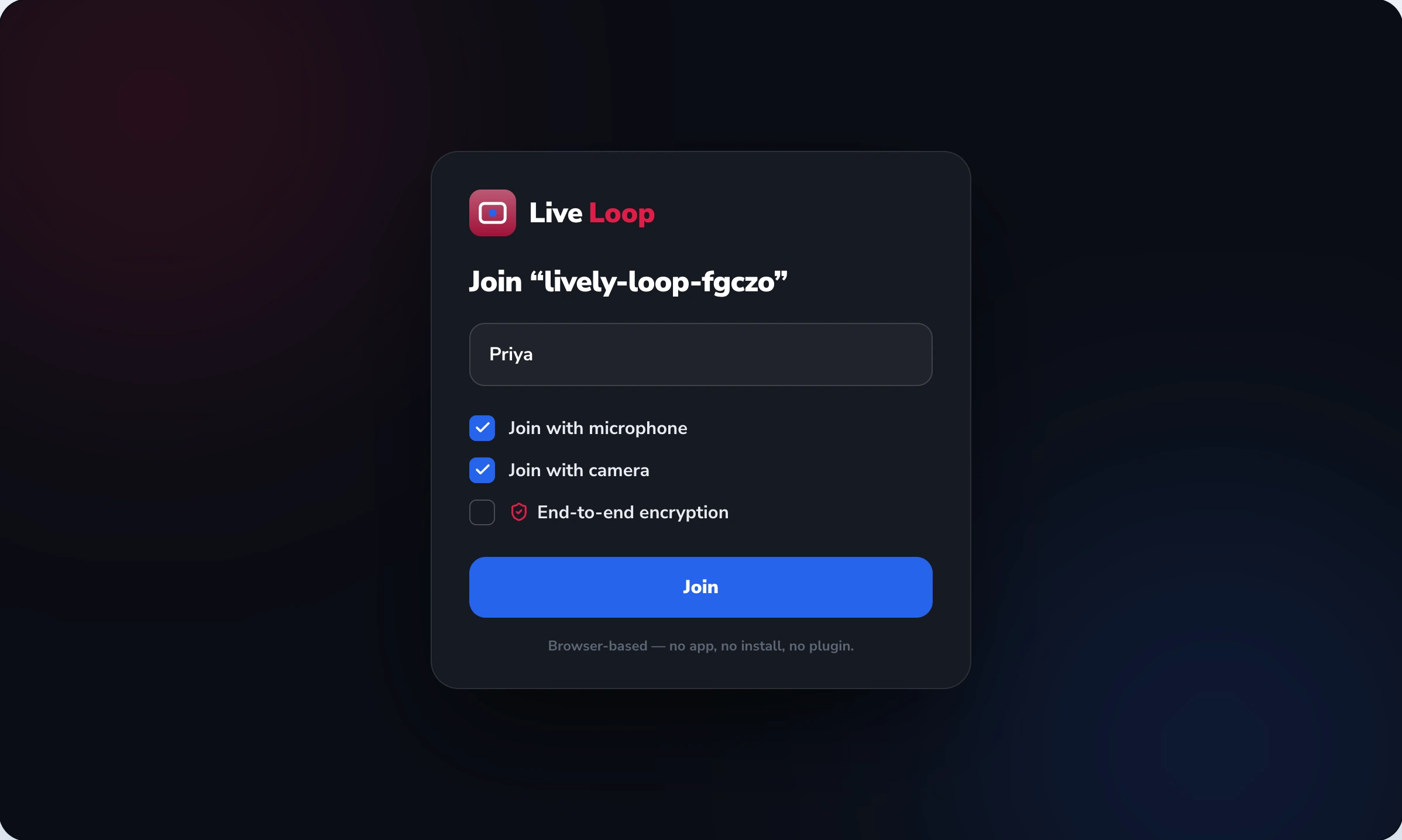
Instant Join owns the join moment — the few seconds between tapping a link and being in the meeting. There's no app to download, no account to create, no plugin to install: the link opens in whatever modern browser the participant already has, the browser asks once for mic and camera, and they're in. It works because LiveLoop runs on WebRTC, the open browser video standard. It's an audience-neutral mechanism — the same one click serves a class, a lecture, a coaching batch and a team call. It pairs with the join link LiveLoop injects into the calendar invite. It does not own which devices and browsers are supported — that's cross-platform; nor stream quality on a weak network — that's HD video and audio; nor the host's in-call controls — that's moderation. Instant Join is the door; the other features run the room.
A host doesn't want to spend the first five minutes troubleshooting downloads. Here's the entire join, the way Instant Join handles it — and the last row marks exactly where this feature's job ends and the others take over.
| Step | What happens | Detail | Owned by |
|---|---|---|---|
| 1 · tap | Tap the join link | from the calendar invite, a message, a page | instant-join |
| 2 · open | Browser opens the meeting | no app, no plugin — WebRTC in the browser | instant-join |
| 3 · allow | Allow mic & camera once | the single browser permission prompt | instant-join |
| 4 · in | You're in the meeting | no account, no sign-up — class, lecture or call | instant-join |
| then… | The room takes over | device matrix · stream quality · host controls | → cross-platform · hd-video · moderation |
The meeting starts and a chunk of participants hit a download wall — installing, waiting, restarting — while the host watches an empty grid and the session slips behind before it begins.
A participant who just wants to join is asked to create an account first — and a first-timer, or someone on a shared device, simply gives up rather than register to attend one meeting.
A participant on a borrowed, locked-down or modest device can't install the app at all — no admin rights, no storage, wrong OS — so the app requirement quietly excludes them entirely.
An older conferencing tool demands a browser plugin or extension that the participant has never heard of and won't risk installing — and one prompt is all it takes to lose them.
The participant taps the join link — in the calendar invite LiveLoop injected, in a message, or on a page. There's nothing to install first; the link itself is the entry point.
The link opens in whatever modern browser they already have — Chrome, Safari, Firefox or Edge. Because LiveLoop runs on WebRTC, the meeting loads inside the browser; there's no app to download and no plugin to enable.
The browser asks once for mic and camera permission. The participant allows it — the single prompt every browser shows — and no account creation or sign-up stands between them and the room.
That's the whole join: tap, open, allow, in. The participant is in the meeting, whether it's a class, a lecture, a coaching batch or a team call — the join moment is identical for all of them.
Once inside, which devices and browsers are supported is cross-platform; how video adapts on a weak connection is HD video and audio; the host's controls are moderation. Instant Join's job ended at the door.
WebRTC is the open video standard from W3C and IETF, baked into every modern browser. It's what lets a meeting run inside the browser with no native app and no plugin — the technical reason the join is just a click.
Running in the browser isn't a fallback — it's LiveLoop's foundational design. No native app to download means no install barrier, no OS restriction, no admin-rights problem. The participant uses the browser they already have.
A participant joins with the link alone — no sign-up, no profile. The host may have an account to run meetings, but attending one needs nothing but the link and a browser, which is what keeps first-timers from dropping off.
Technical references: WebRTC (W3C + IETF open browser video standard) — the basis for in-browser meetings with no plugin or native app. The supported-browser and operating-system matrix, and network-handoff behaviour, are maintained on the cross-platform page; adaptive-bitrate stream quality is HD video and audio; in-call host controls are moderation. This page owns the join moment — the click, the browser open, the permission, the entry — and nothing downstream of it.
LiveLoop keeps the join moment on its own page, distinct from device coverage and from what happens once you're inside — on purpose. The join is one click; the device matrix and the in-call experience are separate questions. Keeping them apart means this page ranks for "join without an app" and never blurs into "which devices does it support" or "online class software."
The join moment is audience-neutral; what's on the other side of the door differs.
A teacher running an online class or a PTM can't ask every parent to install an app — the one-click browser join means a parent on any phone simply taps the link and is in.
A coaching tutor's batch joins by tapping the link — no onboarding, no accounts to chase — so the session starts on time instead of with a download queue.
A team inviting an external client or candidate doesn't make them register — the guest clicks and joins, which is exactly the first impression a host wants to make.
"With our old tool, every single class began the same way — 'I can't get in', 'it's asking me to download something', 'do I need an account?' — and I'd lose the first five or ten minutes to it, every time. The thing I'd tell anyone evaluating this is that the join is genuinely just a link. The students tap it, the browser opens, it asks for camera and mic once, and they're in — no app, no sign-up. Parents who join for a PTM, on whatever phone they have, get in the same way. And I appreciate that the page is honest about what it is: it's the join. Whether it runs well on a particular old phone, or how the video holds up on a weak signal — those are handled by other parts of the product, and they don't pretend otherwise here. The join being this simple is the thing that actually changed my classes."
What every host asks before trusting a meeting to "just click the link."
We'll show you the join moment on your own meeting — tap the link, the browser opens, allow mic and camera, you're in — with no app, no sign-up and no plugin, on whatever browser your participants already have.
See Instant Join →


