


01
"Did they actually attend?"
Joining the lobby for 30 seconds shouldn't count as attendance. Teachers need session-duration in/out timestamps that survive an inspection — not a one-time presence flag.
Polls in the video feed · Hand-raise queue · Q&A by upvotes · Auto-attendance · Auto-share recording
LiveLoop is the live-class layer for Indian schools, colleges and coaching institutes. Students join from any browser — no app install, no account, no admin-rights prompt. Teachers run polls inside the video feed, take hand raises in order, sort Q&A by upvotes, send students into breakouts, and walk back to a recording that's already shared with absentees.
The teaching method behind the tools is in running live classes that hold attention.
A live interactive class is an online class conducted in real time where students actively participate instead of only watching: they answer polls, raise hands, ask questions by voice or chat, and work in breakout groups, while the teacher sees engagement as it happens. It differs from a recorded lecture (no interaction) and from a plain video call (no teaching structure) — the interaction tools are what make attendance measurable and attention recoverable.
This is the buyer-story page. Feature mechanism lives on individual LiveLoop feature pages; live-class scheduling and the roster sit on the SchoolDeck side at SchoolDeck Virtual Classroom. Aligned with NEP 2020 paras 4.34–4.46, CBSE Bye-Laws Ch. 9, UGC Online Courses Regulations 2018 and DPDP Act 2023 §9.
Live interactive online class software is a browser-based teaching platform built around two-way participation — live polls, hand-raise queues, Q&A sorted by upvotes, breakout groups and shared annotation — instead of one-way broadcast. LiveLoop runs over WebRTC, records every session, computes attendance from in-out timestamps, and auto-shares the recording with absentees. It is designed for Indian K-12, higher-education and coaching contexts under NEP 2020 online and digital learning provisions and UGC Online Regulations 2018.
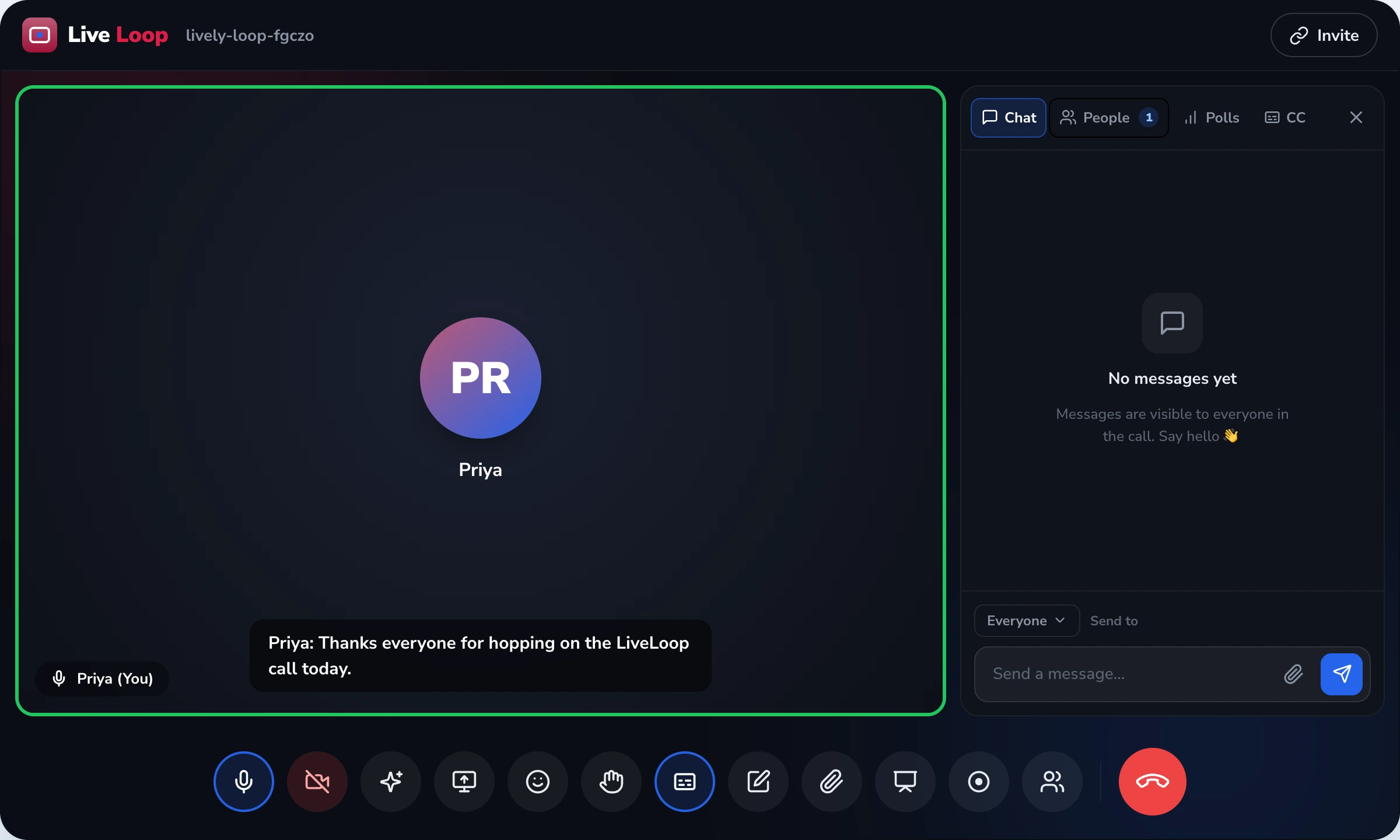
A 58-minute live class showing how polls, hand raise, breakouts, screen share, recording and attendance work together — start to finish.
Ms. Anika Roy · 34 students rostered · 09:50 IST start
These are the four reasons schools tell us they replaced a corporate meeting tool with a teaching-first platform.
Joining the lobby for 30 seconds shouldn't count as attendance. Teachers need session-duration in/out timestamps that survive an inspection — not a one-time presence flag.
A side-panel poll that requires a menu click is a poll most of a 34-student class will skip. Participation has to live inside the video feed to be honest.
Sending a recording link by email after a class assumes parents check email. They don't. The link has to land in the parent app the same day, automatically, with the right child.
An Old Android with no Play-Store access shouldn't lose a child a class. The session has to open in Chrome or Safari with one tap, period.
Every adoption decision a school makes for a live class platform has a regulator behind it. Here are the six anchors that govern this buyer story.
National Education Policy 2020 (Ministry of Education, 29 July 2020) on online and digital learning. Recognises hybrid and blended modes as essential for educational continuity during monsoons, public-health events and civic disturbance.
Requires retention of teaching and attendance records as part of the academic record retrievable during inspection. LiveLoop's per-session timestamps + recording satisfy the evidence requirement.
University Grants Commission permits blended-mode delivery up to a defined component of regular HE programmes. Per-session record and attendance trail forms the audit evidence.
Digital Personal Data Protection Act 2023, §9 — verifiable parental consent for processing personal data of children under 18. The school is the Data Fiduciary; LiveLoop processes data on its behalf.
Rights of Persons with Disabilities Act 2016 — equal access to education for children with disabilities. LiveLoop's live closed-caption transcription supports compliance with the inclusion mandate.
Web Real-Time Communications is the open standard ratified by W3C and IETF. It is baked into every modern browser. This is what makes LiveLoop's no-install promise structurally true, not a marketing claim.
The thing that sold us was the in-feed poll. Earlier on Meet, I'd run a Mentimeter side-tab — half the kids never opened the tab. On LiveLoop the poll appears on top of my face, so they answer or they actively dismiss it. That's an honest signal. And the recording lands in the parent app by lunch, so parents of absent kids stopped calling the office at 4 pm.
A realistic adoption journey for an Indian K-12 or college, with what happens each stage and what gets signed off.
The mechanism is the same, but the regulatory anchor and the rollout pattern change with the institution.
Five 45-minute live classes a day, parent-app push for absentees, attendance into the class register on the same screen. Anchor: CBSE Bye-Laws Ch. 9.
Sessions that switch from in-room to remote without rescheduling. Anchor: NEP 2020 paras 4.34–4.46 on educational continuity.
Per-session evidence pack for the IQAC. Live captioning for accessibility. Anchor: UGC Online Courses Regulations 2018.
Tier-2 / Tier-3 students join from a sibling's phone or a cyber-café PC. No install means no excuse. Anchor: WebRTC standard.
Session-duration attendance + recording = audit-ready file for the awarding body. Anchor: certification-completion defers here for live-class capture.
Live closed-captions, queue-based hand-raise, anonymous question mode. Anchor: RPwD Act 2016 §16 + UGC Accessible HE Guidelines 2022.
The full picture — boundary discipline, anti-positioning, comparison and the cluster cross-links.
This is the buyer-story page for adopting a live interactive class platform — who decides, why, how a school rolls it out, what regulatory framework backs the decision, and how the day-to-day session feels for a teacher and a student. Mechanism-level documentation for individual capabilities does not live here. Polls, hand-raise, breakouts, recording, screen sharing, AI digest, calendar sync — each of those is owned by a dedicated LiveLoop feature page, and this page defers to them by link rather than re-documenting them.
This separation is deliberate. The cluster's discipline says a feature page owns the mechanism (how rooms are assigned, what the host sees, what the buttons do) and a solution page owns the buyer story (who decides to adopt it, what curriculum or regulatory pressure drives the decision, how a school rolls it out). Repeating mechanism content here would cannibalise the feature pages and dilute the signal for both. So we route.
Five pages, five distinct boundaries. If you are evaluating LiveLoop, knowing which page covers which decision saves time.
The honest version: this is not "AI engagement", and the platform does not score student attention. What it does is make participation visible. Polls and pop-quizzes appear inside the video feed instead of a side panel, so a student has to either respond or actively dismiss them. Hand raises arrive in queue order, which removes the "loudest student wins" failure mode that ruins free-for-all classrooms. Q&A is sorted by peer upvote, so the teacher addresses what the class collectively cares about, not just what the front-bench loudest voice asks. Reactions are emoji-based and non-disruptive, which lets a quiet kid signal "got it" without unmuting.
These are participation signals, not graded assessments. LiveLoop does not award marks against the school report card. Marks entry stays on the SchoolDeck examinations module, where the rubric, the weighting and the lock-state belong.
Attendance is captured by in-out timestamps and computed by session duration. A child who joins at 09:51 and leaves at 10:47 in a 09:50–10:48 period is marked against the actual minutes attended. The roll feeds the SchoolDeck student record and the parent-app dashboard. This is the difference between "did they show up?" and "did they actually attend the class?" — and it is the line that satisfies a CBSE inspector reviewing academic record retention under Bye-Laws Chapter 9.
Two things matter on Indian school networks: bandwidth drops mid-class, and devices change network without warning (a teacher's laptop loses Wi-Fi and tethers to mobile data). LiveLoop handles both through standard WebRTC behaviour: Adaptive Bitrate (ABR) lowers video resolution first when bandwidth drops, preserving audio (audio is what teaching depends on); and ICE restart re-negotiates the session in 2–4 seconds when the device's network interface changes. Live captioning continues running through both events, so a student who switches off their camera to save data still gets the lesson on screen.
None of these are proprietary — they are open-standard WebRTC capabilities. They work the same way on Chrome, Firefox, Safari and Edge.
The cluster's foundational privacy posture: the school is the Data Fiduciary under DPDP Act 2023, LiveLoop is a Data Processor acting on its instructions. For participants under 18, the school collects verifiable parental consent under §9 before the child appears in a session. Join links are unique per user; if a second device tries to join with the same identity, the first session is logged out. Hosts retain mute-all, screen-share lock, waiting-room approval and remove-participant controls. Recording links land in the parent or student app — there is no public URL.
We don't grade quizzes. Polls and pop-quizzes are participation signals, not assessments. Grading lives on the SchoolDeck examinations module, where the rubric and lock-state belong. If a vendor offers "real-time graded quizzes inside the live class that feed the report card", they are blurring an assessment boundary that an Indian board inspection takes seriously.
We don't score attention or detect drop-off. No "focus score", no "attention tracking", no behavioural inference. The cluster bans this pattern explicitly — it is workforce-surveillance framing applied to children, and it crosses lines we won't cross under POCSO duty-of-care and DPDP §9. Observable actions only: did the student respond to the poll, did they raise a hand, did they post in Q&A?
We don't bundle a whiteboard. For drawing-heavy STEM teaching, teachers share a browser tab running Excalidraw, Microsoft Whiteboard or Jamboard. That tab carries through screen-share with system audio cleanly. We don't pretend the in-call doodle tool replaces a real whiteboard.
| What you actually need | Generic meeting tools (Zoom, Meet, Teams) |
LiveLoop — Live Interactive Classes |
|---|---|---|
| Attendance method | Lobby ping — present / absent flag | Session-duration in/out timestamps |
| Poll location | Side panel / external Mentimeter tab | Inside the video feed, can't be ignored |
| Hand-raise behaviour | Icon shows up, no queue order | Queue order — Reema (1), Faraz (2)… |
| Q&A ordering | Chronological — loudest wins | Sorted by peer upvotes |
| Recording delivery | Email link the parent never opens | Auto-push to parent / student app |
| App install | Often required on first join | None — runs in browser via WebRTC |
| Roster & scheduling | Manual, in a separate calendar | SchoolDeck timetable + parent app |
| Regulatory anchor | Generic enterprise compliance posture | NEP 2020, CBSE Ch. 9, UGC 2018, DPDP §9 |
| Under-18 consent model | EULA at sign-in (not §9 valid) | School-collected verifiable parental consent |
| Accessibility (live captions) | Add-on / paid tier in many SKUs | Live closed-captioning included |
Live interactive classes sit at the centre of three product surfaces. SchoolDeck Virtual Classroom is where the period is scheduled and the join link surfaces inside the parent and teacher apps. LiveLoop runs the session in the browser. After the class, attendance writes back to the SchoolDeck student record (SIS), the recording appears in the SchoolDeck academic vault, and the post-session digest lands in the teacher's mailbox. Marks — if there are any — flow through SchoolDeck Examinations, not through LiveLoop. The boundary is the same boundary the master cluster reference enforces everywhere: each product owns one thing well, and links to the next.
Ten questions that come up in almost every demo, answered the way we'd answer them in the demo itself.
Four distinct cluster siblings — no overlap with this page's territory.
Book a 30-minute demo. We'll run an actual live class with polls, hand-raise, breakouts and the recording auto-share — on your school's roster, in your timetable.
From ₹499/host/month · Browser only — no installs · Live in 2–3 weeks