Automatic Speech Recognition · Live Captions + Post-Session Transcripts
Live captions while the class runs. Full searchable transcript when it ends. Type a word — "photolithography," "syllogism," "Article 14" — every occurrence is highlighted with its timestamp and speaker. Click the sentence; the recording jumps to that exact moment.
Built for the Class 11 student catching up on Saturday's revision class, the deaf undergraduate joining an organic chemistry lecture, the NAAC peer-team verifying what the IQAC head actually said in the verification meeting. Three different needs. Same searchable text.
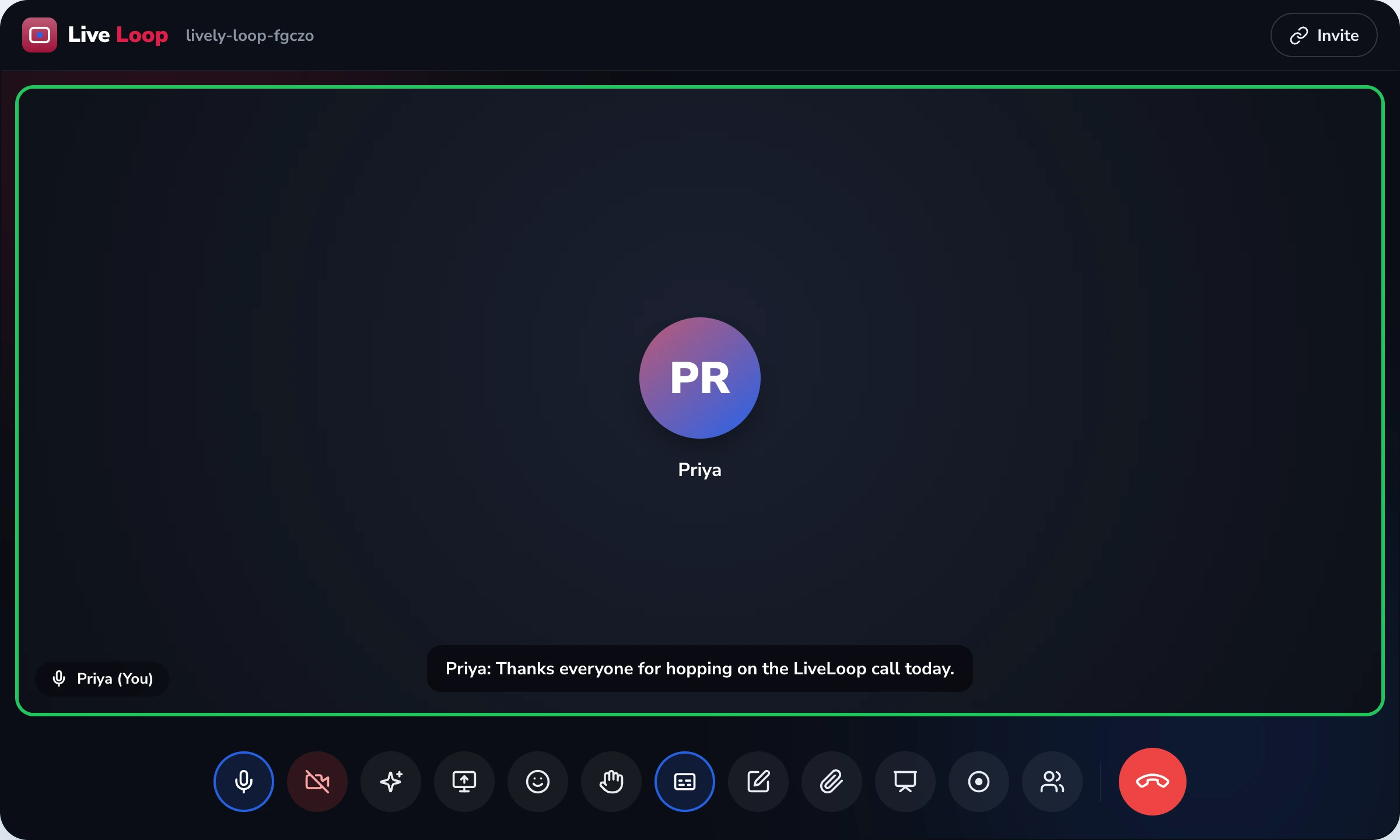
LiveLoop Automatic Transcription, defined. Automatic Speech Recognition (ASR) for LiveLoop video meetings. Produces two artefacts: live captions scrolling at the bottom of the screen during the meeting (for accessibility and noisy environments) and a post-session searchable transcript with timestamps and speaker labels, stored in the LiveLoop dashboard. Speaker labels come from voice-embedding clustering — an acoustic-similarity technique that groups segments by similar voice characteristics, not a biometric identity database. Click any sentence in the transcript and the recording jumps to that timestamp. Distinct from the AI meeting summary at /liveloop/features/ai-assistant/ (the digest of action items) and the MP4 video at /liveloop/features/recording/.
Defining Artifact · A real transcript search
Aniruddh missed the Saturday revision class. He opens the recording on Monday morning. The lecture ran for 84 minutes. He types one word into the transcript search. Here is what the dashboard shows.
What Aniruddh did not do: Watch all 84 minutes. Drag the scrub bar guessing where the topic was. Ask his friend to send him notes. He typed one word and the dashboard surfaced three timestamps. Each click jumps the video.
Why this matters
"Automated notes" sounds nice. The actual jobs transcripts do for Indian education are much more specific. Here are the four most common.
The Class 12 board student wants to find the bit on Le Chatelier's principle from Thursday's chemistry class. Scrubbing through 80 minutes wastes their time. Keyword search + click-to-jump turns a 90-minute video into a 15-second answer.
Colleges with deaf or hard-of-hearing students have obligations under the Rights of Persons with Disabilities Act 2016 and UGC guidelines. Live captions during the meeting make every class equally accessible — no separate arrangement, no special slot.
NAAC peer-team review, syllabus committee, fee committee meetings — verifiable written records matter when decisions are disputed later. Verbatim transcript with speaker labels and timestamps is the audit trail.
The absentee auto-share at /recording/ sends the video. The transcript travels with it — absentees skim the text first, then watch only the segments that matter to them.
Two artefacts from one ASR engine
Both come from the same Automatic Speech Recognition pipeline. They serve different needs at different moments and are exposed in different parts of the LiveLoop product.
While the meeting is running, anyone can enable live captions from their own toolbar. Text scrolls at the bottom of their screen with a delay of around 1–2 seconds. The captions are per-participant — turning them on does not force them on for everyone else.
When the meeting ends, the full transcript is stored in the host's LiveLoop dashboard. Open the recording, switch to the Transcript tab, search by keyword, edit if needed, export as PDF / DOCX / VTT. The transcript also rides along when the recording is absentee-shared.
Use cases by audience
The transcript pipeline is identical for everyone. What differs is which artefact each audience actually uses most.
CBSE, ICSE, State Board students preparing for boards, plus parents reviewing PTM content.
A Class 10 student preparing for boards uses transcript search to find every mention of "chemical bonding" across the term's recorded lectures. A parent who missed the Friday PTM skims the transcript before watching the recording. Custom vocabulary handles the science teacher's specific terminology and the students' names.
UGC-mandated Enabling Units (Equal Opportunity Cells), IQAC officers, departments.
Live captions make every class accessible to students registered with the Enabling Unit under RPwD Act 2016. Transcripts of NAAC peer-team interactions, syllabus board meetings, and PG viva-voce sessions are the written record. Both come from the same enable-once setting per meeting series.
NEET, JEE, UPSC students searching across recorded batch sessions.
The JEE Main aspirant doesn't remember which session covered rotational dynamics; they search the term across the batch's recorded library and find every reference with timestamp. The coaching's faculty configures custom vocabulary once for the syllabus.
L&D managers, internal audit, compliance teams.
Mandatory training sessions need verifiable records of what was communicated. The transcript paired with the attendance log from /insights/ is the compliance artefact. Custom vocabulary covers internal product names and acronyms.
Language support · Honest matrix
We do not claim accuracy percentages because real-classroom accuracy depends on microphone quality, network stability, and how often speakers code-switch. Here is what we actually deliver — described in plain language, not marketing numbers.
| Language | Live captions | Searchable transcript | Honest note |
|---|---|---|---|
| English (Indian, US, UK, AU) | Reliable | Reliable | Strongest support. Indian English including South Indian and North Indian accents works well. |
| Hindi | Reliable | Reliable | Good accuracy on clear audio. Code-switching with English (very common in Indian classrooms) is handled. |
| Bengali | Acceptable | Acceptable | Works for clear single-speaker lectures. Heavy regional accents may need editing. |
| Marathi | Acceptable | Acceptable | Similar to Bengali. Editing recommended before formal sharing. |
| Tamil | Acceptable | Acceptable | Spoken Tamil (with English code-switching) works. Pure literary Tamil less so. |
| Telugu | Experimental | Experimental | In active improvement. Editing required for formal records. |
| Kannada, Malayalam, Gujarati, Punjabi | Experimental | Experimental | Beta-quality. We do not recommend these for accreditation-grade records yet. |
Multi-language live captions (e.g., a Hindi lecture with English captions) is a separate feature covered on /liveloop/features/translation/.
Accessibility · DPDP · Honest mechanism
Marketing pages for transcription products often promise more than they deliver. We name the mechanism and the regulatory anchor for each promise.
What it IS
Live captions enable participation by students registered with the college's Enabling Unit. UGC's "Accessible India in Higher Education" guidelines specifically recommend captioning for online classes. Both the live and post-session artefacts contribute.
What it is NOT
The transcript contains what was said, not what it meant about the speaker. We do not infer engagement, attention, sentiment, or "confidence" from voice. That entire category is banned cluster-wide for K-12 audiences under POCSO/DPDP.
What it IS
Speaker labels come from grouping audio segments by acoustic similarity, within the meeting. We do not build a persistent biometric voiceprint database. Different meeting, different clusters — no cross-session identity matching.
What it is NOT
Your institution's transcripts are not pooled with other customers for model training. They live in your account, accessible to the host and admin, deleted per your retention policy. ASR processing runs on infrastructure dedicated to LiveLoop accounts.
I joined as Coordinator of our Enabling Unit in July 2025. The first thing on my desk was a backlog: forty-seven students registered with us across three campuses, twelve of them with hearing impairments. Until then, every captioned class needed a manual arrangement — a note-taker assigned per session, separate scheduling, frequent failures when the note-taker fell sick.
We migrated the entire university to LiveLoop the same month. Live captions became default-on in every class. The hearing-impaired students enable them once on their own toolbar; they appear automatically. No special arrangement. No different timetable. By August, the manual note-taker arrangement was retired.
The change I didn't expect: students who don't have any disability registration started using captions too. Second-language learners. Students joining a class with a noisy hostel room. International exchange students. The feature was built for one group; the benefit expanded to everyone.
The technology is Automatic Speech Recognition (ASR) — the same general technique used by Apple's dictation, Google's live caption, and YouTube auto-captions. Not magic; speech-to-text tuned for video meetings.
In a LiveLoop meeting, the audio stream from every speaker is routed through an ASR engine in near real time. The engine outputs text with punctuation and basic sentence structure. Voice-embedding clustering groups segments by acoustic similarity, producing speaker labels. Where a speaker's voice clusters consistently with one logged-in participant, the label is auto-mapped to their display name. Where it doesn't, the label reads "Speaker A" and so on.
Speaker identification uses voice-embedding clustering. The audio stream is chunked into segments; each segment is converted into a high-dimensional embedding vector representing acoustic features. Segments with similar embeddings are clustered together and assigned a speaker label.
What this means in practice:
The language "voice fingerprinting" is sometimes used in this space; we deliberately do not. Fingerprinting implies a stored biometric identity database — which is not what we do, and not what we want to suggest we do.
Out of the box, ASR engines do reasonably well on common English and Hindi. Where they struggle is the specific terminology of Indian education — student names, place names, subject-specific Indian terms, institution acronyms.
The fix is custom vocabulary. The institution admin uploads a list of:
The ASR engine prioritises these terms during recognition. Most institutions configure this once at onboarding and update it quarterly. The list is account-scoped — your custom vocabulary stays in your account.
The transcript editor in the LiveLoop dashboard supports:
Three export formats:
One LiveLoop meeting can produce several distinct artefacts. This page owns one of them — the searchable transcript. The others have their own pages.
Real questions from college Enabling Units, IQAC officers, principals, and coaching directors evaluating LiveLoop's transcription.
Two artefacts. First, live captions that scroll at the bottom of the screen during the meeting — anyone can enable them, useful for hearing-impaired participants and noisy environments. Second, a searchable transcript with timestamps and speaker labels, available in the LiveLoop dashboard after the meeting ends. The transcript is the canonical written record of what was said; the recording is the video. Both are separate artefacts.
Voice-embedding clustering — an acoustic-similarity technique that groups segments by similar voice characteristics. We do not store a biometric identity database; we cluster within the meeting only. Where the speaker matches a logged-in participant, the label is mapped to their display name. Where the speaker is unidentified, the label reads 'Speaker A', 'Speaker B', etc. The host can correct labels in the browser editor before sharing.
English with Indian, US, UK, and Australian accents is the most accurate. Hindi is supported with good accuracy on clear audio. Bengali, Marathi, Tamil, and Telugu are in experimental support — accuracy is acceptable for clear single-speaker lectures but degrades with code-switching and heavy regional accents. We do not claim accuracy numbers because real classroom accuracy depends on microphone, network, and how often speakers code-switch between languages.
Yes. The transcript dashboard has a search box. Type a keyword and every occurrence is highlighted with its timestamp and speaker. Click any highlighted sentence and the LiveLoop recording player jumps to that exact timestamp. A 90-minute lecture becomes a 15-second search.
Out of the box, accuracy on Indian names is mixed — common names work, less common names get misheard. The fix is custom vocabulary: institutions upload a list of student and faculty names, subject-specific terms (e.g., 'photolithography', 'syllogism', 'Tamilakam'), and institution acronyms. The transcription engine prioritises these terms during recognition. Most colleges configure this once at onboarding.
Yes. The LiveLoop dashboard includes a transcript editor — fix proper nouns, correct misheard words, split or merge speaker turns. Edits are saved and reflected in every export (PDF, DOCX, VTT). The original raw ASR output is preserved separately for audit purposes.
Three formats. PDF — formatted document for sharing as meeting minutes or class notes. DOCX — editable Word file that staff can format further. VTT — the standard time-coded caption file that loads into the LiveLoop recording player automatically and into LMS platforms like Moodle, Canvas, and Blackboard.
Yes. The transcript is the verbatim written record of what was said. The AI summary is a digest of action items and decisions extracted from the transcript using extractive summarisation. One is the source-of-truth document; the other is the executive shortcut. They are separate artefacts on separate pages. AI summary details at /liveloop/features/ai-assistant/.
No. Your meeting transcripts are not used to train any public AI model. They are stored in your institution's LiveLoop account, accessible to the host and account admin, and deleted according to your retention policy (default 90 days on paid plans). The ASR processing happens on infrastructure dedicated to LiveLoop accounts, not in a shared training pool.
Yes. Transcription runs alongside recording — the audible 'recording in progress' bell and the persistent red REC indicator visible to all participants cover the transcript capture as well. This satisfies the DPDP Act 2023 Section 5 notice requirement for capture of personal data. The host can disable transcription per meeting if it isn't needed.
Book a 30-minute demo. We'll show you live captions during a sample lecture, plus a real transcript search across past sessions in your subject area.
From ₹0 / free tier includes live captions · Paid plans add searchable archive · Built in Chennai


