What this page owns
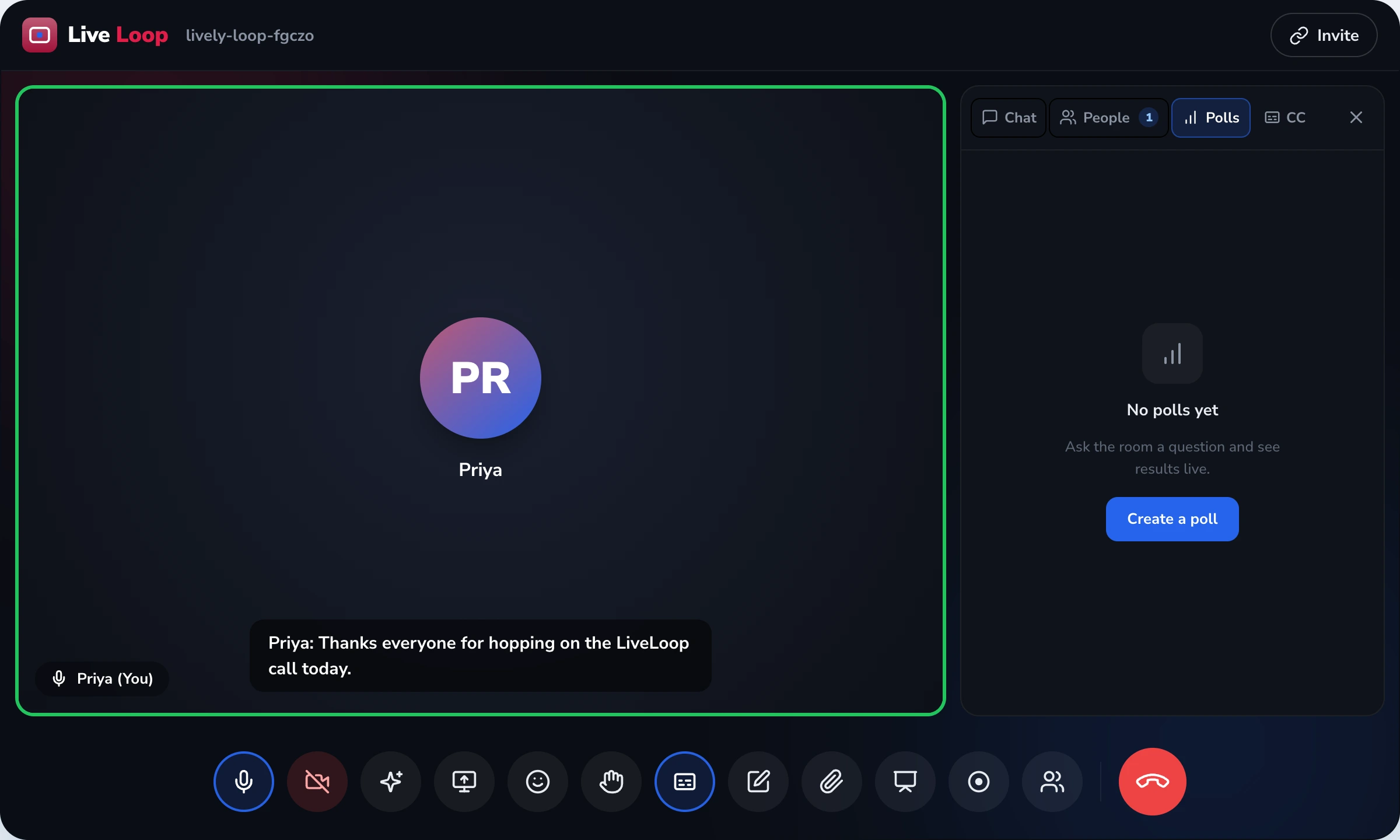
This is the buyer-story page for adopting the in-session engagement widgets — the five things a student touches during a live class: polls, hand-raise, Q&A, anonymous mode, reactions. The page owns the widget layer itself. It does not own — and explicitly defers — the live class experience as a whole, the per-session observable data that the widgets generate, the institution-level rollup of that data for IQAC and NAAC AQAR, and the breakout-room mechanism. Each has a dedicated owner page that does the deeper work, and the discipline keeps every page sharp.
The widgets are deliberately small in scope. The cluster's discipline is that a tool which tries to do everything ends up doing each thing badly. Five widgets, done honestly, beats fifteen widgets with hidden surveillance trade-offs.
Student engagement widgets ≠ Live interactive classes ≠ Insights feature ≠ Learning analytics ≠ Gamification rewards
Five LiveLoop surfaces are adjacent to "engagement" — knowing which one owns which decision saves the evaluator's time.
- This page (student-engagement-tools) — the in-session widgets themselves. Owns: polls, hand-raise queue, Q&A upvotes, anonymous mode, emoji reactions — the buttons in the live class.
- Live interactive classes — the live class as a whole experience. Owns: the 50-minute teaching session, attendance, recording, the buyer story for a single class.
- Insights feature — per-session observable-signal data. Owns: who joined, who answered the poll, who raised a hand — the raw data layer.
- Learning analytics — institution-level reporting on the data. Owns: IQAC dashboards, NAAC AQAR evidence, class-teacher rollups.
- Gamification & rewards — class-internal recognition (points, badges). Owns: recognition mechanism, NEP 2020 + NCF-SE 2023 competency alignment.
Observable actions, defined
This page uses the phrase "observable actions only" repeatedly. The definition is precise: an observable action is something the student did, captured at the moment they did it, with a timestamp and an identity. Examples: Mihika raised her hand at 11:34:12. Arjun voted Option C in the poll launched at 11:22. An anonymous student posted a question at 11:48 which received 11 peer upvotes. 14 students tapped the thumbs-up reaction during the second video clip. Every one of those is something the student took an action to do.
What is not an observable action: an idle pop-up that fires because the platform inferred the student "looked away". A tab-switch flag that fires because the browser tab lost focus for 30 seconds. A "focus score" that aggregates a half-dozen behavioural proxies into a single number. None of those are things a student did — they are things the platform inferred about the student's state of mind, and the inference is unreliable, unverifiable, and ethically loaded on a minor audience.
The anonymous-mode honesty
Anonymous mode works as follows: when a student posts a Q&A in anonymous mode, their name is hidden from peers in the panel. The host can see the identity if institutional policy requires it (this is the right default for a K-12 setting — a school must remain able to act on a question that surfaces a safety concern). For higher-education contexts where anonymity from the host is also wanted, that mode is available and is the institutional policy decision, not the platform's. We document both modes honestly rather than implying "anonymous" means one thing.
Independent classroom research has shown for decades that anonymous channels increase question volume from introverts and inclusion-needing students. We do not put a fabricated multiplier on this — "2x increase from introverts" or "drastically more questions" are unverifiable marketing claims. The mechanism is honest; the outcome varies by class.
Participation is not a grade
This is one of the most-asked questions in demos and it deserves a clear answer: LiveLoop polls and pop-quizzes are participation signals, not assessments. They do not feed the report card. They do not feed a parent-facing grade. They do not feed a "subject mastery" indicator. Marks entry stays where marks entry belongs — the SchoolDeck examinations module — which has the rubric, the weighting, the lock-state and the audit trail an Indian board inspection requires.
If a vendor offers "real-time graded quizzes inside the live class that feed the report card", they are blurring an assessment boundary that CBSE, CISCE and state boards take seriously. We won't do that.
What we deliberately don't ship
We don't compute an Attention Score, a Focus Score, or any equivalent behavioural inference. The cluster bans this pattern by name. The mechanism is unreliable (you cannot infer mental state from window focus), the ethics are loaded (especially on minors under POCSO duty-of-care and DPDP §9), and the use case it serves — letting a teacher look at a child differently because a black-box number says they were "less engaged" — is the use case we most want to avoid enabling.
We don't fire idle-timeout pop-ups asking "Are you still there?" The pop-up looks helpful but is functionally a presence-verification mechanism that interrupts learning to confirm what the platform thinks it inferred. Session-duration attendance from in-out timestamps is the honest mechanism, and it lives on the live interactive classes page.
We don't have a Cold-Call random-picker that selects a student to answer. A teacher who wants to invite a quiet student to speak can do so the way teachers have always done — by name, in their own teaching judgement. A randomised pop-up that forces a student to either respond on the spot or be flagged is a teaching style decision that belongs to the teacher, not a behavioural-pressure widget we will build.
We don't track tab-switching or window focus. If a student opens another browser tab to look up a reference, that is something most adult teaching cultures actively encourage. Building a flag that fires on this would punish good behaviour because the same mechanism cannot distinguish "looked up a reference" from "watched cricket". We don't build the flag.
We don't generate "confusion heatmaps" from absent reactions. Inferring that a student is confused because they didn't tap a thumbs-up is wrong — they might be confused, or they might just not use reactions. Absence of input is not evidence of mental state, and reading it as such is exactly the surveillance pattern the cluster bans.
Why no Attention Score — in detail
The Attention Score is the single most common feature ask we politely decline. The reasoning, stated plainly: a number labelled "attention" implies the platform has measured something about the student's mind. It has not. What the platform has measured is a half-dozen proxies — tab-focus duration, mouse movement, scroll position, reaction frequency — each one easily explained by something other than attention. Stitching them into a number creates a false certainty that influences teacher behaviour in ways the platform can't justify when a parent asks "why did my child's attention score drop?".
The honest position: the platform has no privileged access to a student's mental state, and pretending otherwise is misleading. Teachers have always read the room by looking at faces, listening to questions, and noticing who has stopped following — and they're better at it than a black-box number.
Engagement widgets vs side-panel polls — ten-row comparison
| What teachers actually need |
Generic meeting-tool polls / chat |
LiveLoop engagement widgets |
| Poll location | Side panel — students can ignore it | Inside the video feed — can't be ignored |
| Hand-raise behaviour | Icon shows, no queue order | Numbered queue with timestamps |
| Q&A ordering | Chronological — loudest wins | Sorted by peer upvotes |
| Anonymous questions | Not native — needs external tool | Built-in anonymous mode |
| Non-verbal participation | Limited or unmute-required | Emoji reactions over student tile |
| Data discipline | Behavioural inference often default-on | Observable actions only — cluster ban on inference |
| Under-18 consent posture | EULA at sign-in — not §9 valid | DPDP §9 verifiable parental consent |
| Attention scoring | Often a marketed feature | Deliberately not shipped — explained why |
| Cold-call picker | Marketed as engagement boost | Deliberately not shipped — teacher's call |
| Tab-switch / idle flag | Reported as "focus tracking" | Never recorded — banned cluster-wide |
Inside the Databus stack
The widgets sit at the centre of the LiveLoop session. As students use them, the observable action stream flows to the LiveLoop insights feature page's data layer. From there, institution-level reports are surfaced on the learning-analytics solution's IQAC and class-teacher dashboards. For competency-aligned recognition (badges and points for consistent participation), the data also feeds gamification & rewards. Marks entry stays cleanly outside this stack — the SchoolDeck examinations module owns assessments. Each surface owns one thing well; the widgets are the touch layer, the rest of the stack is the data and reporting layer.