LiveLoop Webinars · Built for Indian schools, colleges & coaching centres
A meeting is for collaboration. A webinar is for broadcast. When 240 parents log in for a board-results announcement at 6:30 PM, you don't want 240 unmuted microphones — you want a clean stage, a moderated Q&A queue, and a poll that closes when you say so. That's webinar mode.
Distinct from host moderation controls (which run inside every meeting), from calendar scheduling, and from the corporate training solution page (this page is the mechanism; the solution page is the buyer story).
What is a LiveLoop Webinar?
A LiveLoop webinar is a broadcast-format video session where a small number of panellists speak and a larger audience watches in view-only mode. The audience interacts through moderated text Q&A, audience polls, and the host's invitation to "come up to the stage" for a live audio question. Every webinar comes with a branded registration page, a Practice Session for panellist rehearsal, and optional YouTube Live simulcast. The whole thing runs in the browser — for hosts and for attendees.
1-way
Broadcast layout · audience view-only
Q&A
Moderated · upvote · bring-to-stage
RTMP
YouTube Live simulcast option
0
App installs · browser only
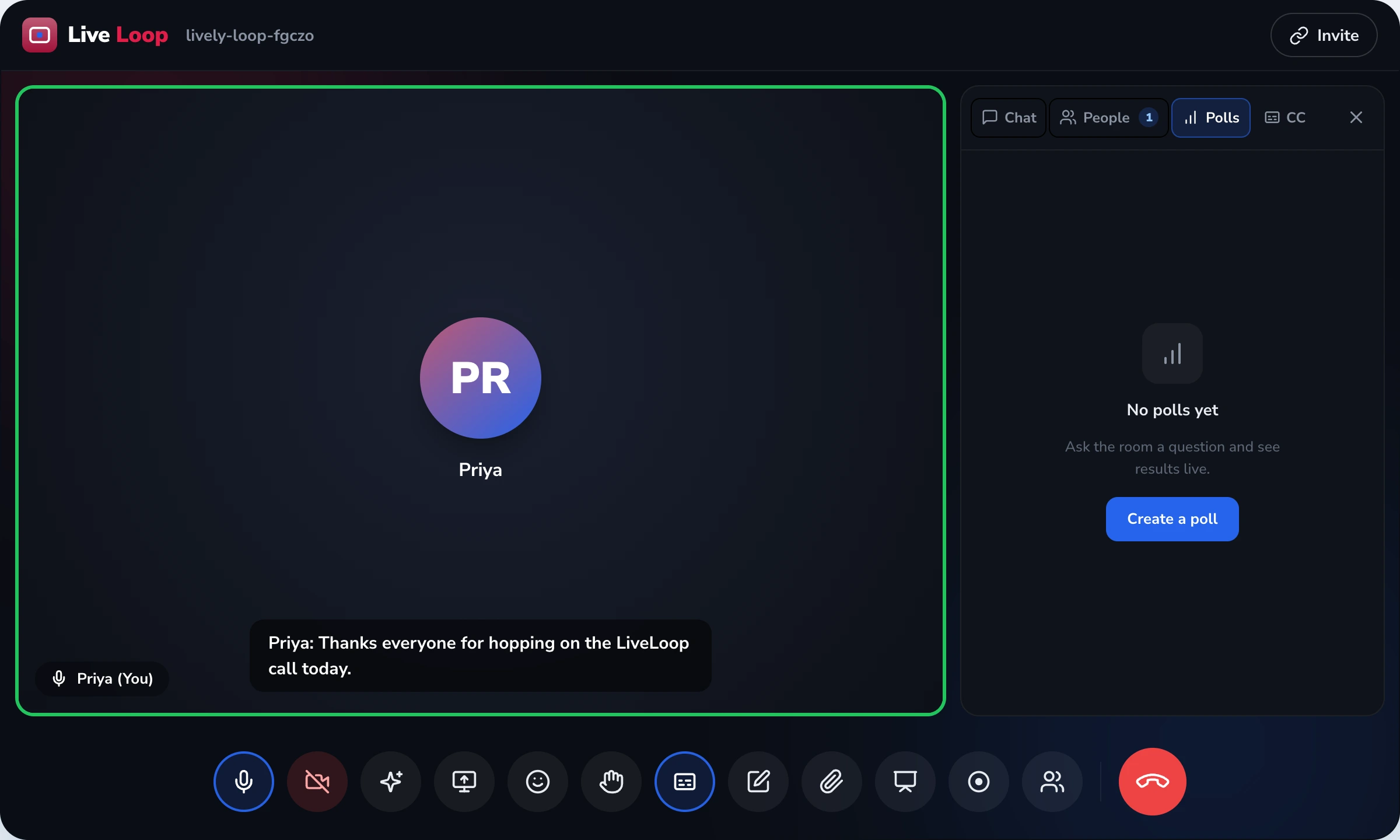
The mechanism, shown
A school principal announcing Class 10 board results to parents. Same 240 viewers. 6:30 PM start. Below is what the host's screen looks like in each mode.
Q&A queue · 14 waiting
Not corporate town halls. The events Indian schools, colleges, and coaching centres actually need to broadcast.
A principal addressing every Class 10 parent at the same time. The Q&A queue absorbs 200+ questions, upvoting sorts them, the panel answers the top fifteen in 40 minutes. Far better than 6 PTAs across two weeks saying the same thing.
Branded registration page collects parent contact, board, area of interest. The session walks through streams/courses on screen share. Q&A handles "what are the elective combinations" without the side-conversation chaos of a Zoom meeting. YouTube Live optional for public reach.
A college brings back a distinguished alumnus for an evening lecture. Audience polls during the talk ("Which department's update did you find most useful?"). Q&A queue surfaces the questions worth taking live. Branded landing page replaces the generic Zoom URL.
Star faculty addressing all 800 enrolled students two weeks before JEE/NEET. View-only layout removes the "background chatter" problem. Polls quickly diagnose where the class is shaky on a topic. Top-voted doubts get answered in the final 20 minutes.
What the webinar mode actually gives you
Auto-generated landing page with your institution's logo, primary colour, the session title and description. You choose the form fields — name, class, parent contact, board, area of interest. Parents register before the event; you have the list before going live.
A private rehearsal room where the host and panellists test mics, walk through slides, and coordinate hand-offs. The audience cannot see or hear it. Click "Go Live" and everyone in Practice Session is moved to the broadcast — no second login.
Audience types questions, audience upvotes the ones they also care about. Most-upvoted float to the top. Host approves, dismisses, or replies privately. Bring-to-stage promotes a specific attendee briefly to ask their question live over audio.
Single-choice, multi-choice, or word-cloud formats. Pre-set or launch on the fly. Results show to the audience after the poll closes. Responses appear in the post-session CSV export alongside registration data.
Paste your YouTube Live stream key once in the dashboard. LiveLoop pushes the broadcast to YouTube in parallel with the interactive session — interactive Q&A stays in LiveLoop; passive viewers can watch on YouTube. Facebook Live RTMP also supported.
After the webinar, export a CSV: who registered, who joined, when they joined, what they asked in Q&A, how they voted in polls. Observable data only — no "engagement score" or attention ranking. See insights for the cluster's deliberate boundary on this.
Standards the webinar mode runs against
Not "broadcast-grade enterprise platform" marketing. The actual technical and policy anchors.
Webinars run in the same WebRTC session that powers every LiveLoop meeting. No separate webinar viewer, no plugin, no native app — for the host or the audience.
YouTube Live and Facebook Live both accept RTMP. LiveLoop's simulcast uses the same standard ingest endpoint, the same stream-key pattern. No proprietary lock-in.
Parent and student data captured on the registration page is treated under DPDP Act 2023. Consent purpose is the webinar; the data is exportable, deletable on request, and not sold or shared with third parties.
Same WebRTC transport encryption between every browser client and the LiveLoop SFU server. Not end-to-end (we don't claim what isn't true), but standard-strength in transit. See security.
When a webinar audience includes minors (most school parent town halls do), recording requires deliberate consent. Audience video is off by default. "Bring to stage" is host-initiated, never automatic.
We do not score attention, rank attendees by interest, or infer mood. The post-webinar report contains only observable data — who registered, joined, asked, voted. This is a deliberate cluster boundary.
References: W3C/IETF WebRTC standard (2017) · Adobe RTMP Specification (industry-standard live-streaming protocol) · Digital Personal Data Protection Act, 2023 · Protection of Children from Sexual Offences (POCSO) Act, 2012 · UGC Accessible Higher Education Guidelines (2022).
Our alumni reunion used to be a Zoom call where eighty seniors all unmuted at once to say hello. Lovely chaos for the first three minutes. By minute ten, the chairperson had given up trying to speak — someone's grandchild was crying, two people were sharing the same screen, and the chat had become a parallel reunion in itself. In March 2026 we ran the same event as a LiveLoop webinar. Same eighty alumni. Three panellists on stage — chair, secretary, our 1989-batch keynote. The Q&A queue ranked questions by upvotes; the most-asked "where is the rest of the '89 batch now?" got answered in the first ten minutes. We ran a poll on which department's update mattered most. Of the fourteen "bring to stage" requests, we took six. Nobody felt unheard, and the chairperson actually got to give her speech. The branded registration page also gave us our first clean list of working contact details in eight years.
Mrs. Rohini Marathe
Continuing Education & Alumni Relations Manager, private autonomous college · Indore, Madhya Pradesh · ~3,800 students + ~22,000 alumni database · migrated to LiveLoop March 2026
Webinar mode is a layout decision made when you create the session. In a standard meeting, every participant joins on equal footing — anyone can unmute, share video, talk. In a webinar, two roles are distinct from creation: panellists (a small group with audio, video, and screen-share permission) and audience (view-only by default, interacting only through Q&A and polls). The host does not toggle anything mid-session to enforce this — the layout is set when the webinar is created and applies for the duration.
When you click "Go Live", the panellists you added move out of the Practice Session (their offstage rehearsal room) and onto the broadcast. Audience members join through the registration link and see the panellists on a stage layout — large tiles for the speakers, no grid view, no participant strip. Their own video and mic are off and they cannot turn them on.
Every webinar comes with an auto-generated registration landing page. You upload your institution's logo and a primary colour once; from then on, every webinar's registration page picks those up. The session title, date, time, and description sit at the top. Below, you pick which fields to collect — name (required), parent contact, class, board (CBSE/ICSE/State Board/IB), area of interest, anything else relevant to the event.
When a parent registers, they get a confirmation email with the join link. The host sees the registration list in the dashboard before the event starts, and exports it as CSV afterwards — registered vs. actually-joined is a simple visible split. Registration data is handled under DPDP Act 2023; the purpose is the webinar, and the data is exportable and deletable on request.
Audience members type their question into the Q&A panel on the right side of their screen. Other audience members can upvote any question they also want answered — the upvote count is visible to everyone. Questions sort by upvotes, so the most-asked surfaces to the top.
The host (and any co-hosts) see the queue with three actions per question: answer live (the host reads it out and the panel responds), reply privately in text (the asker sees a written answer, the audience does not), or dismiss (removed from the queue, with no public flag). Questions are never auto-published to the audience without host action — the moderator controls the floor entirely.
A special action — bring to stage — temporarily promotes a specific audience member to panellist for the duration of one question, giving them audio (and optionally video) to ask their question themselves. When their turn ends, they return to the audience. This is the single mechanism by which an audience member is heard, and it is host-initiated only.
Three poll formats are available: single-choice (one answer), multi-choice (any number of answers), and word cloud (open-text submission visualised as a cloud, weighted by frequency). You can prepare polls in advance — useful for a structured town hall — or launch them on the fly mid-session if a question from the audience suggests one.
Results appear to the audience after the poll closes, not while votes are still coming in (to prevent the bandwagon effect). All poll responses are part of the post-session CSV export, anonymised by default and tied to registration only if you opted in to that at session creation.
For events where you want a public viewer audience alongside the registered private one — an admissions open day that you also want prospective parents to find through a YouTube search, for example — the webinar can simulcast to YouTube Live or Facebook Live. You generate a stream key on the platform's side, paste it once into the LiveLoop dashboard, and LiveLoop pushes the same broadcast to that platform over RTMP (Real-Time Messaging Protocol — the industry-standard live ingest format both platforms accept).
The interactive Q&A and polls only run inside LiveLoop's registered audience — the YouTube/Facebook side is one-way viewing. Recording can be done either inside LiveLoop (via the recording feature) or on the platform side (YouTube Live archives the stream by default).
Webinar mode touches several LiveLoop features in passing. Each lives on its own page for a reason, and this page deliberately does not duplicate their content:
| Dimension | Meeting mode | Webinar mode |
|---|---|---|
| Default audio for participants | Mic on; anyone can unmute | Audience mic off; cannot be turned on without host bring-to-stage |
| Video layout | Equal grid — everyone visible | Stage layout — panellists only; audience invisible to broadcast |
| How audience asks questions | Unmute and speak; or use chat | Moderated Q&A queue with upvoting; bring-to-stage for audio |
| Pre-event landing page | Join link only | Branded registration page with custom fields |
| Pre-event rehearsal room | N/A — everyone joins the same room | Practice Session — panellists rehearse offstage; audience cannot see or hear |
| Polls | Available; informal | Available; designed for the broadcast audience; results visible after close |
| RTMP simulcast | Not available | YouTube Live / Facebook Live simulcast supported |
| Best for | Daily classes, faculty discussions, small PTAs | Parent town halls, admissions open days, alumni events, mass coaching lectures |
| When it would be wrong | Big broadcast event where you can't allow open mics | Small interactive class where every student should be heard |
Parent town halls for board-results announcements, fee-restructure communication, principal addresses, and major policy changes. Online admissions open days where the branded registration page also doubles as a lead-capture mechanism for next year's intake. PTAs at the whole-school scale (rather than per-section).
Admissions open days for undergraduate and postgraduate courses. Distinguished alumni lectures. IQAC reviews with affiliating university. Convocation addresses. Annual alumni reunions with structured Q&A. Public-facing guest lectures that benefit from a YouTube Live arm.
Pre-exam strategy sessions delivered to every enrolled student at once. Doubt-clearing sessions where polls quickly identify which topics the cohort is weakest on. Recorded broadcasts of star faculty lectures that the rest of the centre can watch as on-demand content.
Annual reunions, fundraising round-tables, distinguished lectures, batch-year specific gatherings. The branded registration page is often the institution's first clean refresh of alumni contact information in years.
Common questions
Pairs naturally with
Host controls
Waiting room, lock meeting, mute all, remove participant. The session-level host controls that apply during the broadcast.
View moderation →
Save the broadcast
Cloud recording with absentee auto-share — registrants who missed the live webinar receive the MP4 link automatically.
View recording →
Scheduling
Google + Outlook calendar sync, automatic reminder emails to registrants 24h and 1h before the webinar.
View calendar →
Observable data
Who registered, who joined, who voted, who asked questions — observable behaviour only. No "engagement score" inference.
View insights →
A 20-minute demo. We'll show you the same event in meeting mode and webinar mode, side by side, with a real Q&A queue and a live poll. No deck.


