


🏊
Swimming Pool
Time slots, capacity limits, guest pricing
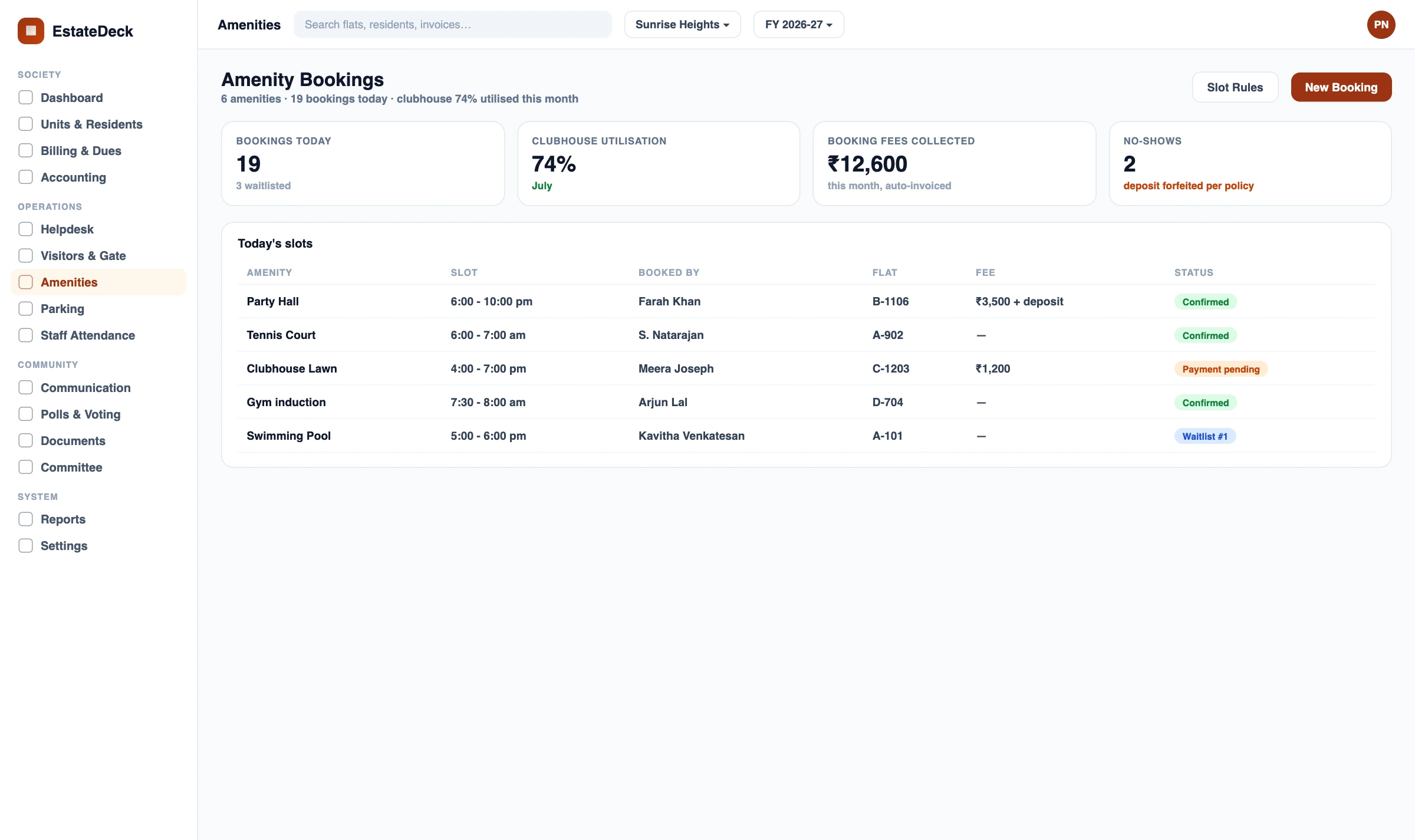
Real-time availability, UPI before slot, fair-use per-flat caps and auto-refunds. Replaces the paper register and the 6-AM rush for the badminton court.
Each one is a slot mechanism gap. Each one has a specific fix.
Any shared facility in your society. Eight common ones below.
Residents open the app, see a colour-coded availability calendar, pick a slot, pay and get a QR confirmation — in under a minute.
Bigger bookings — birthdays, gatherings — handled with full-day slots, refundable deposits and guest passes auto-handed to Visitor Management.
The most common complaint: one family booking a facility daily while others can't get a slot. The fair-use engine ends that — automatically.
No-shows and last-minute cancellations waste facilities. The mechanism enforces RWA rules and processes refunds without treasurer involvement.
Charge for guest use, gym sessions or premium event halls. Revenue posts directly to Society Accounting — this module does not run its own ledger.
Booking access is a strong lever for maintenance collection. The dues logic lives on Maintenance Billing — Amenity Booking consumes its signal.
Open the app. Real-time calendar — green available, red booked, amber limited. No phone call.
Select a slot. Pay via UPI or card. Fair-use engine checks the flat's weekly cap silently.
Confirmation + QR sent instantly. Show at the facility for entry — no paper pass.
Payment flows to Society Accounting under the facility revenue head. Treasurer sees a clean AGM report.
The register was fine in 2005. It's causing arguments in 2026.
| Mechanism | EstateDeck | Paper Register / WhatsApp |
|---|---|---|
| Availability check | Real-time, 24/7 from any phone | Call estate office during working hours |
| Double bookings | Technically impossible — system enforced | Common — register often not checked |
| Payments | UPI / card before slot lock, auto-logged | Cash — no audit trail |
| Fair use | Per-flat caps + windows enforced | Arguments, favouritism, committee escalations |
| Cancellations | Auto-refund per policy + slot re-released | Manual cash return, slot often stays blocked |
| Defaulter control | Auto-disable from Billing signal | No enforcement — committee confrontation |
| Revenue posting | Auto to Society Accounting ledger | Cash, often not reconciled |
Book any facility in under a minute from the app — any time of day, without depending on the estate manager or a WhatsApp group response.
Set fair-use rules once, system enforces. No more fielding complaints about monopoly bookings or chasing cash for party hall reservations.
Dashboard shows all upcoming bookings, payment status and today's schedule at a glance — no register checks, no individual queries.
Manage bookings across many amenities and towers in one system — separate rules per amenity, separate revenue tracking per facility.
Spa rooms, AV theatres, rooftop decks — any premium amenity onto the digital booking system with custom pricing and capacity rules.
Configure fair-use rules from day one — build a transparent self-service culture before the first conflict happens.
Each adjacent function has its own page. Where to go for each:
On Maintenance Billing. Billing decides who is a defaulter; Amenity Booking only consumes the signal.
On Visitor Management. Amenity Booking generates the pass; Visitor Management owns the gate-entry workflow.
On Society Accounting, under the facility's revenue head. This module posts; Accounting runs the books.
IoT Smart Devices integration can hook this mechanism's signal to a smart lock at the facility entrance. That hardware lives in the IoT module.
Those are end-to-end consumer apps. EstateDeck is the platform your committee runs — with deeper fair-use rules, configurable refund policies and direct posting to Society Accounting.
EstateDeck is property-only. For K-12 schools see SchoolDeck; colleges CampusAlly.
Society amenity booking software is a digital reservation system for shared facilities in Indian housing societies and gated communities — swimming pools, clubhouses, gyms, badminton courts, tennis courts, party halls, billiards rooms and mini-theatres. Residents book slots from a mobile app with real-time availability, online payment, and automated fair-use policy enforcement. It replaces paper registers and WhatsApp coordination.
Once a slot is booked and payment is confirmed, it is instantly blocked on the availability calendar for every other resident — double booking is technically not possible. The system also enforces a configurable advance booking window, so no resident can reserve weeks of slots in advance.
Yes. EstateDeck supports flexible pricing — free for owners, ₹100 per session for guests, or any custom rate per facility. Payments are collected via UPI or card before slot confirmation, and the revenue is posted to the parent EstateDeck Society Accounting ledger automatically.
The fair-use policy engine lets the RWA set a per-flat weekly cap — for example, a maximum of three hours per week on the tennis court. Once a flat hits its cap, the slot simply does not appear as bookable for them until the next week. Owner-vs-tenant rules can apply different caps if needed.
EstateDeck Amenity Booking consumes a signal from the Maintenance Billing module. If a flat's dues exceed the configured threshold, the Book button is disabled for that flat and the resident sees a prompt to clear dues. The actual dues logic and threshold are configured on the Billing module — Amenity Booking only consumes the signal.
The RWA configures a cancellation policy — for example, 100 percent refund 24 or more hours before the slot, 50 percent within 12 hours, 0 percent for last-minute cancellations. EstateDeck enforces this automatically and refunds to the resident's source account or in-app wallet without manual treasurer involvement.
Both can. Tenants with a valid EstateDeck login can book facilities. The RWA can configure different usage rules for owners and tenants — for example, owners book the party hall independently, while tenants need owner approval before a confirmation is issued.
Yes. When booking a party hall or clubhouse event, residents upload a guest list. EstateDeck generates visitor gate passes for each guest, which are handed over to the Visitor Management module — that module owns the gate-entry mechanism. Amenity Booking only generates the passes; Visitor Management handles approval and entry.
Amenity Booking is the slot-and-payment layer for shared facilities — availability calendars, fair-use rules, payments, refunds. Visitor Management is the gate-entry layer — guest pre-approval, photo and ID capture, security workflows. They connect when an event booking generates guest passes, but they are separate features with separate deep pages.
Every confirmed booking payment is posted to the parent EstateDeck Society Accounting module under the facility's revenue head — clubhouse, pool, party hall, etc. The Treasurer sees per-facility monthly revenue in the standard income and expenditure report. The booking module itself does not run an independent ledger.
Set the rules once. Every booking, every time — EstateDeck enforces them silently.