The whole CoE cycle in one place — exam notification to hall tickets, confidential paper handling, mark entry with moderation, the revaluation workflow and result publishing. Eligibility read from attendance and dues, results out to students.
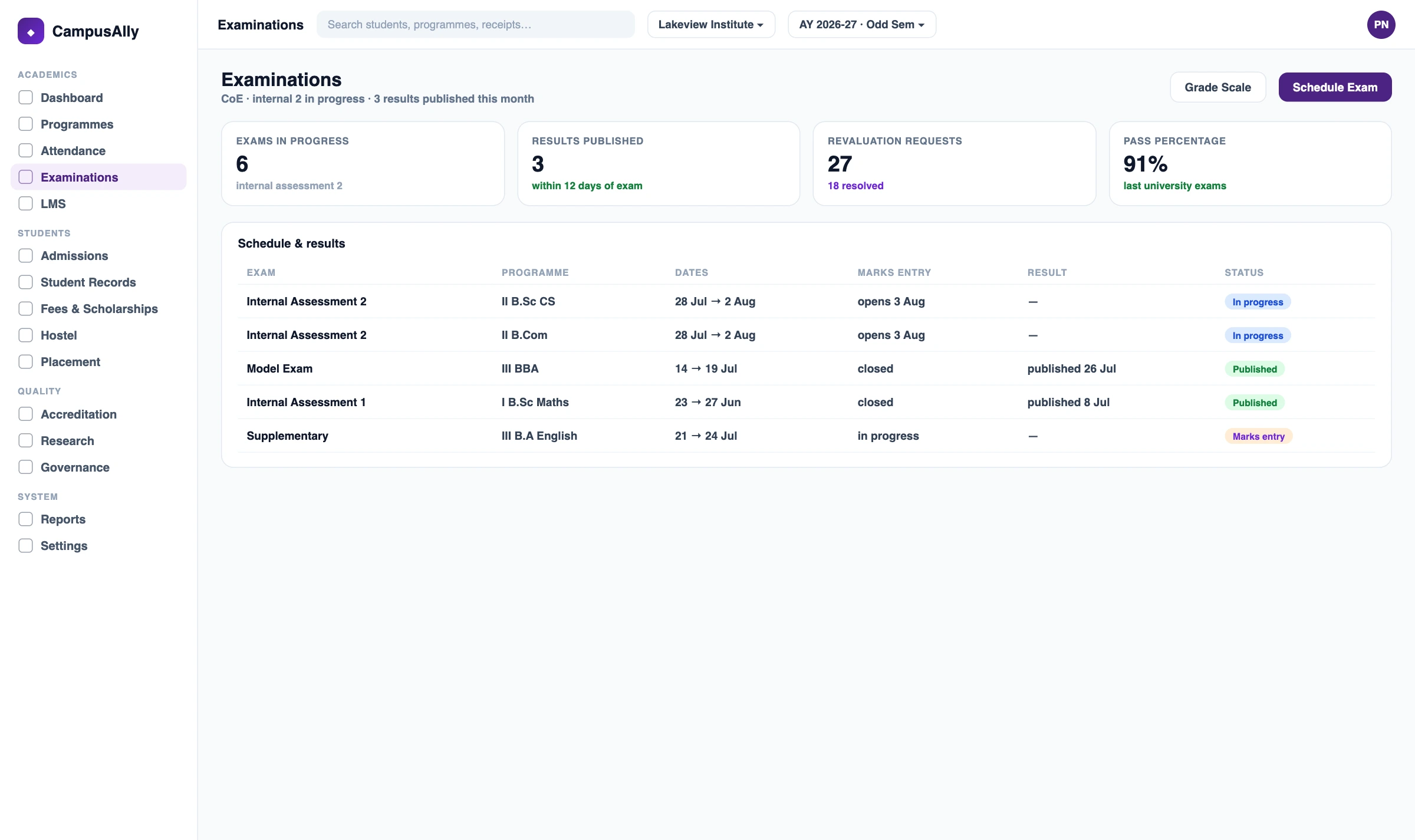
Controller of Examinations software automates the CoE office end to end. It runs the workflow from exam notification and hall tickets through confidential paper handling, mark entry with moderation, the revaluation workflow and result publishing — giving the CoE one place to run an examination cycle rather than a chain of separate registers.
This is the buyer-outcome view for the CoE office. The underlying engine that processes marks and publishes results is the CampusAlly Examination feature; eligibility is read from attendance and dues. An autonomous college's internal CoE is exactly this buyer.
This is the buyer-outcome solution for the CoE office — it frames the whole exam cycle. The engine, eligibility reads and institution-type workflow live on their own pages, so nothing is duplicated:
The same cycle every CoE office runs — set it up once, then each examination flows from notification to published result.
Open the exam cycle and publish the notification; eligible candidates are drawn from attendance and dues clearance.
Generate hall tickets for eligible candidates and arrange seating across halls, ready once registration closes.
Manage question-paper sets under role-restricted, access-controlled handling, seen only by authorised staff.
Capture marks with a moderation and double-valuation step, keeping an audit trail of entry and review.
Process revaluation through its workflow, then publish results — the examination engine handles the processing.
The CoE workflow from notification to published result — each stage handled in sequence, with an audit trail.
Open the cycle and publish the notification, drawing eligible candidates from attendance and dues clearance.
Generate hall tickets for eligible candidates and arrange seating across halls, ready to download at close.
Question-paper sets handled under role-restricted, access-controlled steps, visible only to authorised staff.
Marks captured with a moderation and double-valuation step, with an audit trail of who entered and reviewed each.
Revaluation requests processed through their own workflow before any result is revised, so changes stay traceable.
Finalised results published to students through the portal, with result histories retained per student.
Only candidates who meet attendance and clear dues are registered, so the CoE doesn't reconcile three registers before issuing hall tickets.
Moderation and double-valuation are recorded with who entered and who reviewed each score, so results stand up to scrutiny.
Each revaluation request runs through its workflow before a result changes, so revisions are accountable rather than ad hoc.
Notification, hall tickets, marks, revaluation and results run in sequence on one platform, so nothing falls between systems.
| What the CoE office needs | Spreadsheets / manual registers | CampusAlly CoE workflow |
|---|---|---|
| Eligibility | Cross-checked by hand across registers | Read from attendance & dues automatically |
| Hall tickets | Printed and matched manually | Generated for eligible candidates with seating |
| Paper handling | Access hard to restrict or trace | Role-restricted, access-controlled, audit-trailed |
| Mark entry | Single entry, moderation off-system | Moderation & double-valuation with audit trail |
| Revaluation | Tracked on a side sheet | Dedicated workflow before results revise |
| Results | Published from a separate step | Published to students, histories retained |
Your records stay on infrastructure within India.
Each office sees only what its role needs to.
Built in line with India's Digital Personal Data Protection Act.
Your institutional data is yours; it is never sold on.
It's software that automates the Controller of Examinations office end to end. It runs the CoE workflow from exam notification and hall tickets through confidential paper handling, mark entry with moderation, the revaluation workflow and result publishing — giving the CoE office one place to run an examination cycle rather than a chain of separate tools and registers.
This page is the buyer-outcome view for the CoE office — it frames the whole exam cycle as the Controller of Examinations experiences it. The underlying examination engine that schedules, processes marks and publishes results is the CampusAlly Examination feature, which this page links to. The solution is the workflow; the feature is the mechanism.
Eligibility is read from the attendance and finance modules — a candidate qualifies when their attendance meets the required threshold and their dues are cleared. The CoE workflow draws on those records rather than re-checking them by hand, so only qualifying candidates are registered and issued hall tickets.
Question-paper material is handled under role-restricted, access-controlled steps, so it is visible only to authorised staff at the appropriate stage, with an audit trail of access. The software supports the confidentiality your process requires; it is one part of a controlled process, not a guarantee against every risk.
Yes. Marks are entered with a moderation and double-valuation step that keeps an audit trail of who entered and who reviewed each score, and revaluation requests are processed through their own workflow before results are revised — so corrections are traceable rather than ad hoc.
Yes. An autonomous college that runs its own examinations and publishes its own results is exactly the CoE buyer this page serves. The Autonomous College Management solution covers the wider institution-type workflow and links here for the examination office specifically.
Yes. Once results are finalised they are published to students through their portal, and result histories are retained per student. The underlying processing and grade computation are handled by the examination engine; this workflow controls the notification-to-publication sequence around it.
Your data is India-hosted, access-controlled by role, backed up, and aligned with the DPDP Act — and it is never sold. No system can promise data is impossible to misuse, so CampusAlly focuses on the controls that genuinely reduce risk rather than absolute guarantees.
Yes. CampusAlly uses a multi-tenant architecture, so a university running examinations across more than one campus can manage each one's cycle, papers and results with its own data while giving the CoE office a consolidated view across the group.
See notification, hall tickets, mark moderation, revaluation and results set up for your CoE in a 30-minute walkthrough.
Book a Free Demo


