Databus Logo
Blog Login →
TutorDesk · Fee Collection

Coaching Centre
Fee Collection Software

Collect tuition fees via UPI, cards, and net banking. Auto-generate digital receipts. Send WhatsApp reminders for outstanding dues. Track defaulters batch-wise in real time. No manual follow-up, no missed payments.

Accepted via
💳 UPI
🏦 Net Banking
💳 Debit Card
💳 Credit Card
💵 Cash (Recorded)

What is Coaching Centre Fee Collection Software?

Coaching centre fee collection software is a platform that allows tuition institutes to collect tuition fees online via UPI, debit card, credit card, and net banking; generate digital receipts automatically; track which students have paid and which have outstanding dues; send automated WhatsApp payment reminders before and after due dates; and manage partial payments and instalment plans. TutorDesk includes all of this as a built-in module — no separate payment tool or spreadsheet needed.

This page covers the TutorDesk fee collection feature — UPI collection, receipts, reminders, and defaulter tracking. For workflows on reducing fee defaults and managing cash flow, see the Fee Management solutions page. For school fee management, see SchoolDeck Fee Management.

How Fee Collection Works in TutorDesk — End to End

From due date setup to receipt in the parent's hand — fully automatic.

1
Fee Schedule Set
Set fee amount, due date, and instalment structure per batch or per student.
2
Reminder Sent
Automated WhatsApp reminder sent to parent 3 days before due date.
3
Parent Pays via UPI
Parent opens TutorDesk app, taps Pay, selects UPI — done in under 60 seconds.
4
Receipt Generated
Digital receipt auto-created and sent to parent's phone instantly.
5
Dashboard Updated
Fee collection rate updates in real time. Outstanding dues list shrinks automatically.
Feature Breakdown
Four Modules That Cover Every Part of Fee Collection

From the moment a fee is due to the moment a receipt is generated — no step left manual.

Online Fee Collection via UPI, Cards & Net Banking

Students and parents pay tuition fees directly from the TutorDesk app using UPI, debit card, credit card, or net banking. The coaching centre sees the payment instantly in their dashboard — no bank statement reconciliation, no WhatsApp confirmation messages.

  • UPI payment in under 60 seconds: Parent opens the app, taps "Pay Fee", selects UPI, and confirms with their UPI PIN. Faster than a bank transfer.
  • All major payment methods: UPI (GPay, PhonePe, Paytm), debit cards, credit cards, and net banking — all supported.
  • Cash payments recorded digitally: For parents who pay in cash at the centre, staff record the payment in TutorDesk and the receipt is generated automatically — no handwritten receipts.
  • Real-time payment confirmation: The coaching centre dashboard shows the payment the moment it clears — no daily reconciliation needed.
  • Multiple fee heads: Collect tuition fees, exam fees, and material fees as separate line items on the same payment screen.
Student App — Pay Fee
June 2025 Tuition Fee
₹6,500
JEE Mains Batch A · Due: 5 June
📱 UPI (GPay / PhonePe)
💳 Debit / Credit Card
🏦 Net Banking
Pay ₹6,500 via UPI →

Automatic Digital Receipt Generation

Every payment — online or cash — generates a digital receipt automatically. The receipt is sent to the parent's phone via the TutorDesk app and is stored permanently in the student's fee record. No manual receipt writing, no receipt books, no "can you send me the receipt again" messages.

  • Generated the moment payment clears: For UPI and card payments, the receipt is created and sent to the parent in under 5 seconds — no staff action needed.
  • Includes all required details: Receipt number, student name, batch, fee type, amount, date, payment method, and institute name — all automatically populated.
  • Permanent record in the app: Parents can download their child's fee receipts from the TutorDesk parent app at any time — useful for school reimbursement claims and tax records.
  • Bulk receipt generation: Need to generate receipts for all students who paid this month? Export all receipts in one batch — no individual downloads needed.
  • Custom institute branding: Receipts carry your coaching centre's name and logo — not generic TutorDesk branding.
Digital Receipt — Auto-Generated
Payment Successful
Receipt #TD-2025-04892
StudentArjun Mehta
BatchJEE Batch A
Fee HeadJune Tuition
Amount Paid₹6,500
MethodUPI · GPay
Date03 Jun 2025
📲 Sent to parent app · Saved to student record

Defaulter Tracking & Automated WhatsApp Reminders

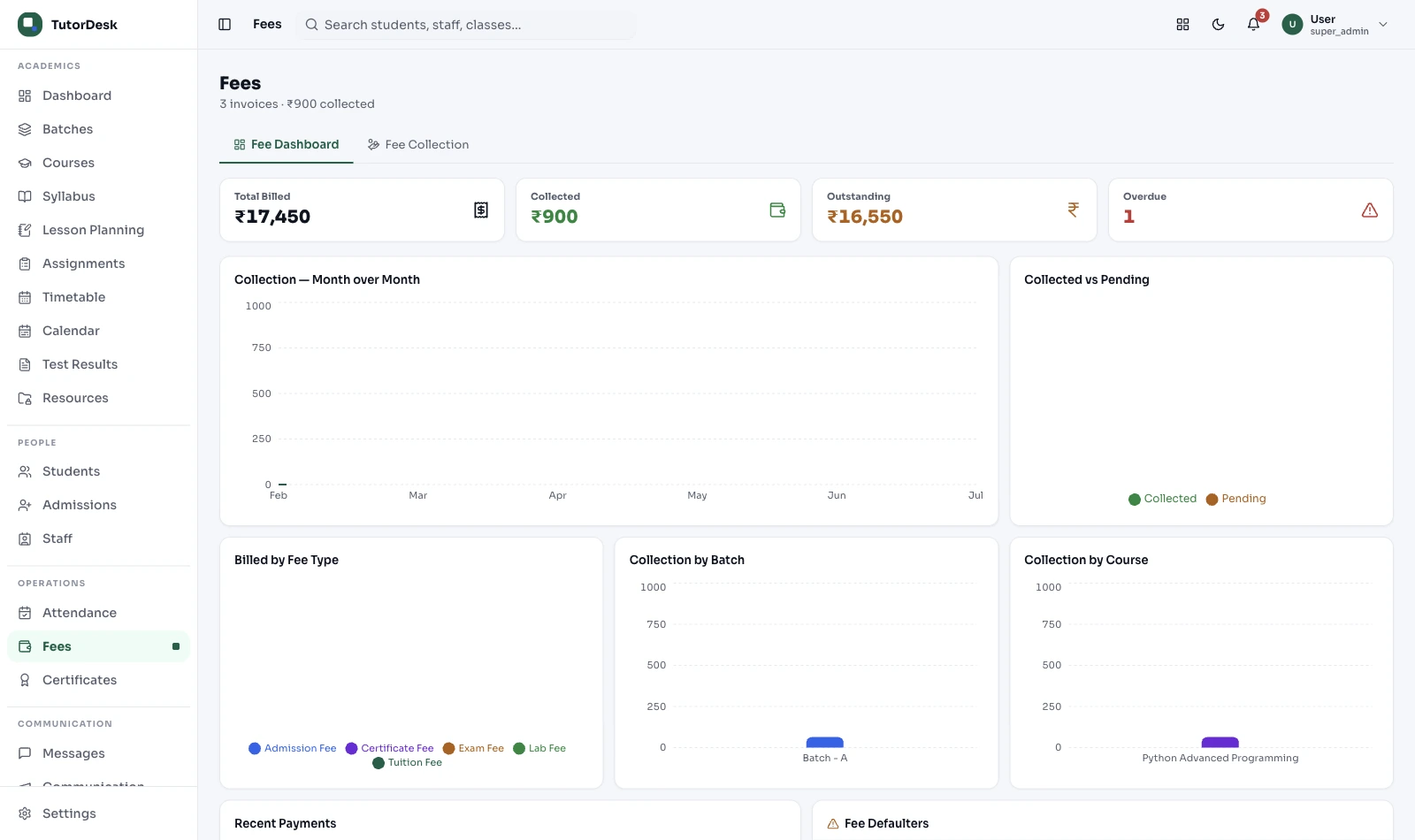
TutorDesk shows you exactly which students have unpaid fees — by batch, by amount, and by how many days overdue — updated in real time. Automated WhatsApp reminders go out before and after the due date so you never need to make an awkward phone call about money.

  • Live defaulter dashboard: See every student with outstanding fees — name, batch, amount owed, and number of days overdue — on one screen.
  • Batch-wise fee collection rate: "JEE Batch A: 91% collected. Foundation Batch: 67% collected." — helps identify which batches need focused follow-up.
  • Automated WhatsApp reminders: Configure reminders at 3 days before due date, on the due date, and 3/7 days after if still unpaid — each message personalised with the student's name and amount.
  • Bulk reminder trigger: Select all overdue students in a batch and send a personalised WhatsApp reminder to all parents with one click — without typing a single message.
  • No uncomfortable calls: The automated reminder system means parents are notified through the app and WhatsApp — the centre owner doesn't need to personally chase anyone.
Outstanding Fees — June 2025
Defaulters — All Batches ₹1,48,500 pending
Student Amount Days
Rohan K. ₹13,000 18d Remind
Sneha P. ₹6,500 9d Remind
Vikram S. ₹6,500 3d Remind
Meena R. ₹6,500 1d Remind
4 students overdue Send bulk reminder →

Instalment Plans & Partial Payment Tracking

Not every parent can pay three months' fees at once. TutorDesk lets you set flexible instalment schedules per student — and tracks exactly how much of each instalment has been paid, what's pending, and when the next reminder should go out.

  • Custom instalment schedule: Set the total fee, number of instalments, and individual due dates per student — different students can have different plans.
  • Partial payment recording: If a parent pays ₹3,000 of a ₹6,500 fee, TutorDesk records ₹3,000 paid and ₹3,500 remaining — tracked separately from other students' records.
  • Per-instalment reminders: Automated WhatsApp reminders sent before each instalment's due date — not a bulk monthly message.
  • Running balance visible to parent: Parents see their total due, amount paid, and remaining balance in the TutorDesk parent app — no need to call the centre to ask "how much do I still owe?"
  • Instalment history in student record: Every instalment payment is logged in the student's fee record — a complete payment trail for any dispute or audit.
Instalment Plan — Priya Sharma
Fee Instalment Schedule
P
Priya Sharma
NEET Batch B · Total: ₹19,500
1 1 April 2025 ₹6,500 Paid ✓
2 1 May 2025 ₹6,500 Paid ✓
3 1 June 2025 ₹6,500 Due in 2d
₹13,000 paid ₹6,500 remaining

TutorDesk Fee Collection vs. Bank Transfers & Manual Receipts

Most coaching centres still collect fees through bank transfers or cash, track them in Excel, and send reminders manually. Here is what that costs every month.

Capability TutorDesk Fee Collection Bank Transfer / Cash + Excel
Payment method UPI, card, net banking — in app Bank transfer or cash at centre
Receipt generation Automatic — sent to parent in 5 seconds Written by hand or typed manually
Outstanding dues tracking Live dashboard — per student, per batch Manual Excel update after each payment
Fee reminders Automated WhatsApp — personalised Manual call or group WhatsApp message
Instalment tracking Per instalment, with running balance Separate sheet per student — error-prone
Monthly fee report Auto-generated — collection rate by batch Manual compilation from bank statements
Parent access to receipts Always in parent app — downloadable "Can you resend the receipt?" every time
Who Uses This
Every Coaching Centre Still Collecting Fees Manually Needs This

From a single tutor to a 10-branch chain — the same fee collection problems, solved once.

🎯

JEE & NEET Coaching Institutes

High per-student fees and quarterly/half-yearly payment cycles. Instalment plans with automated reminders reduce the manual follow-up burden at the start of every term.

📚

School Subject Tuition Centres

Monthly fee collection from 100–300 students. The defaulter dashboard shows exactly who is late — without scrolling through a WhatsApp group or calling parents individually.

🏗️

Multi-Branch Coaching Chains

See fee collection rates across all branches in one dashboard. Identify which branch has the highest outstanding dues and take action — without waiting for branch managers to report.

🌐

Online Coaching Institutes

Students across different cities pay via UPI from their phones. No physical cash handling, no branch counter — the fee comes in digitally and the receipt goes out automatically.

✏️

SSC & Government Exam Coaching

Short-duration courses with one-time or split payments. Track who has cleared payment before the exam date — and block access to mock tests for students with pending fees if needed.

👤

Individual Tutors with Multiple Students

A solo tutor managing 40–60 students stops tracking payments in a notebook. UPI payments flow directly to their account, receipts go to parents automatically, and a dashboard shows who hasn't paid.

Frequently Asked Questions

Questions coaching owners ask before switching from bank transfers and Excel to TutorDesk fee collection.

What is coaching centre fee collection software?
Coaching centre fee collection software is a platform that allows tuition institutes to collect tuition fees online via UPI, cards, and net banking; generate digital receipts automatically; track which students have paid and which have outstanding dues; send automated WhatsApp payment reminders; and manage instalment plans. TutorDesk includes all of this as a built-in module — no separate payment tool or spreadsheet needed.
Can coaching centres collect fees via UPI in TutorDesk?
Yes. TutorDesk supports UPI (GPay, PhonePe, Paytm), debit card, credit card, and net banking. Parents pay directly from the TutorDesk parent or student app. Once payment is confirmed, a digital receipt is generated and sent to the parent instantly. The coaching centre sees the payment in their dashboard in real time.
Does TutorDesk send automatic fee reminders on WhatsApp?
Yes. TutorDesk sends automated WhatsApp reminders at intervals you configure — for example, 3 days before the due date, on the due date, and 3 days after if payment is still pending. Each message is personalised with the student's name, fee amount, and due date. No manual sending required from the coordinator.
Can I track which students have not paid fees?
Yes. TutorDesk's fee dashboard shows outstanding dues per student and per batch — updated in real time as payments come in. You see each student's name, amount overdue, and number of days since due date. A bulk reminder sends personalised WhatsApp messages to all overdue parents in one click — without typing individual messages.
Can TutorDesk handle instalment plans and partial payments?
Yes. You set the total fee, number of instalments, and individual due dates per student. TutorDesk tracks how much has been paid and how much remains for each instalment. Automated reminders go out before each instalment's due date. Parents see their running balance in the app anytime.
Are digital receipts generated automatically?
Yes. For every payment — UPI, card, or cash recorded in TutorDesk — a PDF receipt is generated automatically with the student name, batch, fee amount, date, and payment reference. The receipt is sent to the parent's phone via the app and email, and is stored permanently in the student's fee record.
How is this different from the fee management solutions page?
This page describes the TutorDesk fee collection feature itself — how UPI collection, receipts, reminders, and defaulter tracking work. The Fee Management solutions page describes how coaching centres use these tools to reduce defaults and improve cash flow. Both cover fee management, from different angles.

Stop Chasing Fees. Start Collecting Automatically.

UPI payments, auto-receipts, WhatsApp reminders, and a live defaulter dashboard — all built into TutorDesk.

Book a Free Demo