


The salary engine: payroll software
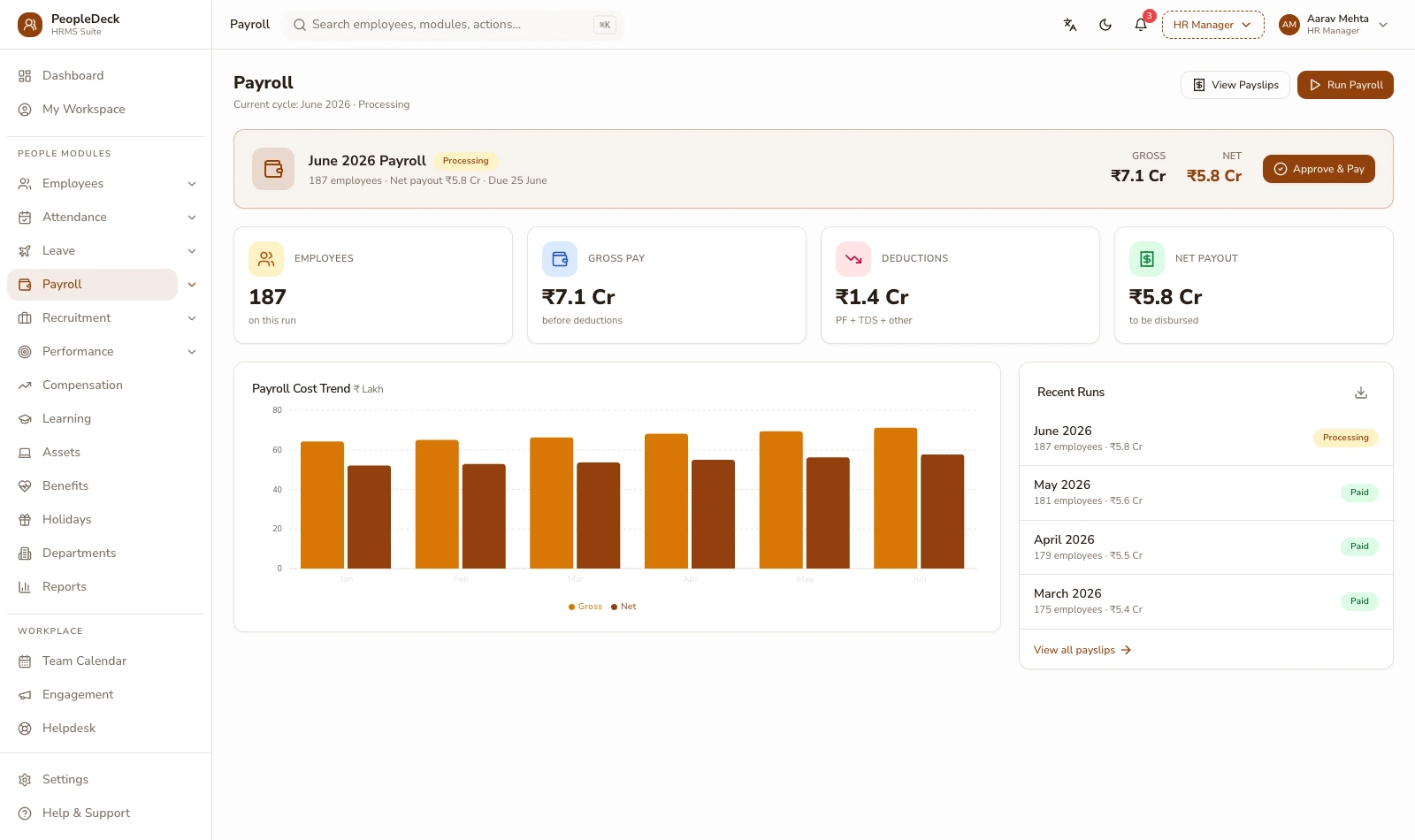
PeopleDeck's payroll engine turns salary structures and reconciled attendance into a finished run: PF, ESI, professional tax and TDS applied per employee at current rates, payslips issued to self-service, and a bank-transfer sheet generated that ties to those payslips line by line. It is priced per employee, per month, and it applies statutory treatment, it never files returns on your behalf.
How it works
-
1
Define salary structures once
A structure is the recipe for a payslip: basic, HRA, special allowance, statutory deductions, variable components like incentives or shift differentials. You define structures per grade or per role, a plant operator's structure carries overtime and shift components, a sales structure carries incentives, an office structure may be a clean monthly split. New joiners inherit the right structure the day HR maps them to it, so the first payslip is correct without anyone re-entering components.
-
2
Let attendance drive earnings
The engine reads reconciled attendance from the attendance module — paid days, loss-of-pay days, overtime hours, shift differentials. There is no export-import step: the hours your supervisors approved are the hours the run pays. Loss-of-pay proration happens automatically on the components you mark prorated, and overtime multiplies against the rate you set in the structure.
-
3
Apply statutory treatment at current rates
Every payslip gets PF, ESI, professional tax and TDS applied in one pass. EPF runs at 12% employee plus 12% employer on the ₹15,000 wage ceiling, as notified on 29 May 2026 under the Code on Social Security 2020, with the employer share split 3.67% EPF and 8.33% EPS (capped at ₹1,250), plus EDLI and admin charges at 0.50% each. ESI applies at 0.75% employee and 3.25% employer up to the ₹21,000 gross ceiling. Professional tax follows each employee's work state; salary TDS follows the declaration and regime each employee has chosen.
-
4
Review the run before anyone is paid
A run preview shows every payslip with its workings: which days paid, which components prorated, what each statutory line came to and why. Variances against last month are flagged, a salary that moved without a revision behind it, attendance that looks half-filled, a new joiner missing bank details. You approve the run; nothing pays until a person says so.
-
5
Generate payslips and the bank file together
On approval the engine issues payslips to employee self-service and generates a bank-transfer sheet in your bank's upload format. The transfer sheet is derived from the same computation as the payslips, so the amount leaving your account and the amounts on payslips can never quietly diverge. Off-cycle runs (a missed joiner, a correction, a final settlement) work the same way, as their own small runs with their own trail.
-
6
Close the month with files, not paperwork
After the run, the statutory outputs are already prepared: ECR for the EPFO portal, the ESI contribution file, challan-ready summaries and TDS workings that accumulate into Form 24Q and each employee's Form 16. You or your consultant upload and file them: the engine's job is to make those files correct and ready, not to act on the portals for you.
A worked example: one payslip, shown honestly
Take an illustrative employee earning ₹28,000 gross (basic ₹14,000, HRA ₹7,000, special allowance ₹7,000) with two loss-of-pay days in a 30-day month. Paid-day proration brings gross to ₹26,133. PF applies on basic (₹14,000, under the ₹15,000 ceiling): employee share ₹1,680, employer ₹1,680 split ₹513 EPF and ₹1,167 EPS. ESI applies because gross sits under ₹21,000? No — at ₹26,133 it does not; the engine checks the ceiling per period and shows the reason on the payslip. Karnataka professional tax deducts ₹200. The employee sees each line and the working behind it; the accountant sees the same numbers roll into the ECR and the bank file. The arithmetic is the product. This example is illustrative, not a quoted case study.
Applied, not filed, and why that boundary protects you
PeopleDeck applies statutory rates and generates upload-ready files; it does not submit anything to EPFO, ESIC or TRACES on your behalf. That is deliberate. Filing carries legal identity (DSC tokens, portal credentials, authorised signatories) and those belong with your establishment or your consultant, not inside a payroll vendor's automation. The engine's guarantee is that what you upload is complete, current-rate and reconciled; the sign-off stays yours. Payroll data itself stays India-hosted and access-controlled, aligned to the DPDP Act's consent and purpose-limitation expectations.
Key terms, plainly
Salary structure
The component recipe behind a payslip — earnings like basic, HRA and allowances, plus deductions — defined once per grade or role and inherited by every employee mapped to it.
Loss of pay (LOP)
Unpaid absence that prorates salary. The engine reduces prorated components by unpaid days over month days, and shows the computation on the payslip.
ECR
Electronic Challan-cum-Return: the monthly PF contribution file uploaded to the EPFO portal. PeopleDeck generates it from the approved run, member-wise, ready for upload by the 15th.
EPS cap
Of the employer's 12% PF share, 8.33% routes to the Employees' Pension Scheme, capped at ₹1,250 per month against the ₹15,000 wage ceiling; the balance goes to the PF account.
Off-cycle run
A payroll run outside the monthly cycle (a missed joiner, a correction, a settlement) computed and approved with the same rigour and its own audit trail.
What you get
- ✓ Salary structures with earnings, deductions and variable components, per grade or role
- ✓ Attendance-linked pay with automatic LOP proration and overtime
- ✓ Arrears and mid-cycle revisions computed from effect dates, workings shown
- ✓ PF, ESI, PT and TDS applied at current rates on every payslip
- ✓ Payslips, Form 16 data and a reconciling bank-transfer sheet from every run
| Line | Applies on | Current anchor |
|---|---|---|
| EPF | Basic + DA up to ₹15,000 ceiling | 12% + 12% (EPS ₹1,250 cap; EDLI/admin 0.50% each) |
| ESI | Gross wages up to ₹21,000 | 0.75% employee + 3.25% employer |
| Professional tax | State-specific slabs | Applied per work state; some states levy none |
| Salary TDS | Taxable pay per declaration | Computed monthly, accumulates to Form 24Q / Form 16 |
Works with: Attendance & leave · Statutory compliance · Employee self-service
Moving off spreadsheet payroll
Most teams arrive here from Excel, and the move is less dramatic than feared: import the employee master, define the structures you already informally use, and run one month in parallel. The parallel run is where spreadsheets confess, a PF ceiling applied inconsistently, an allowance someone stopped prorating in March, a TDS projection that ignored a mid-year declaration. Fix the structures once, and the second month runs clean. History matters too: opening balances for leave, loans and TDS carry in, so year-end Form 16 reflects the whole year, not just the months after you switched. The one-time cost is a careful first month; the recurring saving is every month after it.
Your first-run checklist
- 1.Import the employee master with UAN, ESIC, PAN and bank details validated
- 2.Define salary structures per grade; mark which components prorate
- 3.Carry in opening balances — leave, loans, year-to-date TDS
- 4.Map attendance cut-off and approval owners
- 5.Run one parallel month and reconcile against the old sheet
- 6.Approve, pay, and file from the generated ECR and challan set
Is this the right fit?
Built for you if
- ✓ You run 10-500 employees and payday still depends on one person's spreadsheet
- ✓ Your components vary (overtime, incentives, shift pay) and proration errors keep surfacing
- ✓ Your consultant asks for clean workings and you keep sending screenshots
Not the fit if
- ✕ You need a global multi-country payroll engine — PeopleDeck is built for Indian statutory payroll
- ✕ You want software that also files returns for you — filing deliberately stays with you
Related features
Running a school or college? Staff payroll belongs inside your ERP: SchoolDeck staff payroll or CampusAlly payroll.
Frequently asked questions
Can it handle arrears and salary revisions?
Yes — set a revision with its effective date and the engine computes arrears across the affected months in the next run, showing the month-wise working on the payslip rather than a single unexplained lump.
What does the bank-transfer file contain?
Employee-wise net pay in your bank's upload format, derived from the same computation as the payslips, so the transfer total always reconciles to the run, line by line.
How are new joiners mid-month paid?
Pro-rata from date of joining: paid days drive the prorated components, and PF/ESI apply from day one, so there is no compliance gap to fix later.
Can components differ by employee grade?
Yes — structures are defined per grade or role. An operator can carry overtime and shift differential components while a manager's structure stays a clean monthly split.
Does it support both tax regimes?
Yes — TDS follows each employee's declared regime and investment declaration, and the monthly computation accumulates correctly into Form 24Q and Form 16.
How is PeopleDeck priced?
Per employee per month, in rupees. You pay for the headcount you actually run, no module bundles, no per-branch fees.
Does PeopleDeck file the returns it prepares?
No; it generates upload-ready ECR, challan and TDS files; you or your consultant file them. Nothing reaches a portal without your sign-off.
Can we pay some employees weekly and others monthly?
Yes — pay cycles are configurable per employee group, and each cycle produces its own runs, payslips and statutory accumulation.
What happens if we spot an error after approval?
Corrections run as off-cycle adjustments with their own trail: the original run stays immutable, the fix is visible, and the arrears computation is shown.