A whiteboard works for one batch. Add a dozen — with shared teachers, limited rooms and different exam tracks — and it falls apart. TutorDesk gives a growing institute one master timetable everyone can trust, so your week runs itself.
What is batch timetable management for coaching institutes?
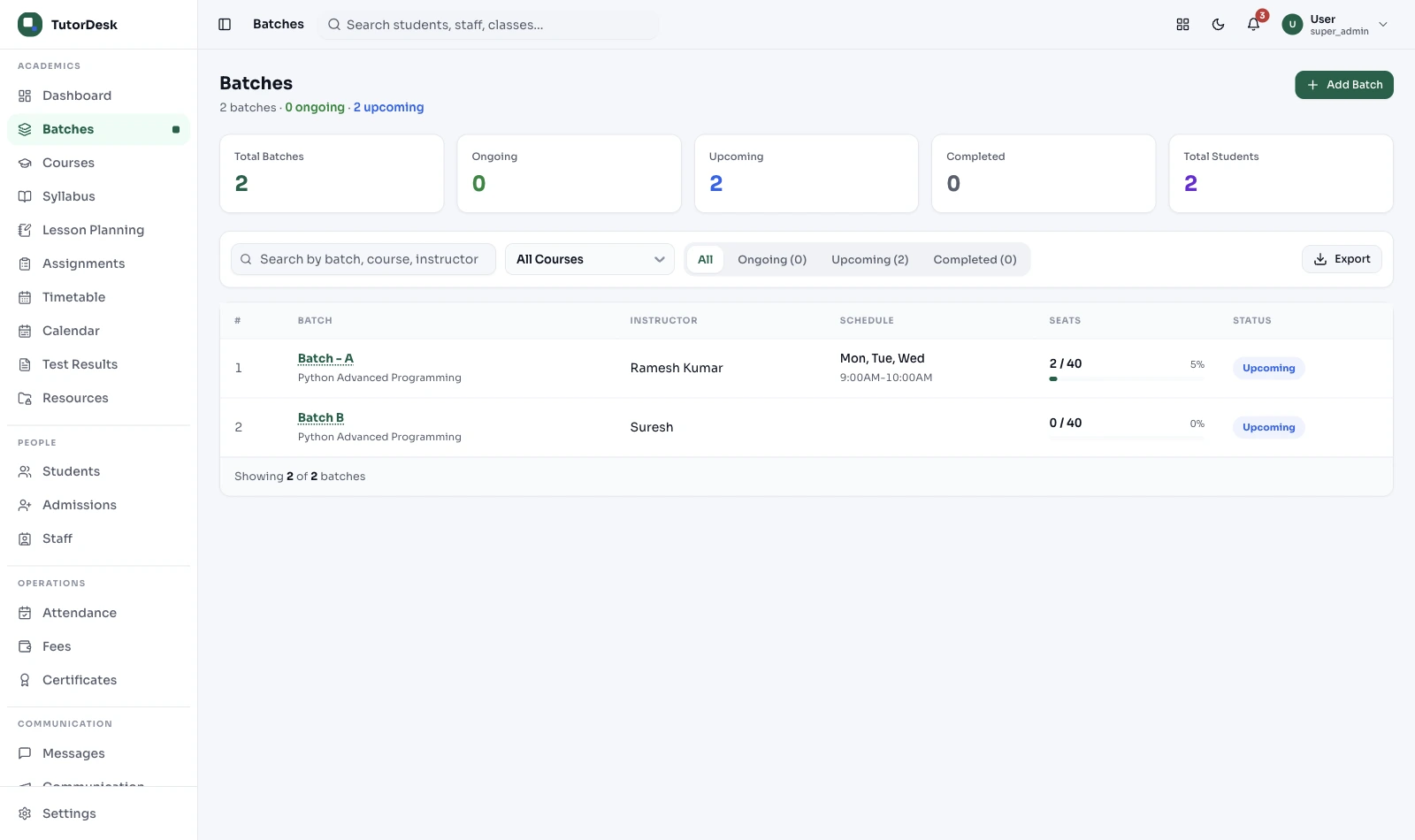
It's how a coaching institute runs many batches at once — different subjects, shared teachers and limited rooms — on a single schedule, so two batches never collide and everyone knows where to be. As an institute grows past a handful of batches, a whiteboard or spreadsheet stops coping; one shared timetable is what keeps a multi-batch operation calm and lets you keep adding batches without adding chaos.
Why the whiteboard breaks
A timetable that works at five batches quietly collapses at fifty. Here's what changes as you scale, and what a shared master timetable does about it.
| Where you are | The scheduling reality | What a master timetable does |
|---|---|---|
| A few batches | One or two teachers, one room — a whiteboard is fine | Gets everyone on the same live view from day one |
| 10–20 batches | Shared teachers start clashing; rooms get double-booked | Catches clashes before a class is announced |
| 50+ batches, multi-track | Droppers, 11th, 12th and mock tests fight for faculty | One source of truth across tracks, rooms and branches |
How institutes roll it out
No tech team. A coordinator can set this up and have the whole institute on it the same week.
By grade, subject or track — the whole operation in one place
Each teacher marks when they're free, so faculty don't clash
Place slots; the engine flags clashes as you go
Everyone sees only their own classes, not the master sheet
Move a slot and affected families are alerted
By institute type
The shape is the same; what makes it hard depends on what you run.
Dropper, 11th and 12th tracks run side by side, sharing senior faculty across subjects, with mock tests dropped in. A master timetable keeps the tracks from fighting over the same teacher at the same hour.
Multi-track, shared facultySubject batches from Class 1 to 12, often in the same few rooms after school hours. The squeeze is rooms and the evening rush — one grid stops two batches landing in the same room at 6 PM.
Room crunchEvery branch has its own rooms and local timetable, but the brand promises the same experience everywhere. The owner sees all branches at once without micromanaging each whiteboard.
Across branchesSome students sit in the room, others join online, often in the same batch. One timetable holds both, so an online slot and an in-room slot never quietly collide for the same teacher.
Online + offlineWhy owners switch
The real win isn't a prettier calendar — it's being able to add batches without adding headaches.
You stop double-booking a teacher in front of students and parents.
Add the tenth or the fiftieth batch without the whole thing wobbling.
Each teacher and student sees only their classes — no confusing master sheet.
Move a class and affected parents are alerted automatically.
Change messages go out as DLT-registered templates — proper, not spam.
One consistent way of scheduling, however many locations you run.
This page is the operation — how a multi-batch institute organises its week. The engine that actually catches the clashes, repeats recurring classes and fires reschedule alerts is the Scheduling feature. Read this for the strategy; open that for how the engine works.
See the Scheduling feature →Frequently asked questions
Outcome, rollout and how this fits the rest of TutorDesk.
How is this different from the Scheduling feature?
This page is the outcome — how a multi-batch institute organises its week and rolls a timetable out across batches, subjects and branches. The Scheduling feature is the engine that does the work: clash detection across teacher, room and student, recurring class rules and reschedule alerts. Read this for the operation; open the feature for how the engine works.
Can it handle shared teachers across many batches?
Yes — that's the whole point at scale. When one Physics teacher covers several batches, the timetable keeps their slots from colliding and shows their week clearly. The underlying clash check lives in the Scheduling feature; here you see why it matters when you're juggling shared faculty.
Does it work for JEE and NEET institutes with different tracks?
Yes. Competitive-exam institutes run dropper, 11th and 12th tracks side by side, each with its own subject batches and shared teachers, plus mock tests. One master timetable lets a coordinator see the whole picture and keep the tracks from clashing over teachers and rooms.
What happens to parents and students when a class moves?
When the coordinator moves a class, affected students and parents are alerted automatically. Those alerts go out as consent-based templates from a TRAI DLT-registered sender; the messaging channel itself is part of Secure Chat.
Can it scale to a multi-branch institute?
Yes. Each branch has its own rooms and local timetable, while the owner sees the full picture across branches — so a chain keeps a consistent schedule without every branch reinventing its own whiteboard.
Does this calculate teacher pay from the timetable?
The timetable is where classes are planned, but per-class pay and teacher rosters live in Teacher Management, which reads the classes conducted. This keeps scheduling and payroll cleanly separate.
How long does it take to roll out across all our batches?
Most institutes have a working master timetable within a day or two: list your batches, set teacher availability, place the slots, and publish. Setting up the scheduling engine itself is covered on the Scheduling feature page.
Is this part of a bigger coaching platform?
Yes. The timetable is one part of running a centre. For batches, fees, attendance, tests and parent communication together, see the coaching institute management solution.
Get started
A 30-minute demo — we'll build a sample multi-batch timetable for your institute, live.


